
Most Five9 campaigns do not fail because of bad agents or bad leads. They fail because a setup step was missed.
It is 9:14 am on launch day. The transfer line points to the wrong number. By 9:31 am, old codes from the last campaign are still active. At 10:07 am, agents cannot see the script pane. The screen layout was never reset.
A 2025 report from Call Center Studio found that nearly 65% of companies miss their outbound targets. Many of those failures start with setup errors. These errors only show up when live dials begin.
The first three hours of any new Five9 campaign carry the most risk. Errors that stayed hidden in testing are exposed when real calls start. Most of them could have been caught with a pre-launch check.
This checklist was built for that check. It covers every Five9 setup item to confirm before the first dial. For a broader look at building a campaign from scratch, see our guide on how to build a high-converting outbound dialing campaign. It is sorted by how fast problems appear when something is wrong. It is not a training guide. It is a checklist for teams who know Five9 and need a clear review before launch.


How to Use This Checklist
This checklist has eight sections. Each one covers a key setup area in a Five9 outbound campaign. The items that most often cause launch failures or compliance risk are listed in each section.
Work through the sections in order. The flow follows how a call moves through the system. It starts with how leads enter, then how agents get them, and ends with how results are logged.
An error in an early section often causes more problems later. For example, if timezone settings are wrong in the campaign setup, TCPA risk is created, no matter how well the calling windows are set.
A named team member should check each item. A timestamp should be added. “It should be fine” is not a valid check. Every item here has caused a real launch failure. The checklist exists because those failures happened.
Campaign Setup
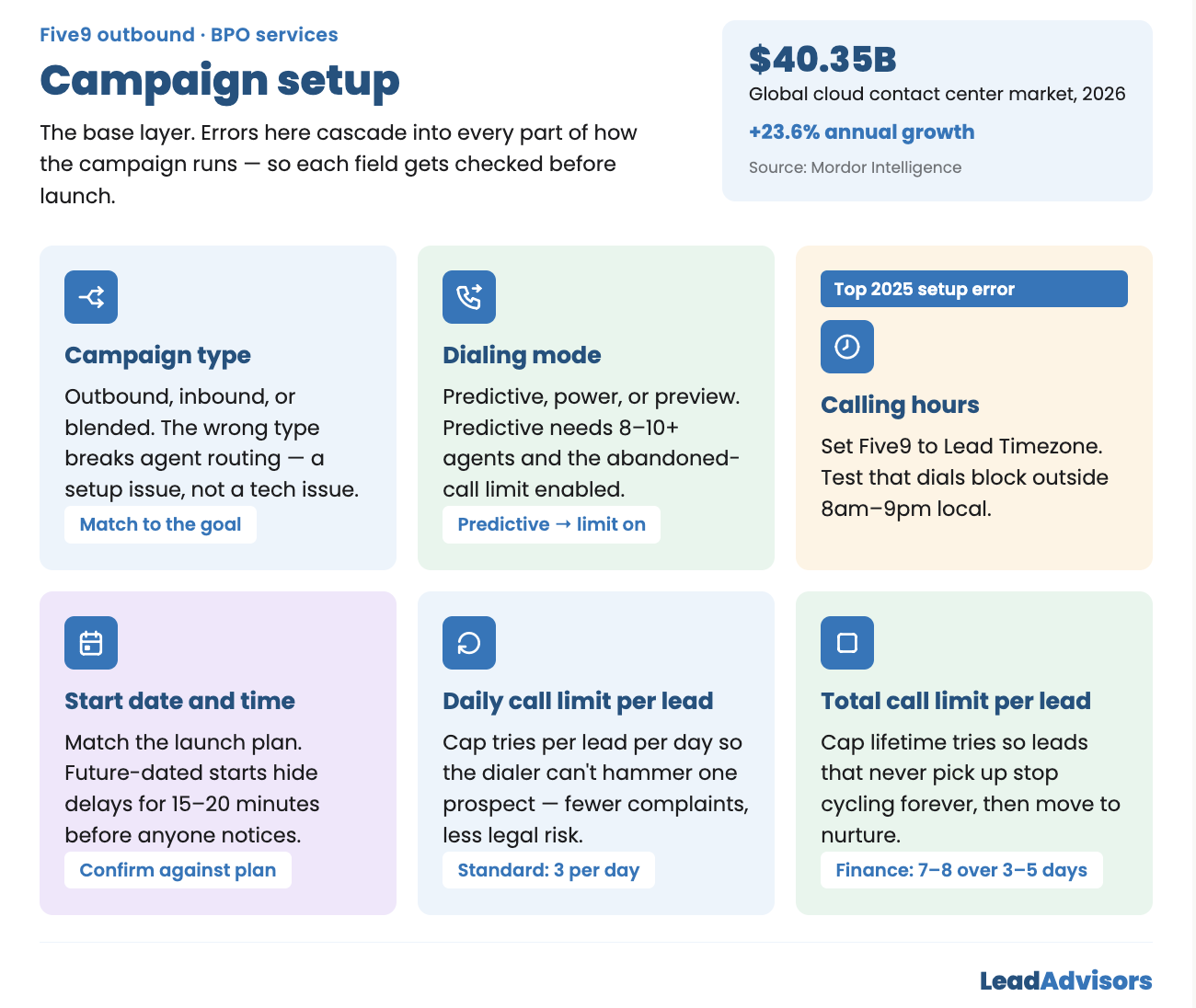
The campaign setup is the base layer. Errors here affect every part of how the campaign runs. According to Mordor Intelligence, the global cloud contact center market is set to reach $40.35 billion in 2026, growing at a 23.6% annual rate. As more teams move to platforms like Five9, setup errors are expected to grow as well.
Campaign Type Must Be Checked
The campaign type should match the goal:
- Outbound for predictive, power, or preview dialing
- Inbound for queue-based call handling
- Blended for both inbound and outbound at the same time
If the wrong type is set, agent routing looks broken. It is not a tech issue. It is a setup issue. The fix path is very different.
Dialing Mode Must Be Set and Checked
The dialing mode should match the campaign goal:
- Predictive: Many dials are placed per free agent. At least 8-10 agents are needed to stay below the 3% FTC abandoned-call limit. Limit setting must be enabled.
- Power: One dial per free agent is placed at a time. No abandoned call risk. Lower call volume.
- Preview: The agent views the lead record before the dial starts. Best for high-value lists. Lowest volume.
If predictive mode is picked, the abandoned call setting must be on. If it is not set, TCPA risk starts from the first dial.
Calling Hours Must Use the Prospect’s Timezone
This is the most common setup error in Five9 outbound campaigns. It was ranked the top error in 2025 industry surveys.
Calling hours must be based on the prospect’s location, not the team’s. The system should use the lead’s area code or ZIP code.
What to check:
- Five9 timezone is set to “Lead Timezone” (not “Campaign Timezone” or “Agent Timezone”)
- A test lead from each timezone is used to confirm dials are blocked outside 8 am to 9 pm local time
Start Date and Time Must Be Checked
The launch date and time should match the plan. Campaigns scheduled to start in the future often cause delays. The issue can go unseen for 15 to 20 minutes.
Daily Call Limit Per Lead Must Be Set
A cap on daily call tries per lead should be set. Without one, the dialer can call the same lead many times in a few hours. This annoys prospects and adds legal risk.
Standard setting: 3 tries per lead per day.
Total Call Limit Per Lead Must Be Set
A cap on total call tries per lead should be set. Without this, leads that never pick up keep cycling forever.
Standard setting for finance leads: 7-8 total tries over 3-5 days before the lead moves to a nurture list.
List Setup and Lead Routing
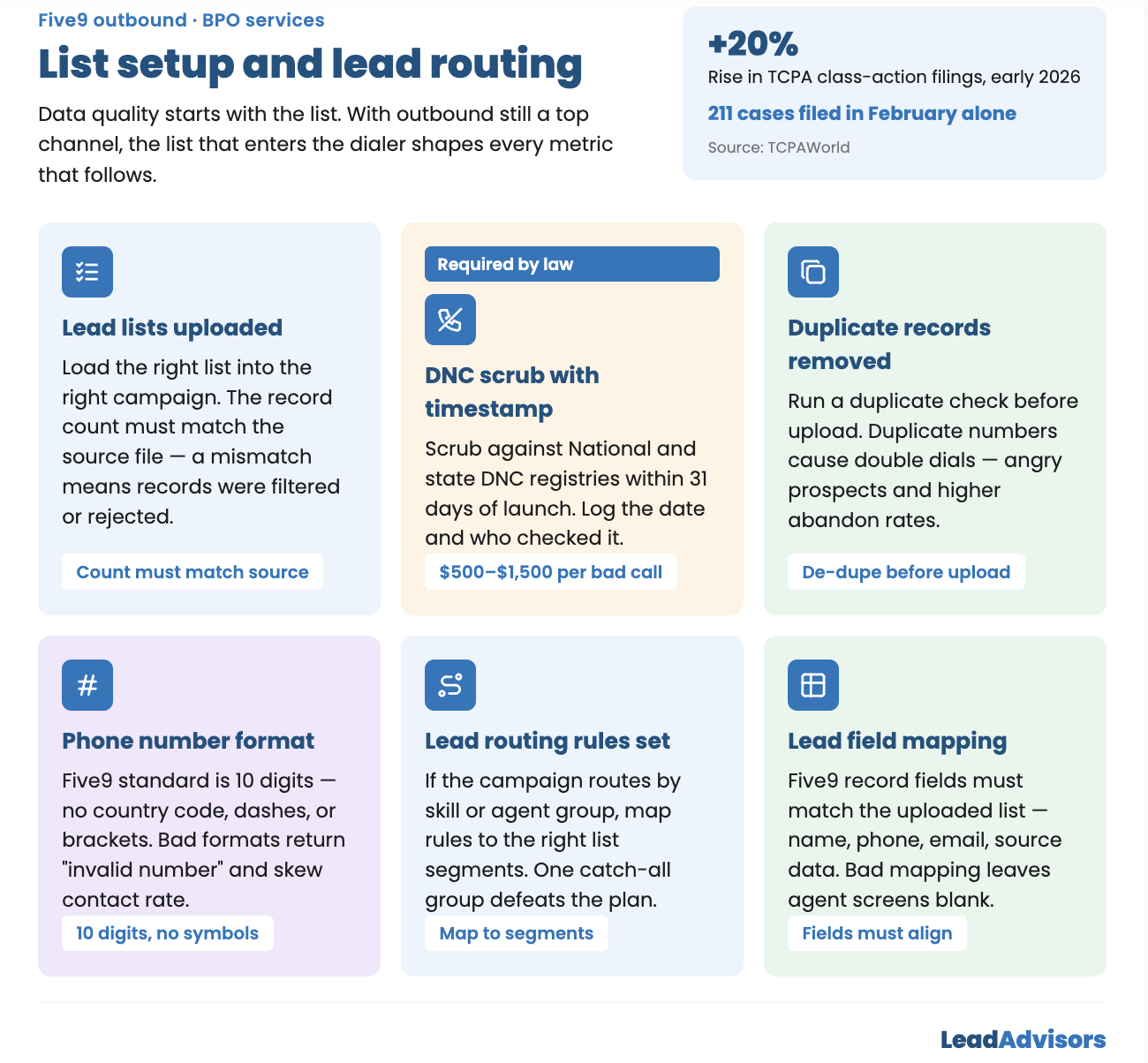
Data quality starts with the list. A 2026 report from ReadyMode notes that nearly 3 million Americans work in call centers. Outbound dialing is still one of the most used channels. The lead list that enters the dialer shapes every metric that follows.
Lead Lists Must Be Uploaded and Checked
The right list should be loaded into the right campaign. The record count must match the source file. If the numbers do not match, some records were filtered or rejected. This should be looked into before launch.
DNC Scrub Must Be Done with a Timestamp
The list must be scrubbed against the National DNC Registry and all state DNC lists before upload. The scrub date must be within 31 days of launch.
If the scrub is more than 31 days old, it must be done again. The date and the person who checked it should be written down.
TCPA class action filings rose 20% in early 2026, per TCPAWorld. In February 2026 alone, 211 cases were filed. DNC scrubbing is required by law. Fines range from $500 to $1,500 per bad call.
Duplicate Records Must Be Removed
A duplicate check should be run before upload. Duplicate numbers in the same campaign cause double dials. This leads to angry prospects and higher rates of abandoned calls.
Phone Number Format Must Be Checked
All numbers should be in the right format for Five9. The standard is 10 digits with no country code, dashes, or brackets.
Bad formats cause “invalid number” results. These raise the bad-number rate and skew the contact-rate math.
Lead Routing Rules Must Be Set
If the campaign uses more than one agent group or routes by skill, the rules must be on and mapped to the right list segments.
A rule that sends all leads to a single group, regardless of segment, defeats the whole plan.
Lead Field Mapping Must Be Checked
The fields in the Five9 lead record should match the fields in the uploaded list. This covers first name, last name, phone number, email, and any additional data from the lead source.
Incorrect mapping results in blank or incorrect data on agent screens. Agents then ask questions that the data has already answered. This wastes time and makes the team look bad.
Agent Setup and Skills
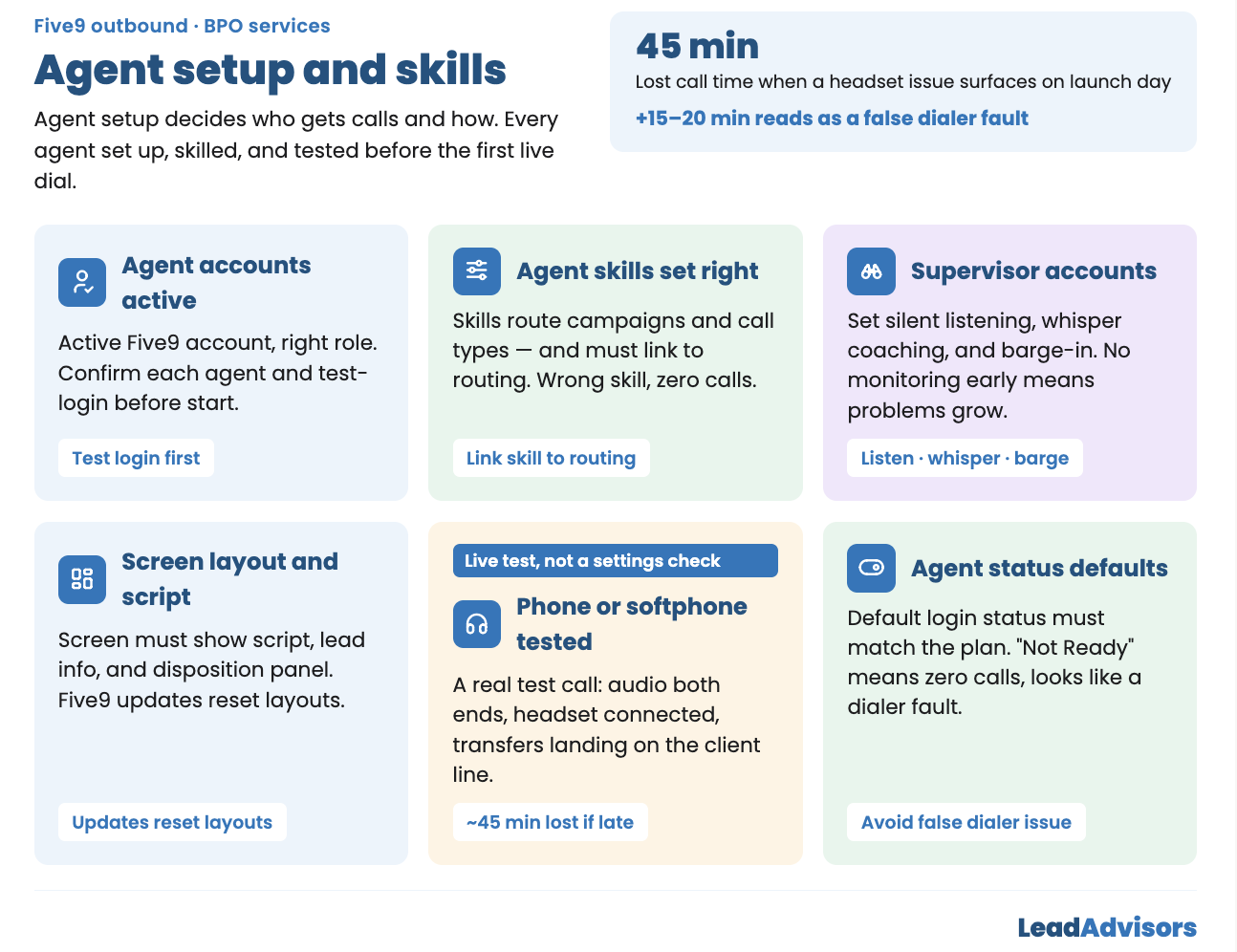
Agent setup decides who gets calls and how they get them. A 2025 report from Calabrio found that the agent role is changing fast as AI grows in contact centers. But the basic setup needs to stay the same. Every agent must be set up, skilled, and tested before the first live dial.
All Agent Accounts Must Be Active
Every agent on the campaign should have an active Five9 account with the right role. An agent who cannot log in on launch day wastes a paid seat.
Pull the user list. Check that each agent is active. Have each one do a test login before the start time.
Agent Skills Must Be Set Right
In Five9, skills decide which campaigns and call types an agent gets. Each agent should have the right skill. That skill must also link to the campaign’s routing setup.
An agent with the wrong skill gets zero calls, even when logged in and free.
Supervisor Accounts Must Be Set Up
Supervisor accounts should have the right access for this campaign:
- Silent listening
- Whisper coaching
- Barge-in
If supervisors cannot monitor live calls in the first hours, problems grow before anyone spots them.
Screen Layout and Script Must Be Checked
The agent screen should show the script, lead info, and disposition panel in the right layout.
Five9 updates can reset layouts to their default state. An agent who cannot see the script works from memory. This causes script errors right away.
Phone or Softphone Must Be Tested
Every agent should make a test call before launch. For structured practice scenarios, see our mock call scripts guide. This is not a settings check. It is a real call that confirms:
- Audio works on both ends
- The headset connects
- Transfers reach the client’s line
A headset issue discovered at 9:02 am on launch day resulted in about 45 minutes of lost call time.
Agent Status Defaults Must Be Checked
The default status after login should match the plan. Agents who start in “Not Ready” mode make zero calls until they switch. This looks like a dialer issue for the first 15 to 20 minutes while the team tries to figure out what went wrong.
Transfer Lines and Routing
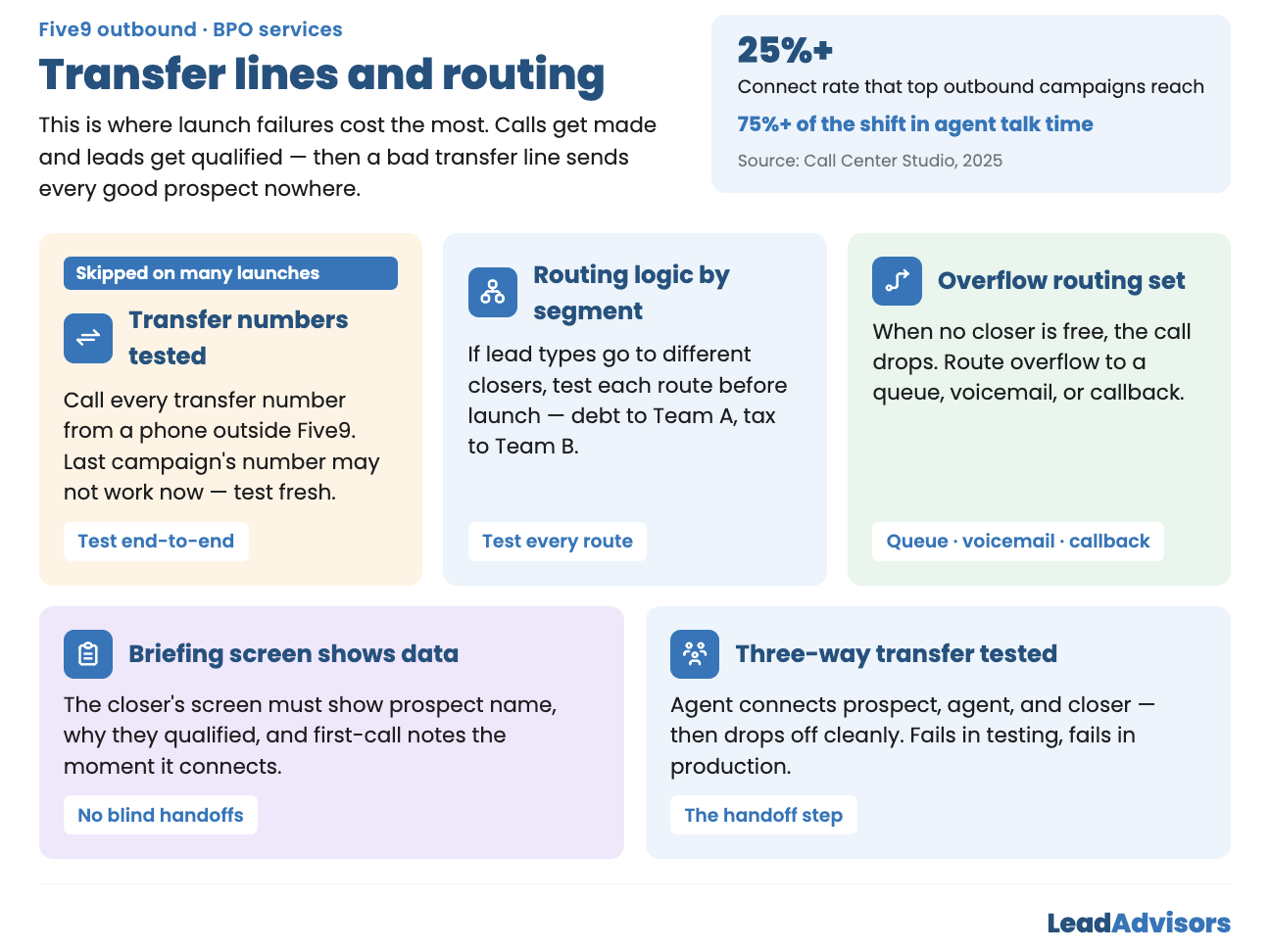
This section is where launch failures cost the most. A bad transfer line means every good prospect goes nowhere. Calls are made, leads are qualified, and then the transfer drops or goes to the wrong place.
For teams focused on contact rate, the transfer setup is where money is won or lost. A 2025 study from Call Center Studio found that top campaigns hit a connect rate above 25%. Agent talk time should fill over 75% of the shift. None of that matters if the transfer line is broken.
Transfer Numbers Must Be Tested End-to-End
Every transfer number should be called from a phone outside Five9. The call must reach the right place.
This step sounds basic. It gets skipped on many launches. A number that worked on the last campaign may not work now. It must be tested fresh.
Routing Logic Must Be Checked by Segment
If the campaign sends different lead types to different closers (debt leads to Team A, tax leads to Team B), each route must be tested before launch.
Overflow Routing Must Be Set
What happens when no closer is free to take a transfer? Without overflow, the call drops. The prospect hears hold music, then silence.
Overflow should route to one of these:
- A queue with a set wait time
- A voicemail box
- A callback option
Transfer Briefing Screen Must Show Lead Data
The closer’s screen should show the prospect’s info the moment the transfer connects. This includes:
- Prospect name
- Why they qualified
- Notes from the first call
A closer who gets a transfer with no data starts blind. This lowers the close rate and hurts the prospect’s experience.
Three-Way Transfer Must Be Tested
The agent must be able to connect three people: the prospect, the agent, and the closer. Then the agent must be able to drop off while the other two stay on the line.
This is the handoff step. If it fails in testing, it will fail in production.
Disposition Setup
Dispositions are the data tags that decide what happens to each lead after each call. For a deeper look at how to build a clean code structure, see our guide on disposition taxonomy for outbound. Without the right setup, data cannot be read, and routing rules do not fire.
Disposition List Must Be Reviewed
The list should contain only codes created for this campaign. Codes left over from a past campaign should be removed. Old codes produce data that does not align with current goals.
Routing Rules Must Be Set for Each Code
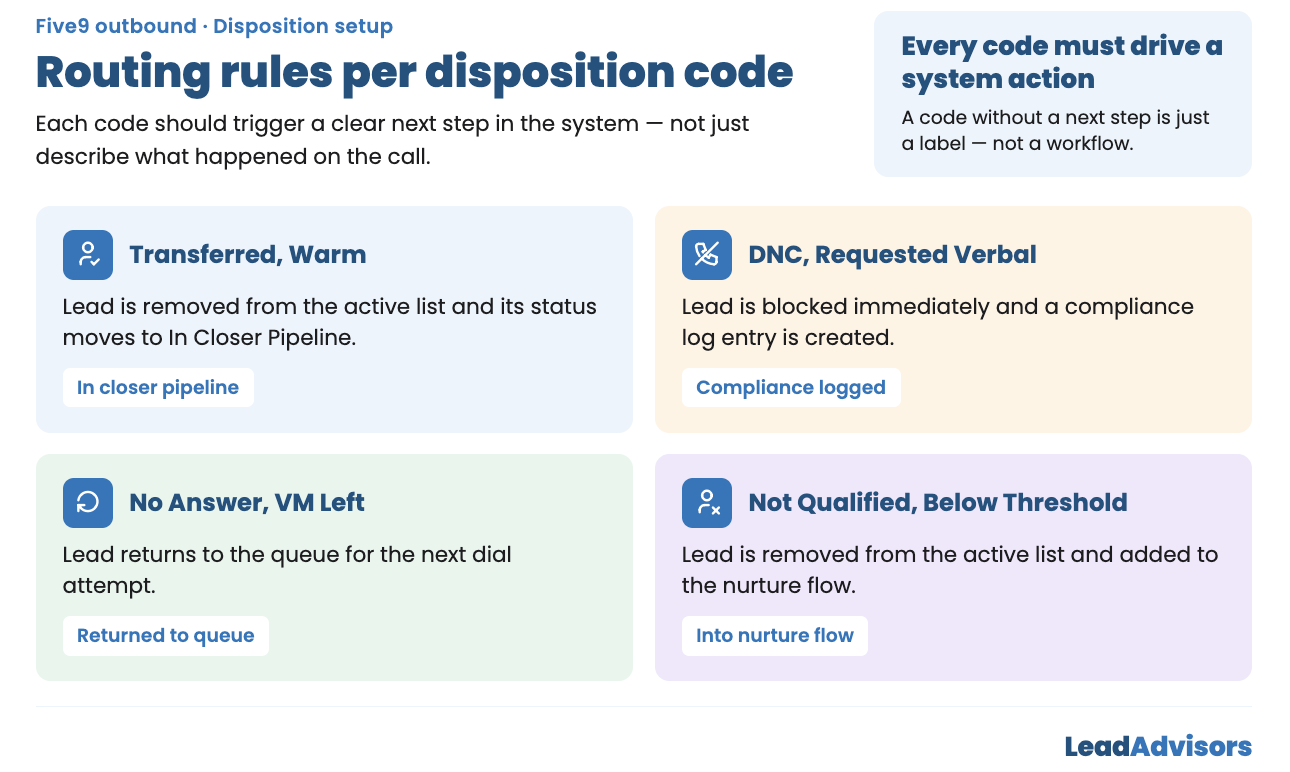
Each code should trigger a clear next step:
- Transferred, Warm: Lead is removed from the active list. Status changes to “In Closer Pipeline.”
- DNC, Requested Verbal: Lead is blocked right away. A compliance log entry is made.
- No Answer, VM Left: Lead is returned to the queue for the next try.
- Not Qualified, Below Threshold: Lead is removed from the active list and added to the nurture flow.
A code without a next step is just a label. Every code must cause an action in the system.
DNC Code Must Block the Number Right Away
The DNC code should be tested on a test lead. The number should be blocked from the dial list within 60 seconds.
If blocking needs a manual step or batch job, there is a compliance gap. Blocking must be instant. Under the TCPA, fines of $500 to $1,500 per bad call can be charged. With 211 class actions filed in one month in early 2026, the legal risk has never been higher.
Disposition List Must Be Visible During Calls
The disposition dropdown must appear and function during a live call. Agents who cannot see it during the call pick codes from memory after it ends. This leads to wrong codes and delayed routing.
Compliance Setup
Compliance is not a checkbox. It is a full setup domain. According to ActiveProspect, TCPA lawsuits rose by more than 50% to 2,128 cases by September 2025. Class actions made up 78% of those filings. Corporate Compliance Insights found that TCPA cases surged 95% compared to the prior year. Class actions alone spiked 285% in September 2025.
Every compliance setting must be checked before the first dial.
Abandoned Call Message Must Be Set
For predictive campaigns, an abandoned call message must be loaded. This message plays when a call connects, but no agent is free.
FTC rules say this message must:
- Name the company
- Give a callback number
- Play within 2 seconds of the prospect’s greeting
The message should be tested for timing and content.
Calling Window Must Be Based on Lead Timezone
As noted in Section 1, timezone rules must use the lead’s timezone. Run this test:
- Load a test lead with a Hawaii area code
- Confirm dials are blocked before 8 am HST and after 9 pm HST
- Confirm the block is based on the prospect’s time, not the team’s time
State-Level Calling Rules Must Be On
Some states have stricter rules than federal law. Those state rules must be turned on in Five9.
Test with a lead from a known strict state to confirm the rules work.
TCPA Consent Must Be on Each Lead
Every lead should have a consent field filled in. The field should show that written consent was given at intake.
Leads without consent should be flagged and held back. One bad call in today’s legal climate can start a lawsuit.
Call Recording Must Be On
The recording should be active for the campaign. Files must be saved to the right place. The client’s QA team should be able to pull recordings independently. For a full QA framework, see our guide on call center quality assurance best practices.
Reporting and Dashboard Setup
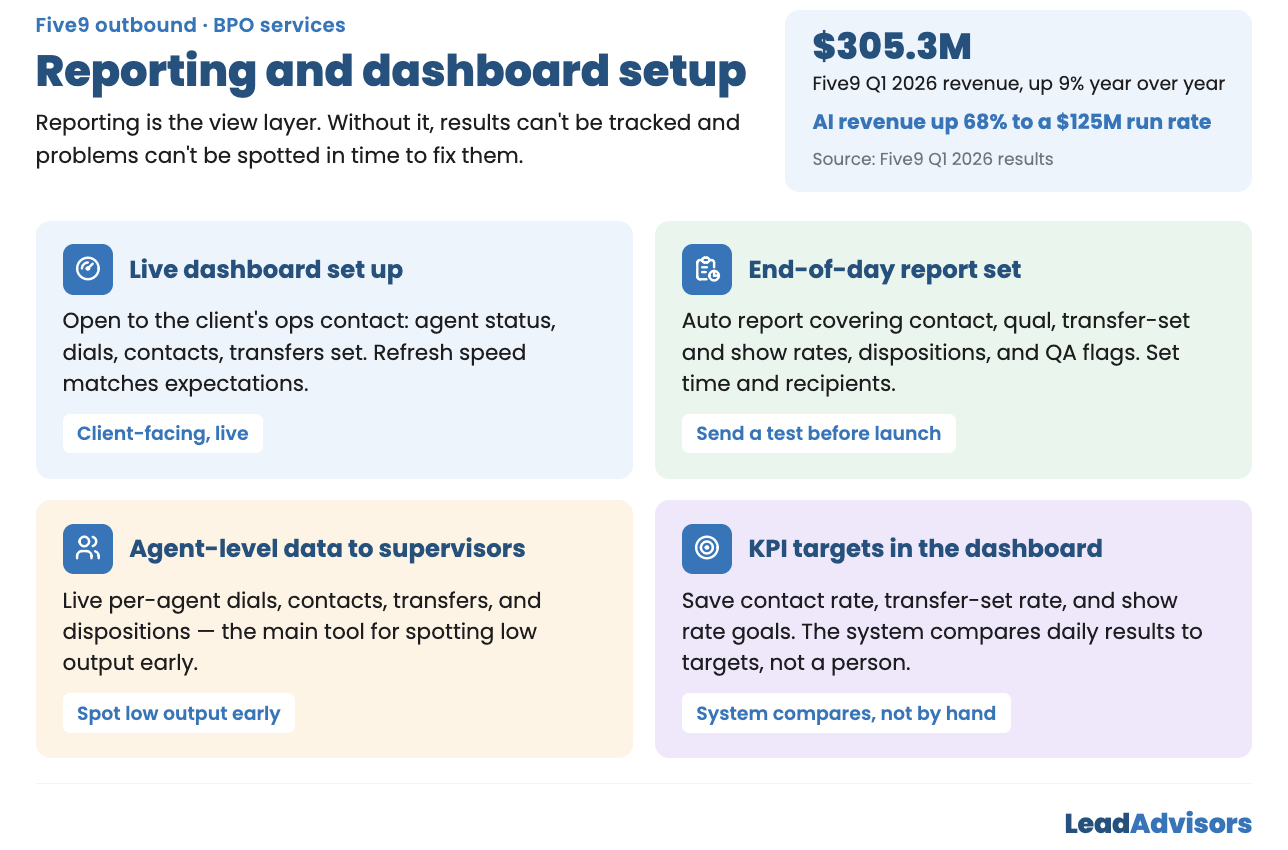
Reporting is the view layer. Without it, results cannot be tracked, and problems cannot be spotted.
Five9 posted Q1 2026 revenue of $305.3 million, up 9% year over year. AI revenue grew 68% to a $125 million yearly run rate. The tools keep growing. But the reports only work if the setup behind them is right.
Live Dashboard Must Be Set Up
The live dashboard should be open to the client’s ops contact. It should show:
- Agent status
- Dials placed
- Contacts made
- Transfers set
The refresh speed should match the client’s expectations.
End-of-Day Report Must Be Set
The auto report should include:
- Dials
- Contacts
- Contact rate
- Qual rate
- Transfer set rate
- Show rate
- Disposition breakdown
- QA flags
Set the send time and the recipient list. Send a test report before launch.
Agent-Level Data Must Be Open to Supervisors
Supervisors need live access to per-agent data:
- Dials per agent
- Contacts per agent
- Transfers per agent
- Disposition breakdown per agent
This is the main tool for spotting low output before it hurts the campaign. Tracking average handle time at the agent level adds another layer of visibility.
KPI Targets Must Be in the Dashboard
The campaign’s target numbers should be saved in the reporting setup:
- Contact rate goal
- Transfer-set rate goal
- Show rate goal
Daily results should be compared to targets by the system, not by hand.
Pre-Launch Test Calls
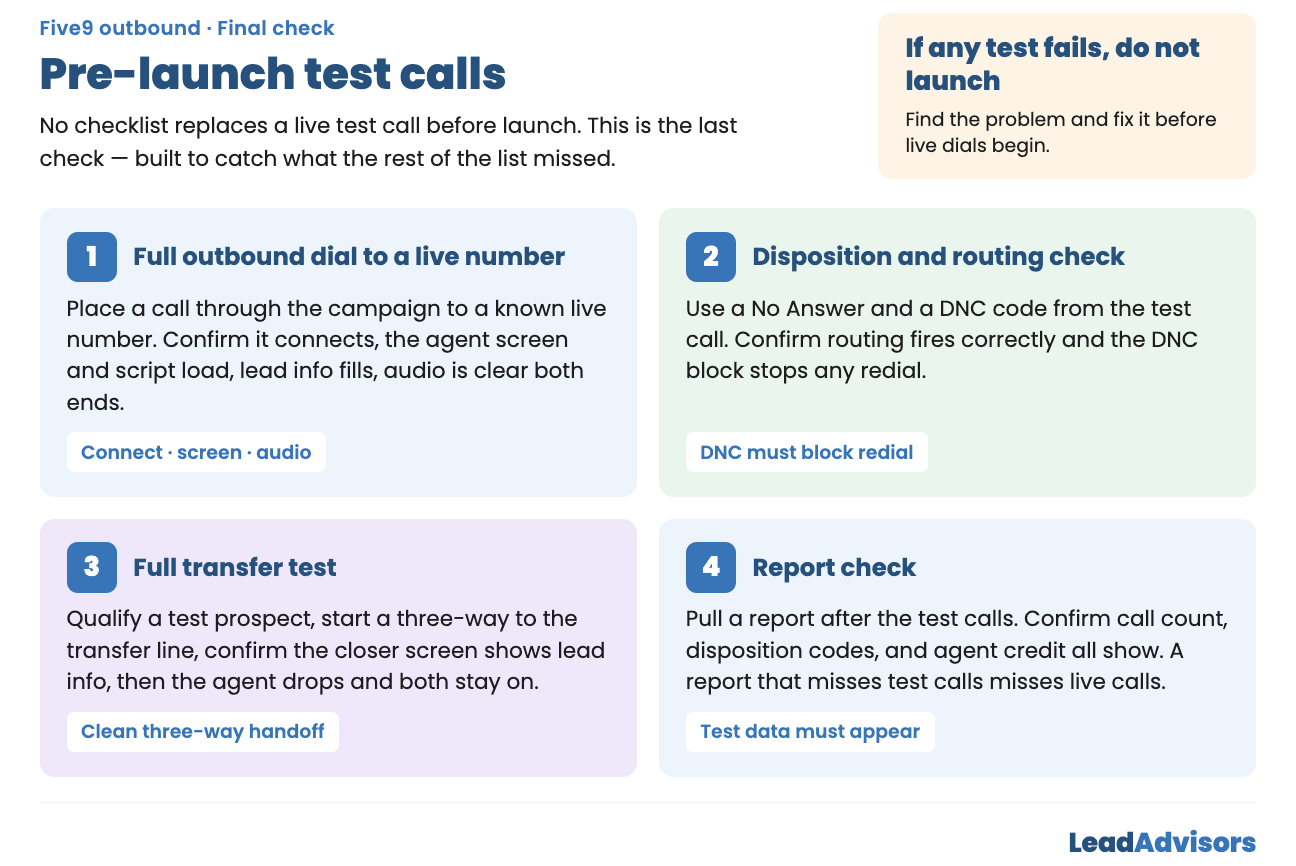
No checklist can replace a live test call run before launch. The test is the last check. It is built to catch what the rest of the list may have missed.
Test 1: Full Outbound Dial to a Live Number
A call should be placed through the campaign to a known live number. Check that:
- The call connects
- The agent screen looks right
- The script panel shows up
- Lead info fills in
- Audio is clear on both ends
Test 2: Disposition and Routing Check
Two codes should be used from the test call:
- A “No Answer, VM Left” code
- A “DNC, Requested Verbal” code
Check that:
- Routing rules fire the right way
- The DNC code blocks the number right away
- The system does not redial the blocked number
Test 3: Full Transfer Test
Run a full transfer:
- Qualify a test prospect
- Start a three-way call to the transfer line
- Check that the closer screen shows lead info
- The agent drops off
- The prospect and closer stay on the line
Test 4: Report Check
Pull a report after the test calls. Check that the data shows up right:
- Call count
- Disposition codes
- Agent credit
A report that misses test calls will also miss live calls.
If any test fails, do not launch. Find the problem and fix it before live dials begin.