When I look up a local business online, I expect the business info, such as the location and phone number, to be accurate at first. Most people have the same expectation. Actually, 63% of customers lose trust in a business when they find its online information is incorrect. As searches are increasingly done on mobile and via maps, the question of whether to keep your listings clean remains, and it is no longer a matter of choice.
Nowadays, people do not stick to one platform; instead, they use Google, Apple Maps, Yelp, and other directories to find the best service or product. According to Google, 76% of local searches result in a visit within a day. Therefore, the consequences of having outdated or inconsistent business listings can be invisibility and reputational and financial losses.
Whether you are a single-store owner or a multi-store operator, proper management of listings is key to achieving faster customer acquisition and deterring the spread of misinformation across the internet. This guide illustrates the breakdown of the points that go awry, the reasons behind them, and how your brand is secured by accuracy.

What Is Listings Management?
They mean basically the same thing when they discuss managed listing. That is to say, it is all about having your business information accurate in all the places where your customers might look for you. A “listing” is the minimal set of data through which a business provides information to the world of the local community – the business name, address, phone number, website, and business hours. These five components are most commonly referred to as NAPW. A customer, as well as a search engine, might get confused if any of these pieces are incorrect.
These data points are displayed in the local listings of platforms such as Google Business Profile, Google Maps, Facebook, Yelp, and numerous other online directories. Furthermore, you will find them on industry sites, mobile apps, and voice assistants. All of these together tell people whether your business can be trusted.
Users can manage listings in two ways: manually or using automated tools. Carrying out the modifications by hand means logging into many platforms one by one. Automated local listing tools help you manage your time efficiently and keep things consistent, especially when you have several locations or are busy.
Local listings, as a concept, are closely linked to local SEO, as they form the basis search engines use to decide whether a business can be trusted. Thus, the business will become more visible, and more people will be able to find it easily if the details are correct everywhere.
Why Listings Management Is Essential for Local SEO
Listings management is something I have figured out in a way you don’t really notice until it fails. But for local SEO, it is one of the most potent signals that search engines use to determine whether your business should be displayed in the map pack.
How Listings Influence Local SEO
| What Search Engines Look At | Why It Matters |
| Accurate business information (name, address, phone number) | Helps Google match your real-world location to your local listings |
| Consistency across the web | Confirms your local business is legitimate and trustworthy |
| Strong presence on directories | Improves your overall visibility and reach |
| Optimized Google Business Profile | Directly impacts map rankings and click-through rates |
Key Reasons Listings Matter
- They boost your map pack chances.
Google uses address and phone number details to confirm your business information. Your local ranking gets better naturally when everything fits. - Inconsistent details hurt trust.
According to studies, 95% of consumers have encountered incorrect information in a listing (BrightLocal). Once people discover mismatched info, they are less likely to choose that local business. - Complete listings get more visibility.
According to SEO industry data, businesses with fully optimized profiles can achieve up to 347% more visibility. Clean, up-to-date local listings help you reach more people without ads. - Your Google Maps performance depends on accuracy.
A well-done Google Business Profile with data aligned with other directories not only makes your brand more accessible but also more trustworthy.
It is very helpful for customers and search engines if your details are consistent across the web. This, in turn, results in more traffic, calls, and real-world visits.
The Real-World Risks of Poor Listings Management
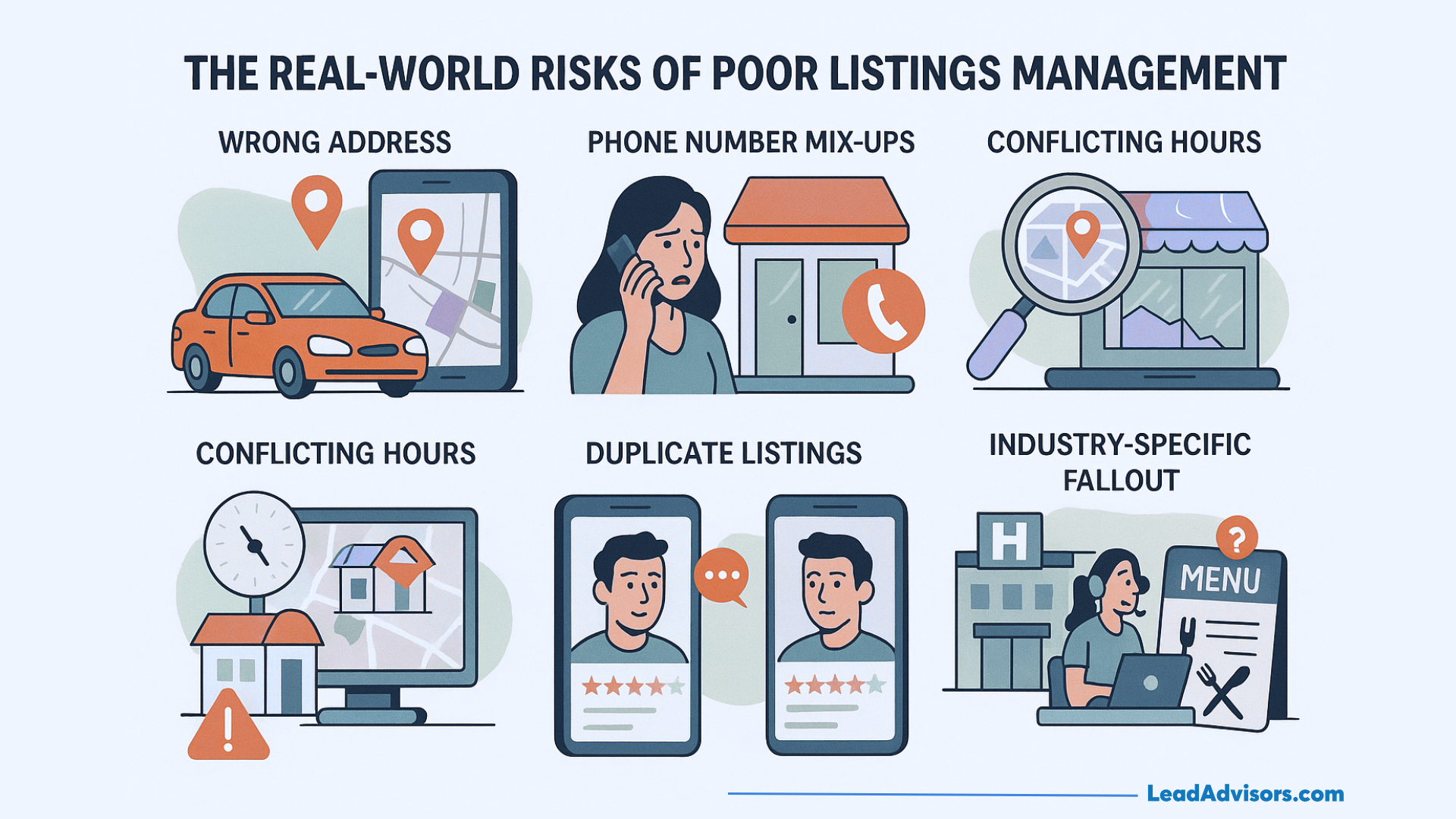
Poor listing management may not initially appear to be a serious issue… However, once it starts affecting the things you rely on every day, that’s when it becomes a problem. Let’s have a look at how it unfolds in reality:
Scenario 1: Wrong Address = Lost Visits
Cause: An address that has not been updated is used in two main directories.
What happens: A family takes the wrong route and does not try again.
Why it matters: Your local business is losing walk-ins, and inconsistent business information is negatively impacting your local ranking on Google Maps.
Scenario 2: Phone Number Mix-Ups
Cause: One of the listings has your current phone number, while the other has your old one.
What happens: People calling the wrong place get irritated and, therefore, do not continue with their plans.
Why it matters: These conflicting local listings cause the search engine to question your precision.
Scenario 3: Conflicting Hours Across the Web
Cause: Your time was changed by hand, but not everywhere.
What happens: Customers who come without an appointment find the door locked.
Why it matters: You lose customer trust, and bad signals spread across the web through data aggregators.
Scenario 4: Multi-Location Confusion
Cause: A brand that has several locations fails to coordinate a few listings.
What happens: Details are different in a hundred business listings.
Why it matters: Google perceives disorder rather than trust – hence the brand loses some of its visibility.
Scenario 5: Duplicate Listings
Cause: When there was a change in staff or tools, the old pages were not removed.
What happens: People come across the incorrect page, incorrect hours, or outdated reviews.
Why it matters: The created duplicates adversely affect one another, and together they lower the overall rankings.
Scenario 6: Industry-Specific Fallout
- Healthcare: Incorrectly routed services, outdated healthcare provider data, risk of non-compliance.
- Home services: Clients make appointments for jobs in areas that you are no longer serving.
- Restaurants & retail: Using outdated menus or store hours drives customers to competitors.
Every issue here is a consequence of an initial tiny error – and that is followed by lesser visibility, weaker reputation, and fewer conversions.
Who Needs Listings Management the Most?
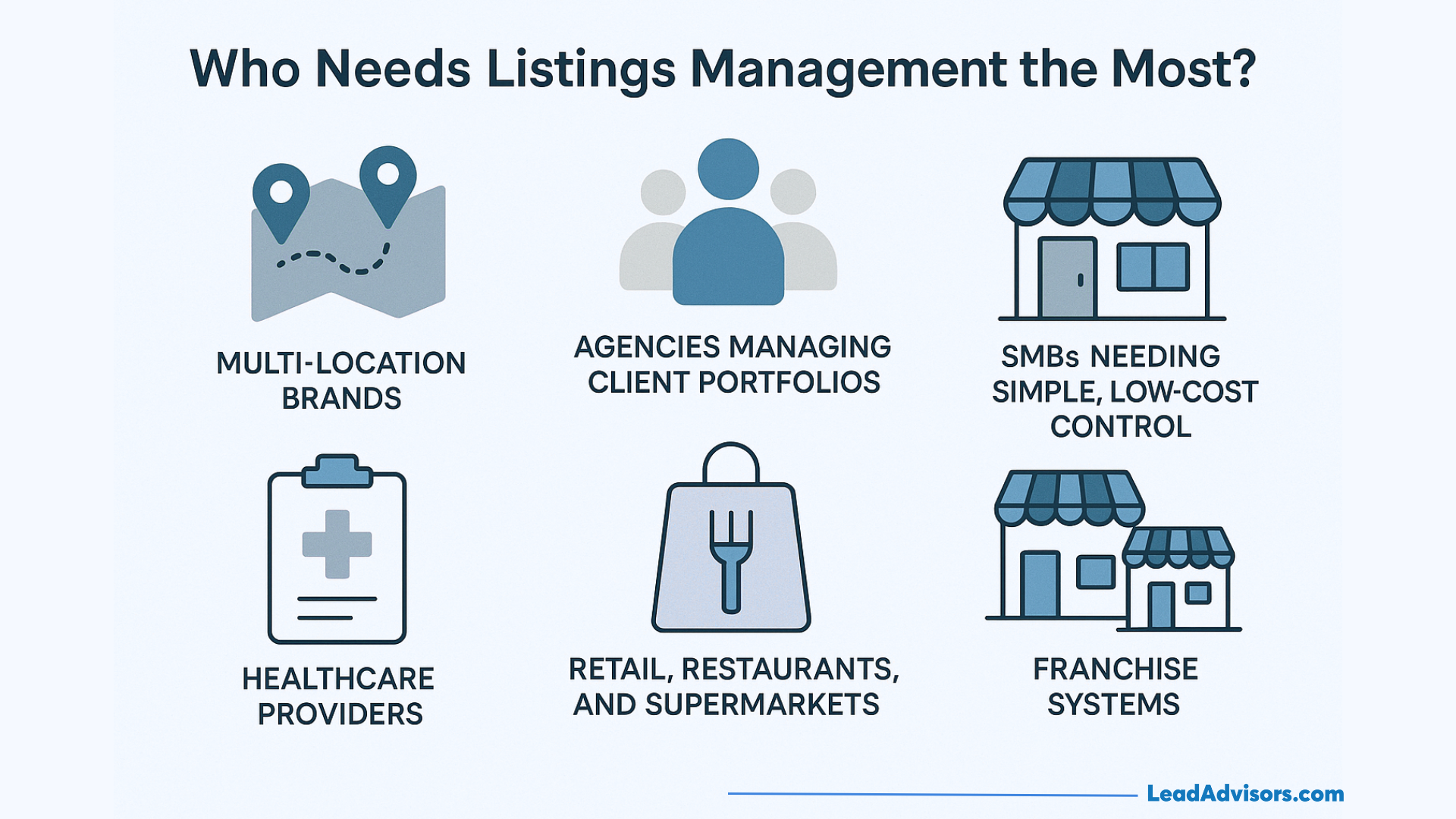
Not all businesses face the same problems, but some groups are more dependent on good listing management than others. Listed below are those who benefit the most.
Multi-Location Brands
Why do they need it:
- The uniqueness of an address, a phone number, and the hours of each local branch are obvious.
- One error could be reflected in a multitude of business listings.
- Regularity is what enables local visibility to spread from one region to another.
Biggest risk: Customer confusion resulting from contradictory business information.
Agencies Managing Client Portfolios
Why do they need it:
- They coordinate the local listings of a vast number of clients simultaneously.
- Keeping data up to date across all directories is the only way to let customers feel the brand’s trust.
Biggest risk: When the agency loses credibility due to client listings going out of sync.
SMBs Needing Simple, Low-Cost Control
Why do they need it:
- Most of them gradually change their details manually.
- They are highly dependent on Google Business Profile and Google Maps for visitor inflow.
Biggest risk: Incorrect holiday hours or outdated contact details leading to a decrease in walk-ins.
Healthcare Providers
Why do they need it:
- The inclusion of specialties, insurance, and provider names is usually a part of listings.
- Incorrect data could deceive patients and may raise concerns regarding compliance.
Biggest risk: Business information that is no longer current but keeps being reposted by different third-party sites.
Retail, Restaurants, and Supermarkets
Why do they need it:
- Rapid menu changes, the launch of new promotions, and adjusted hours are common in those businesses.
- What most impacts a reputation is the number of reviews.
Biggest risk: Lost foot traffic during the peak season is due to data mismatches.
Franchise Systems
Why do they need it:
- Brand consistency, together with local-level control, is what they need to balance.
- Most of the time, they manage the different needs of numerous locations.
Biggest risk: Unbalanced local brand experiences due to fragmented local listings.
Where Your Listings Must Appear (2025 Directory Ecosystem)
Your listings are not on a single platform but are scattered across various platforms, the number of which is in the dozens. To stay consistent online, your local business needs to be visible in the places that matter.
Core Platforms
Those are the minimum requirements that every business, regardless of its nature or size, should have.
- Google & Google Business Profile
- The main lever is local visibility and traffic.
- Apple Maps
- A major navigation source, especially for iPhone users.
- Bing
- Great for desktop users and the mature demographic.
- Facebook & Instagram
- Social discovery + reviews + messaging.
- Yelp & Foursquare
- Still quite popular for food, retail, and urban searches.
Why they matter:
These platforms drive most search decisions and serve as the data source for many directories.
Navigation Platforms
These are the platforms people use when they have made up their mind to go somewhere.
- Google Maps
- Waze
- NDrive
- TomTom / Apple Navigation
Why they matter:
Having accurate addresses and business information helps prevent customers from going to the wrong business and also earns their trust.
Voice Assistants
Voice search, especially for “near me” needs, is on the rise.
- Siri
- Alexa
- Google Assistant
Why they matter:
They get their information from directories and your Google Business Profile. So if your info is inaccurate, their answers will be inaccurate too.
Industry-Specific Directories
Such directories have a heavier influence on niche searches.
- Healthcare: WebMD, Healthgrades, Vitals
- Restaurants: OpenTable, TripAdvisor, Yelp
- Home Services: Angi, Thumbtack, Houzz
- Automotive, legal, real estate, and more
Why they matter:
These are the sites search engines trust and the ones customers visit when they want the most accurate information.
Data Aggregators
The companies here take your business data and share it with hundreds of smaller sites.
- Neustar/Localeze
- Foursquare
- Data Axle
- YP Network
Why they matter:
Good information can be spread quickly, but bad information can be spread even faster by the same means. Aggregators work to get your information to thousands of local listings; thus, they influence your entire local ranking ecosystem.
Core Features of Modern Listings Management Software

Contemporary listings management software reduces a lot of hassle in maintaining business listings that are not only clean but also accurate and consistent. These are the features that the top tools offer today.
-
Centralized Dashboard
What it does:
Offers you a single control panel where you can make changes to business details that are common across all your locations.
Why it matters:
With this method, you remain in full control without needing to open multiple accounts.
-
Bulk Updates & Real-Time Syncing
What it does:
Local listings are immediately updated with the latest store hours, website links, or attributes by pushing them from one platform.
Why it matters:
This feature saves a lot of time, and it is extremely valuable for multi-location brands.
-
Automated Accuracy Checks
What it does:
It crawls the internet for discrepancies in business information, such as different addresses and even old phone numbers.
Why it matters:
This way, you can find the problems before customers get confused with them.
-
Duplicate Detection & Suppression
What it does:
Identifies duplicate listings for a business and, after that, eliminates them without lowering your ranking.
Why it matters:
Duplicates divide the number of interactions with your content and reduce your local visibility. Services like Moz Local are particularly good in this regard.
-
Rich Content Management
What it does:
Enables you to change the photos, menu, bio, and business hours if these were for a holiday season.
Why it matters:
New content is one of the ways for your Google Business Profile to attract attention.
-
Voice Search Optimization
What it does:
Ensures your listings are ready to respond to requests from Siri, Alexa, or Google Assistant.
Why it matters:
Voice searches require that the information be accurate in all the places where the business has been listed.
-
Review Integration (Optional, But Powerful)
What it does:
Displays new reviews, facilitates feedback tracking, and notifies the user of negative comments.
Why it matters:
Good responses to the reviews will increase engagement and customer trust.
-
Analytics & Reporting
What it does:
Gives users the ability to see their trends in visibility, ranking grids, and other performance insights.
Why it matters:
With this cooperation, you will know which directories and local listings are actually driving the traffic you want.
-
AI-Powered Enhancements
What it does:
Employs AI instruments to suggest repairs, make content better, and be the first to spot errors.
Why it matters:
The insights given by the AI-powered assistant make the whole management process easier and more precise.
-
Integrations
What it does:
Works with CRMs, booking systems, POS tools, and the Google Business API to facilitate seamless business operations.
Why it matters:
Better integrations = less hassle, more efficient workflows, and all systems working smoothly together.
Listings Management Use Cases by Industry
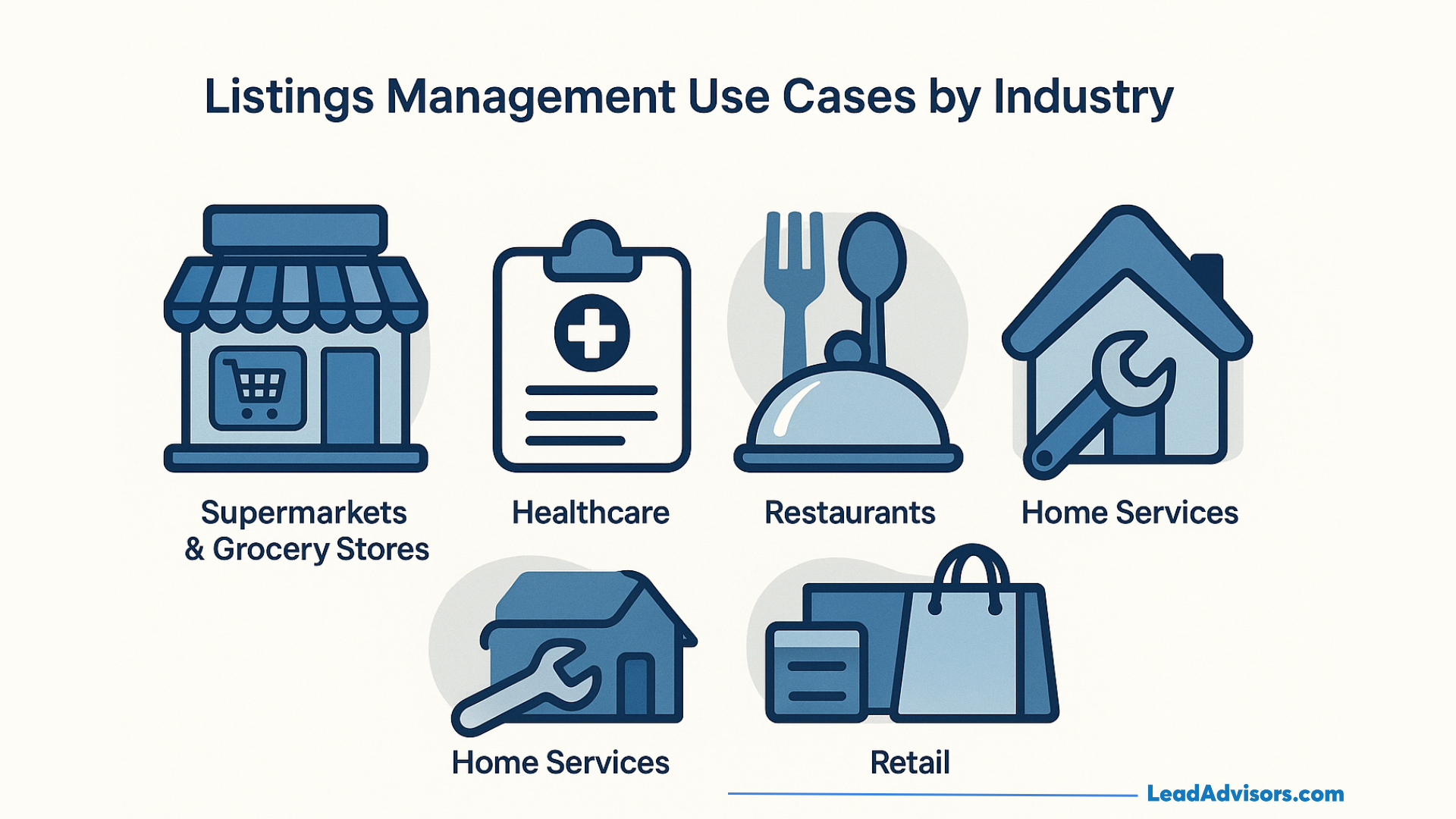
Supermarkets & Grocery Stores
A large chain of grocery stores had to deal with the problem of inconsistent opening hours across their stores on major holiday directory sites. Customers were arriving early or after closing because different platforms showed different times.
This issue is exactly what JasmineDirectory has found in its half-year research: businesses with complete and consistent listings get 67% more organic traffic and have much lower customer complaint rates. After the grocery chain synchronized all its listings and updated its business information on Apple Maps, Google, and niche directories, customer complaints dropped almost immediately, and weekend walk-ins became more predictable.
Healthcare
A local medical group noticed a trend of patients going to the wrong clinics due to third-party healthcare directories listing incorrect addresses and outdated provider names.
RocketClicks found a similar story with a family law firm — after fixing NAP inconsistencies, the firm experienced a 37% rise in local search visibility within three months. The medical group saw the same change. They not only managed to clean up their local listings but also updated every provider’s details, thus appointments became stable, and Google started showing the right clinic for “doctor near me” searches.
Restaurants
A restaurant owner said that customers kept turning up when the restaurant was closed because an old listing was still showing last year’s schedule. There were quite a few one-star reviews. Everyday Media Group pointed out that inconsistent online listings for a business are the main reasons for local rankings to drop, especially in the hospitality industry.
After the restaurant aligned its Google Business Profile with the major directories and updated all the hours, the number of complaints about “wrong hours” disappeared, and on weekends, the number of reservations grew.
Read more about Restaurant SEO: The Complete Guide for More Customers.
Home Services
A repair home company expanded its service area but did not remember to update the old directory listings. Consequently, they were responding to the phone calls from areas they had already stopped serving for several weeks. BizIQ has noted that business listings that are accurate have a direct impact on ranking confidence – and when they’re wrong, search engines are reluctant to show a business in the local results.
After the repair company had updated its listings and made all service-area details consistent, unqualified calls declined, and local ranking became stable as Google finally trusted its location data.
Retail
The retail brand with multiple locations was repeatedly showing the incorrect address for one of its stores because it had never corrected the long-forgotten directory listing. Their problem was similar to research conducted by JasmineDirectory, which found that 88% of businesses with consistent listings appeared in the top 3 local results, compared to only 24% of those with messy listings.
The retailer cleaned up their data on Google Maps, Facebook, and niche retail directories, and as a result, their store started showing up again in near-me searches, and the number of walk-ins increased noticeably the following month.
Listings Management Workflow (How It Actually Works)
Step 1: Scan and Audit Your Current Listings
A scan of business listings for your company on Google, Apple Maps, Facebook, and popular local directories is the first thing that any workflow is based on. The checked system verifies whether the business data, such as the address, phone number, and name, is consistent across all locations. At this point, it surfaces undisclosed issues like duplicate profiles, locations that are no longer valid, or listings you hadn’t thought of that are still there.
Step 2: Identify Inconsistencies and Errors
Based on the scan, the platform pinpoints all that is not synchronized. Even a slight variation, e.g., writing “Street” instead of “St.” in the address, can greatly harm local visibility. Companies with multiple locations may, at this stage, find numerous mismatches due to outdated data feeds.
Step 3: Correct and Standardize Your Core Data
The moment the mistakes are pinpointed, every fragment of business data is brought up to standard and corrected. Your business name is kept the same at all times and places, your business hours are consistent across all platforms, and your phone number is standardized across all local listings.
Step 4: Push Updates Across All Directories
The system communicates accurate information to Google, Apple Maps, Yelp, Bing, and other connected local directories once the core data has been refined. On platforms that support real-time syncing, changes are made without any manual interventions.
Step 5: Suppress Duplicate Listings
Old or duplicate profiles that might be present are handled by the software, which removes or suppresses them to resolve the issue of shared engagement between them and the confusion they create for both customers and search engines. Thus, outdated pages will not lead users to result listings.
Step 6: Lock or Sync Your Updated Listings
After the cleanup of your updated listings, the program locks them to prevent unauthorized tampering. The reason for this is to safeguard data providers and other third-party sites from mistakenly sending outdated information back into the system.
Step 7: Monitor Accuracy and Listing Health
Following the establishment of your business listings, the system continuously monitors them to ensure they remain in their correct condition. If a directory is modifying business info, the platform immediately contacts you about the issue so it doesn’t get out of hand.
Step 8: Report, Measure, and Optimize
The workflow concludes through reporting. That updated local listings can influence local ranking, impressions, calls, and map interactions is visible to you. The workflow returns to keep your data accurate and reliable as your business grows—new hours, new shops, or new promotions.
Comparison: Top Listings Management Software (2025 Landscape)
Summary Comparison Table (Explained in Words)
When comparing the best local SEO management software, I consider coverage, automation, analytics, and how each tool maintains accurate business listings on Google, Apple Maps, and leading directories. In place of a classic table, think of a matrix where each platform is on a line. On the one side, there are tools created for multi-location brands that require scaling and real-time syncing. On the other side, there are lighter tools intended for small and medium businesses that want control without too much automation.
Yext can be found at the “full automation” end of the spectrum, providing quick syncing and extensive directory coverage. BrightLocal and Moz Local are more inclined towards “ownership and control,” allowing users more input into how their local listings are presented. Chatmeter and InMoment are positioned between these two extremes, providing enterprise-level analytics, brand monitoring, and a stronger reputation feature set. Semrush can be considered a “hybrid” that merges SEO tools with versatile listing management features.
Each software package balances automation, reporting depth, AI features, and price differently. The suitable one is determined by factors such as scale, industry requirements, and the degree of manual control a business requires.
Platform-by-Platform Breakdown
InMoment / Chatmeter
Chatmeter is a perfect fit for large-scale companies and industries where the trust factor is heavily dependent on accuracy – for instance, healthcare, financial services, and big retailers. It is very good at monitoring accuracy across multiple locations, providing insights into map rankings and brand-level reporting.
InMoment is very strong in customer feedback and reviews, providing deeper sentiment insights that drive online reputation improvements. The two platforms are a good match when a company is looking for stricter quality control and, hence, stronger reporting, rather than total automation.
Semrush
Semrush treats local business listings as one of the many aspects of its overall SEO ecosystem. The company promises coverage for the main platforms, supports accuracy checks, and assists businesses in increasing their local visibility through SEO tools that integrate naturally with directory management. It is a perfect solution for brands that want to be found through organic search while maintaining clean listings. Dive into alternatives to Semrush in our blog posts.
BrightLocal
BrightLocal is mainly chosen by agencies and small and medium businesses because it provides accurate tracking, cleanup tools, and good reporting without requiring businesses to tightly integrate with heavy automation. The product is suitable for people who want to personally handle updates while still having the software do the heavy lifting. The majority of users prefer BrightLocal because it supports business information stability without imposing a rental-like model.
Moz Local
Moz Local is primarily concerned with continuity, duplicate removal, and overall data accuracy. The company is good at scanning local directories, performing update pushes, and maintaining stable NAP info. Organizations that require affordable pricing and simple syncing are the ones that would most likely choose Moz Local for its straightforwardness. It is notably very dependable for the medium-sized brands that need clean listings but not too many features.
Yext
Yext is at one extreme of the matrix in terms of automation. The company ensures real-time syncing, provides instant updates, and offers wide-ranging coverage across a very large network of directories. The product is made for brands that are prioritizing speed and scalability. Nevertheless, data may be lost if the subscription is terminated, since it uses a rental-style model; thus, long-term ownership is worth considering. Overall, Yext’s speed is a great benefit for businesses with many locations that frequently update.
Uberall
Uberall is a brand that excels at integrating directory management and location marketing while balancing automation with robust reporting. The company is a perfect fit for retailers, restaurants, and global brands that want to ensure consistent accuracy across different map systems and devices.
Hibu
Hibu provides listings support as part of broader marketing services. The company is a great help to businesses seeking a full-service partner to manage their local directory listings, especially when they lack internal staff or technical expertise. The integration with the wider Hibu ecosystem makes it a nice all-in-one solution.
Demandforce
Demandforce is the perfect assistant for communication and scheduling needs in industries such as dental and wellness clinics. What makes it strong is the combination of business listings with appointment reminders, messaging tools, and review management.
Press Ganey
Press Ganey is a healthcare support tool that helps hospitals and providers not only keep practitioner data accurate but also manage the reviews that influence patient decisions. For healthcare networks, trust goes hand in hand with accuracy and compliance, which makes Press Ganey a reliable source of provider-level listing control.
How to Choose the Right Listings Management Platform
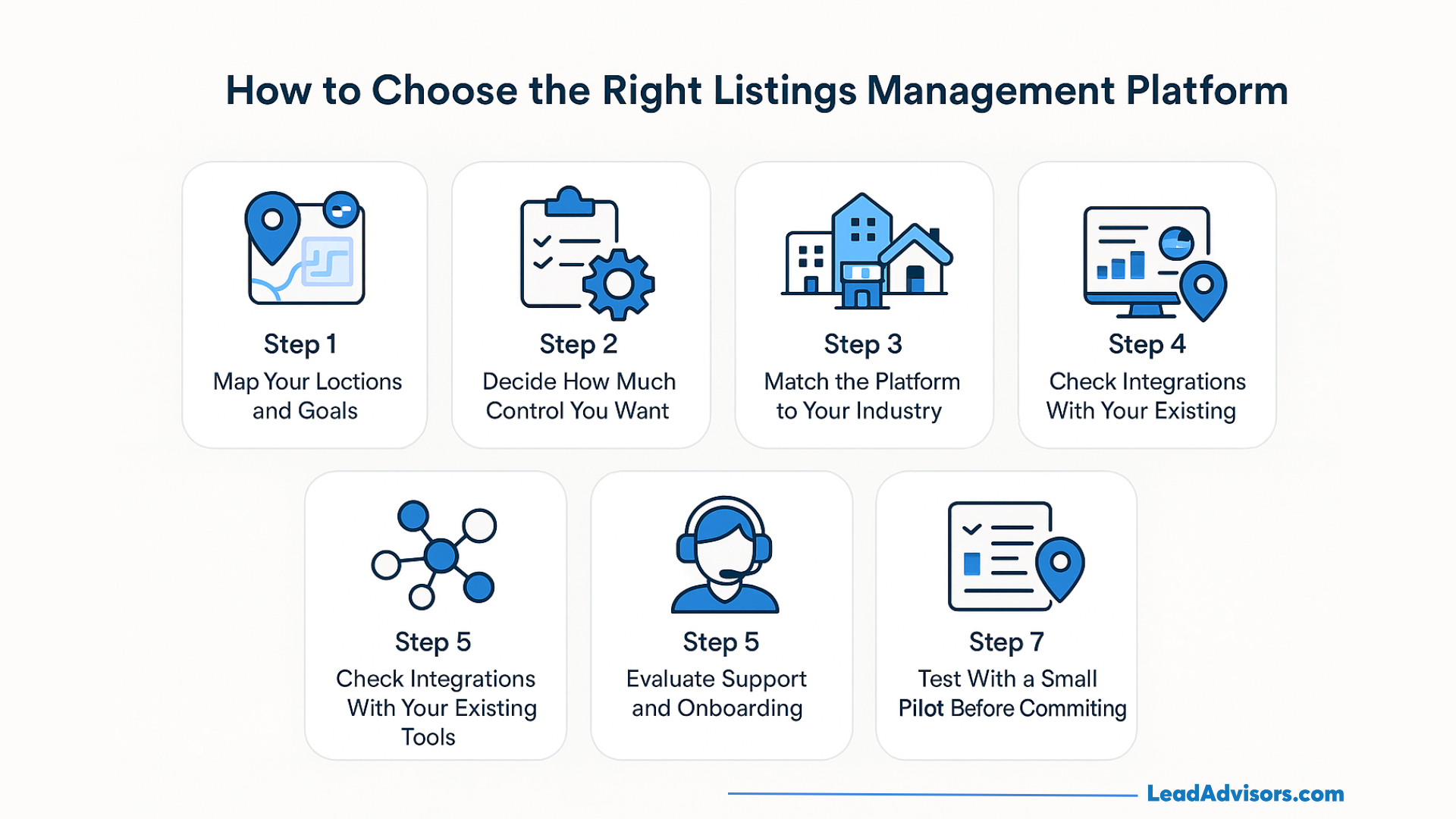
Step 1: Map Your Locations and Goals
First, write down the number of locations under your management and what you expect from listings management.
Is it just that you want to set right a couple of local profiles, or do you have to support a real multi-location scale with high accuracy?
Usually, the more locations, the stronger you will want automation and syncing to be.
Step 2: Decide How Much Control You Want
Some tools focus on full automation, requiring very little manual work to push updates to directories. Others let you have more hands-on control over each business listing.
If you are looking for long-term ownership as well as the possibility to change, then platforms such as Moz Local or BrightLocal are often a better option than “rent-style” systems.
Step 3: Match the Platform to Your Industry
The differences between a healthcare group, a restaurant chain, and a local plumber are such that they cannot use the same exact setup.
- Perhaps healthcare may require providers to be very accurate and to follow strict rules for handling data.
- Restaurants are highly dependent on the ability to quickly update their hours, menus, and Google Business Profile.
- Service businesses, on the other hand, are more concerned with service areas and call volume.
If you want to be effective, pick a platform that knows your vertical inside out.
Step 4: Check Integrations With Your Existing Tools
See how the platform connects with what you are already using: CRM, booking tools, POS, or the Google Business Profile API.
Better integrations mean your business information flows effortlessly into your local listings, eliminating the need for constant manual work.
Step 5: Evaluate Support and Onboarding
Find out how support actually operates.
- During the setup, will you be able to talk with a real person?
- Is support available via chat only, via tickets only, or is it possible to talk on the phone?
When things are not going well with your business listings, what really counts, besides fast help, is not having to go through glossy sales pages.
Step 6: Compare Reporting and Analytics
Good platforms are not only “listings synced” reports.
Find reporting that monitors local visibility, map rankings, impressions, and listing health over time.
If you cannot see what is working, you cannot even attempt to prove ROI or improve your local listings strategy.
Step 7: Test With a Small Pilot Before Committing
Try to always do it with a pilot: a brand, a region, or a small number of locations first.
Check how quickly the tool corrects the inconsistencies, how much your data changes, and whether, in fact, your local search performance is improving.
If the platform is not able to smoothly complete a small test, it won’t be able to perform at full scale either.
Advanced Listings Optimization Tips (Competitor Gap Section)
Use AI to Refine Your Category Choices
Most companies choose a single main category that best fits their business for their Google Business Profile, but the real benefit comes from refining secondary categories.
I typically input the listing into AI-powered suggestion tools to identify the categories where your competitors are ranking, but you are not. A retail client saw their local visibility skyrocket within a month after adding two AI-suggested categories, as Google recognized the full scope of their services.
Strengthen Voice Search Readiness With Schema
Voice assistants are very precise in their decisions — they use structured signals. Adding a proper schema to your site it lets Siri, Alexa, and Google Assistant know that they can rely on your business info. A home services company experienced an increase in “near me” searches by simply adding an address and service-type schema, coordinated with their local listings everywhere.
Attach UTM Parameters to Directory URLs
If you ever wanted to find out how much traffic is driven by directories compared with Google, UTM tagging is a solution. After modifying URLs on a restaurant chain’s listings, it was revealed that 18% of their online orders were initiated from non-Google sources — something they had never tracked before. You need to be able to measure before you can optimize.
Win Above-the-Fold Attention on GBP and Apple Maps
Pictures, menus, FAQs, and updated descriptions influence customer behavior even before they approach you. Simply by updating their best photos, removing old ones, and adding timely updates, businesses have doubled their engagement on Google Maps. The same is true for Apple Maps, which is especially dependent on accurate hours and attributes.
Track Map Ranking Grids, Not Just Keywords
Standard keyword rankings do not reflect the user’s intention to visit a physical store. Map ranking grids illustrate your visibility across different neighborhoods in your city, not just in one place. A retail brand discovered that they ranked well in the city center but poorly in the adjacent suburbs. After optimizing local listings and attributes at the regional level, their suburban locations rose to the top 3 positions on the map.
Analyze Listing-Driven Conversions, Not Just Impressions
Most intelligent brands simply cannot be content with just seeing the listings — they go further and analyze what happens after the listings are seen. Calls, direction requests, website visits, and menu interactions are all ways business listings turn real customers. The number of booked jobs rose rapidly within two weeks after a service company linked appointments to their listings, allowing customers to take action instantly.
By combining these advanced techniques, your local listings will not only be up to date but also actively work to support your revenue, rankings, and real-world customer behavior. This is the point where effective listing management becomes a competitive advantage rather than mere maintenance.
Common Listings Management Mistakes
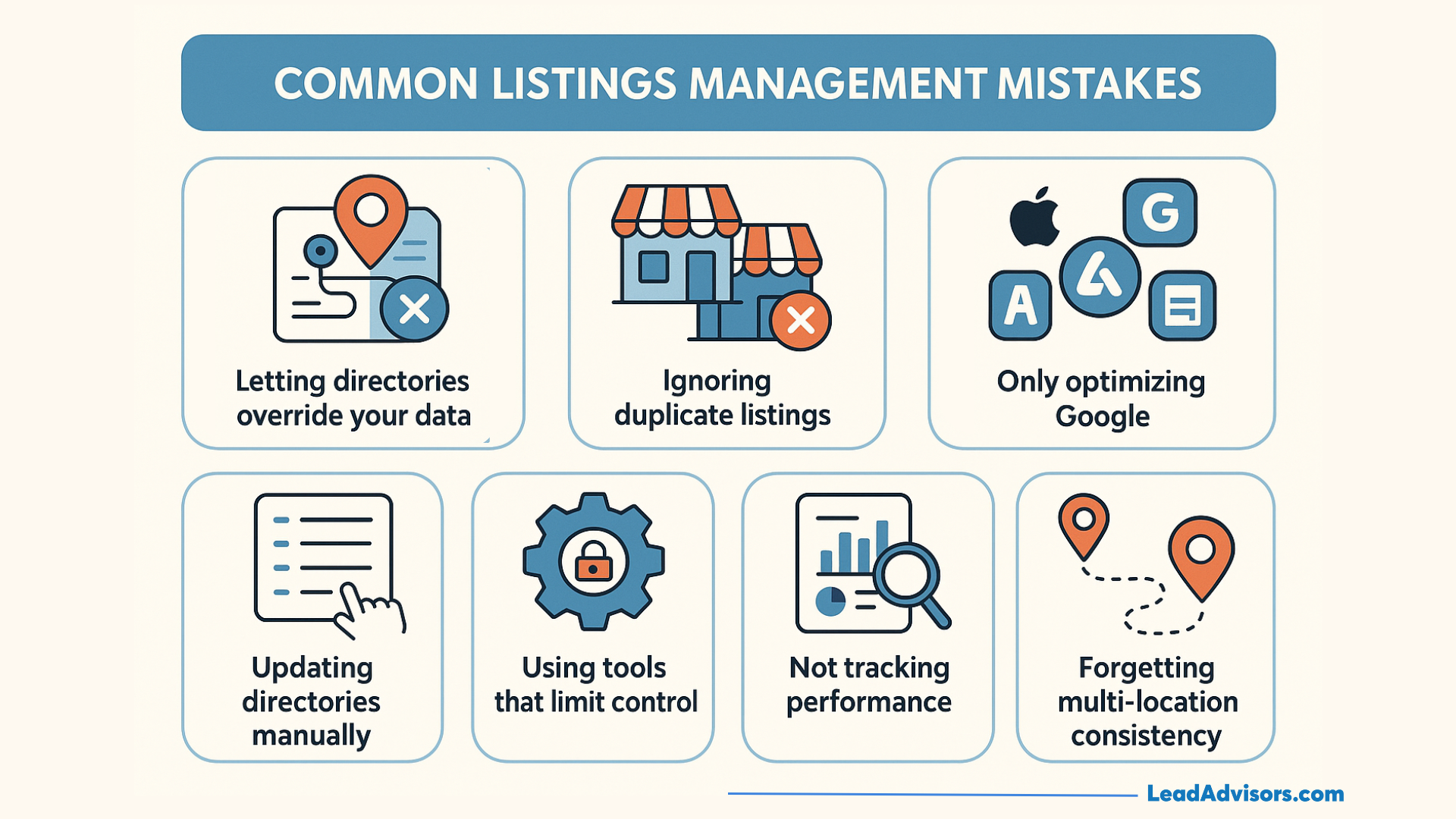
- Letting directories override your data
Some platforms use outdated third-party sources to update your company’s business information. Consequently, the hours of operation, phone number details, and addresses that appear on your local listings are mismatched, outdated, and incorrect, respectively. - Ignoring duplicate listings
Duplicate profiles fragment engagement, disorient search engines, and mostly display outdated reviews. Many businesses don’t realize that duplicates exist until their local visibility drops. - Only optimizing Google
Concentrating solely on your Google Business Listing leaves huge gaps on Apple Maps, Yelp, Facebook, and industry directories. Customers who use different apps may get conflicting business listings. - Updating directories manually
Making adjustments to dozens of listings by hand almost guarantees inconsistencies. The update that is missed in one place spreads quickly through data aggregators, thus causing problems everywhere on the web. - Using tools that limit control
Certain platforms operate on a rental-style model, where your data may be lost if the subscription is discontinued. This mitigates the possibility of having control over your local listings in the long run. - Not tracking performance
If one does not keep an eye on accuracy, ranking grids, impressions, and map interactions, there is no way to catch the problems at an early stage. Businesses that do not conduct reporting often discover issues only after they have lost traffic. - Forgetting multi-location consistency
Brands with multiple locations often allow a single listing to fall out of sync. One mistake can affect dozens of profiles and, ultimately, the overall reputation can become less trustworthy.