Quick and clear answers are the main things I would expect from a comprehensive FAQ page, and I am pretty sure that your customers will expect the same as well. A well-organized FAQ page enables users to find answers to their questions quickly, thereby improving the user experience and, simultaneously, reducing the workload on the customer support team by preventing repetitive inquiries. Well-optimized FAQ pages can reduce customer support tickets by 25-40%, significantly lightening the load on support teams. This boosts efficiency by deflecting repetitive inquiries.
Using FAQ templates is, therefore, a very clever decision. They provide you with a simple starting point, ensure that your FAQ content remains consistent, and allow you to respond to the most common questions on your site or landing page without having to write everything from scratch.
This blog post is all about the meaning of FAQ, how templates work, what to include in them, and ways they can improve user experience across your product pages and contact page. Additionally, you get free copies of the examples along with tips for organizing your frequently asked questions, so that your customers can browse without hesitation and find what they need quickly.


What is an FAQ template?
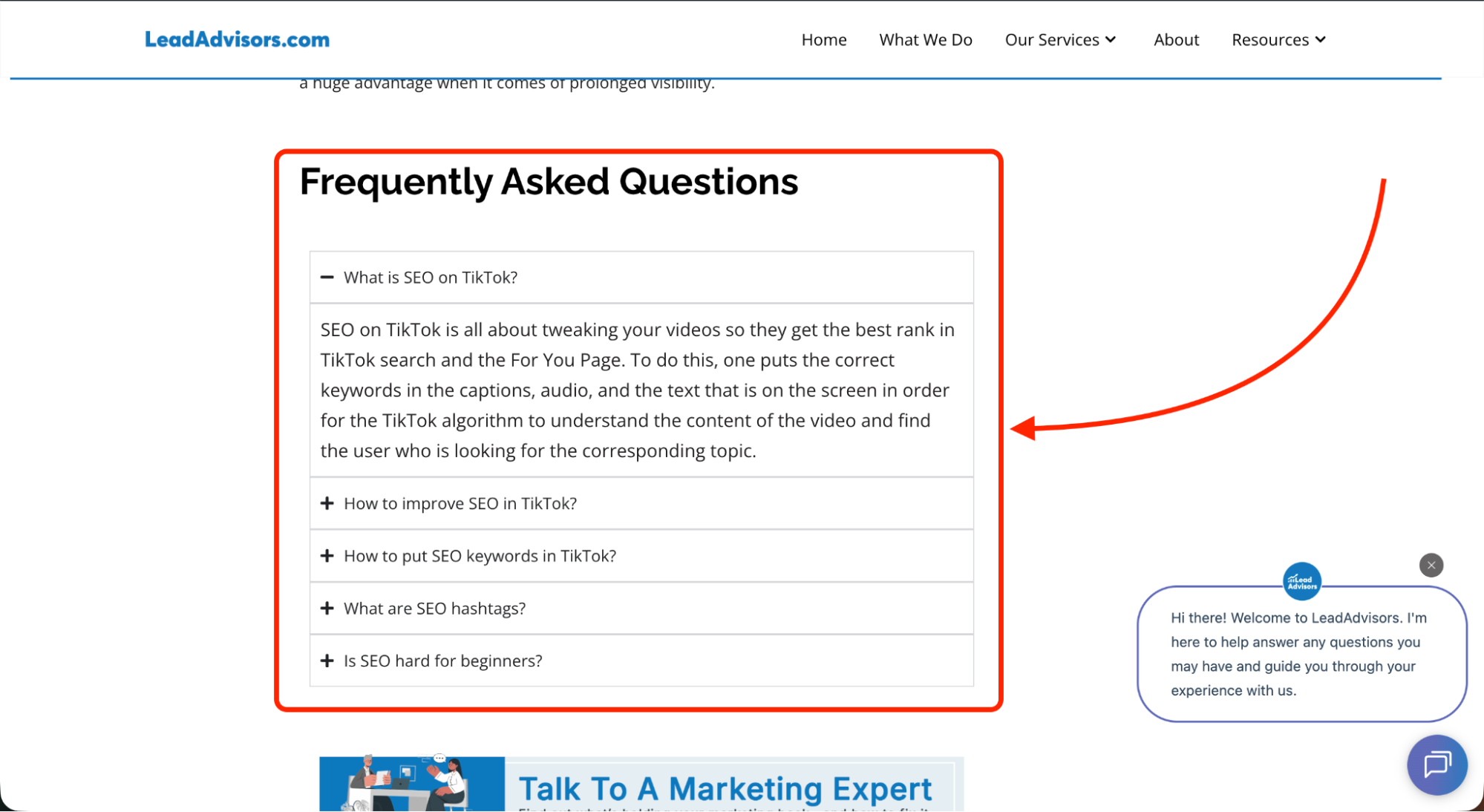
An FAQ template is a minimal layout that helps you organize the most frequently asked questions in a way that is friendly to the user and can be easily reproduced. The template, instead of you having to figure out the format of each question and answer yourself, acts as a guide so that your FAQ page stays consistent throughout your site.
Generally, knowledge base articles are long and detailed with steps, pictures, or explanations, while an FAQ template has short, to-the-point answers through which customers can quickly find what they need. It refers to the extremely common customer questions – those that people frequently ask and expect to be instantly clarified.
Employing FAQ templates is also a way for teams to be more efficient with their time. You don’t have to redo the same format, think of the spacing, or design each block again. Regardless of whether you are refreshing product pages, adding new general questions, or organizing categories, a template keeps everything tidy, predictable, and accessible for readers to skim through.
Why FAQ templates matter
- Improves accessibility and self-service
FAQ templates are tools that prepare customers’ questions for them to check on their own; this facilitates smooth self-service and reduces friction across your site. - Reduces ticket volume and support costs
If the FAQ page of your business deals with the most common questions in a clear way, then a very small number of people will be forced to contact customer support, which is good for your business in that it lowers the costs and frees your team. - Builds brand trust and credibility
The presence of a neat, uniform FAQ section in a company that is probably well-organized and trustworthy leads to the love of both new and returning users of the brand. - Improves SEO visibility
Properly organized frequently asked questions are highly likely to be visible in search results and “People Also Ask” sections, especially if your content uses relevant keywords. - Supports conversions
On a product page or a landing page, clear answers help reduce customer hesitation, thus facilitating the next step for the potential customer. - Easier updates and maintenance
FAQ templates allow enough room for development so that, as customer questions increase or policy changes happen, you are able to quickly update the sections without having to change the format everywhere.
What a good FAQ template should include
Core sections
An effective FAQ template generally begins with well-defined categories that help clients find answers quickly on their own. Frequently, FAQ pages incorporate:
- Account – help with logging in, password resets, profile changes, and account details.
- Orders – tracking, changes, cancellations, and order-related questions from customers.
- Payments & billing – money charged, refunded, and billing methods explained in the simplest way through conversation-like answers.
- Products or services – information that clarifies for the customers the content of your product or service pages.
- Shipping & delivery – timelines, money, and places where the service or product will be available.
- Troubleshooting (optional) – a few words giving the most common issues and solutions before someone has to contact support.
Structural elements
An excellent FAQ template structure preserves the focus of the readers and ensures consistency across your site:
- Short questions (6-10 words) to help users quickly scan the FAQ content.
- Concise sentences that provide the required information without detaining the reader for a long time (25 to 40 words).
- Links to detailed articles or tutorials that cover the topics in depth.
- Sorting into categories to facilitate navigation for all users.
- An optional search bar for extensive faq pages, enhancing the speed of requesting info.
Experience elements
These features credit the total customer experience and motivate users to self-solve problems:
- Explicit CTAs like “Read full guide” or “Contact support” for what to do next.
- Simple navigation implemented through tabs, filters, or jump links to make the user experience frictionless.
- Communication options include email, chat, or a ticket form if someone needs help from a human.
Where to use FAQ templates
By placing FAQ templates at different points on your website and in the customer journey, you make it easy for customers to get answers by themselves, without having to take the extra steps of contacting support.
1. High-Intent Pages
- Dedicated FAQ page – The place that mainly serves customers as a guide, where they can get answers to their questions, which are frequently asked questions, without having to find other pages on your website.
- Product pages – Practical for dealing with the questions of the product concerning its size, materials, and usage. Besides these, they help potential customers by giving them the confidence that they are making the right purchase decision.
- Checkout and cart – The best way to alleviate customer worries about payments, shipping costs, or your return policy, thus allowing customers to take their order to the finish line.
2. User Account & Support Touchpoints
- Account dashboard – Through which customers can manage their accounts. Account updates, billing concerns, or password changes without the need for customer support assistance.
- Chatbots and live chat – Implementing FAQ templates gives bots the ability to provide quick, consistent answers to frequently asked questions and also directs users to in-depth articles.
- Email flows – Helpful for onboarding, post-purchase updates, or support messages, thus giving people the fastest answers at the right time.
3. Additional Customer-Facing Spaces
- Social media profiles – A little FAQ section may help mobile users understand your product/service, policies, or shipping basics just by looking at them.
- Physical locations (optional) – Where stores, clinics, or help desks take advantage of printed or screen-based FAQs to alleviate the repetition of customer queries.
21 FAQ Template Examples (Listicle Section)
Presented here are 21 FAQ templates that accompany the short description and simplified, summarized structures, which you can directly copy.
1. Simple Universal FAQ Template
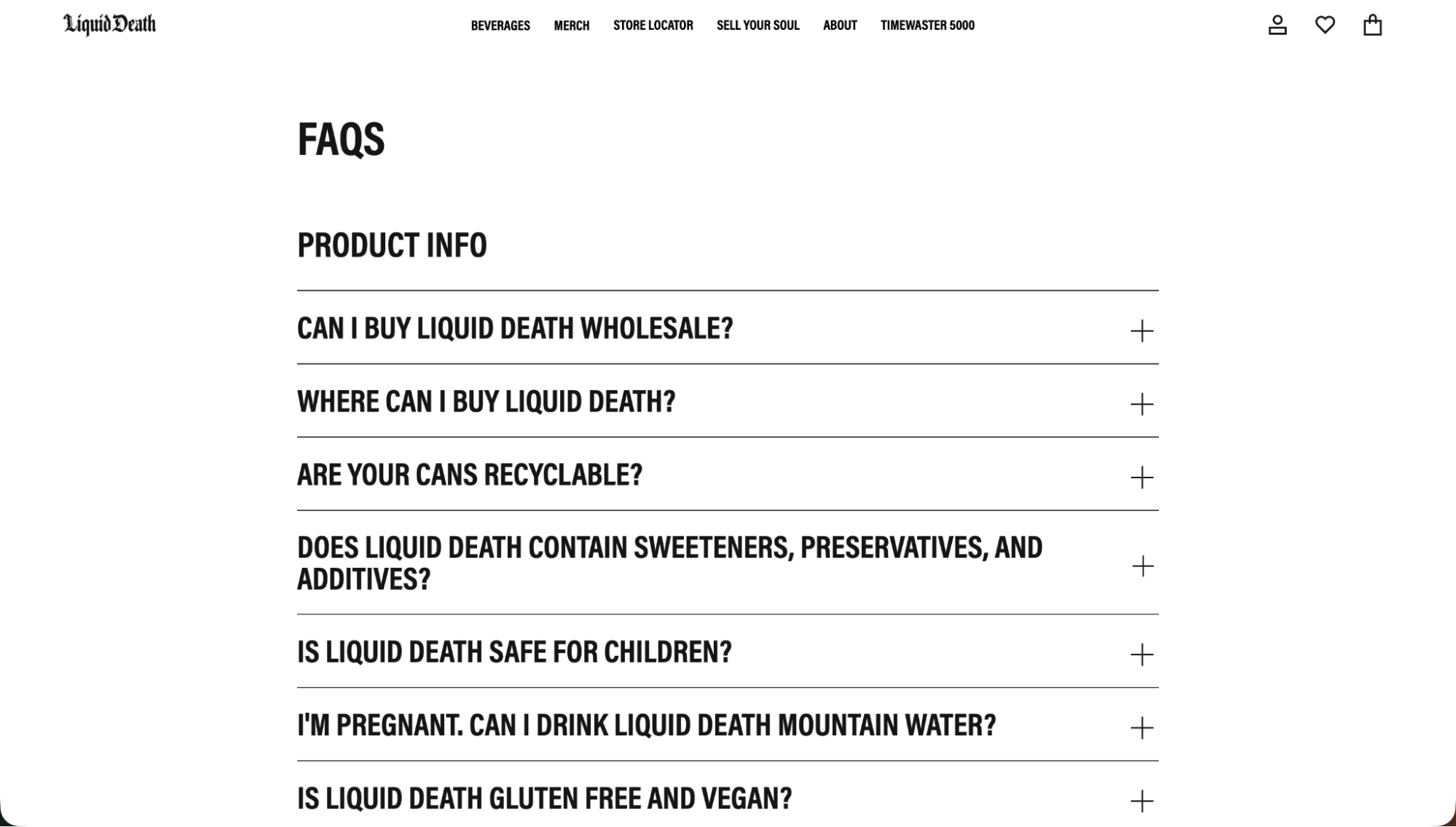
This is a simple, neat, and clear layout for an FAQ page, suitable for almost any type of FAQ page.
Examples: Liquid Death, Roody, Comprehensive Cranium Care
- What this template looks like: Short questions and answers to customer questions in a single-column list.
- Why it works: Customers can easily find answers to their questions, which span a broad range.
- Screenshot callout (optional): Place above the FAQ list.
- Mini template users can copy:
- What is your return policy?
- How do I track my order?
- How long does shipping take?
2. Category-Based FAQ Template
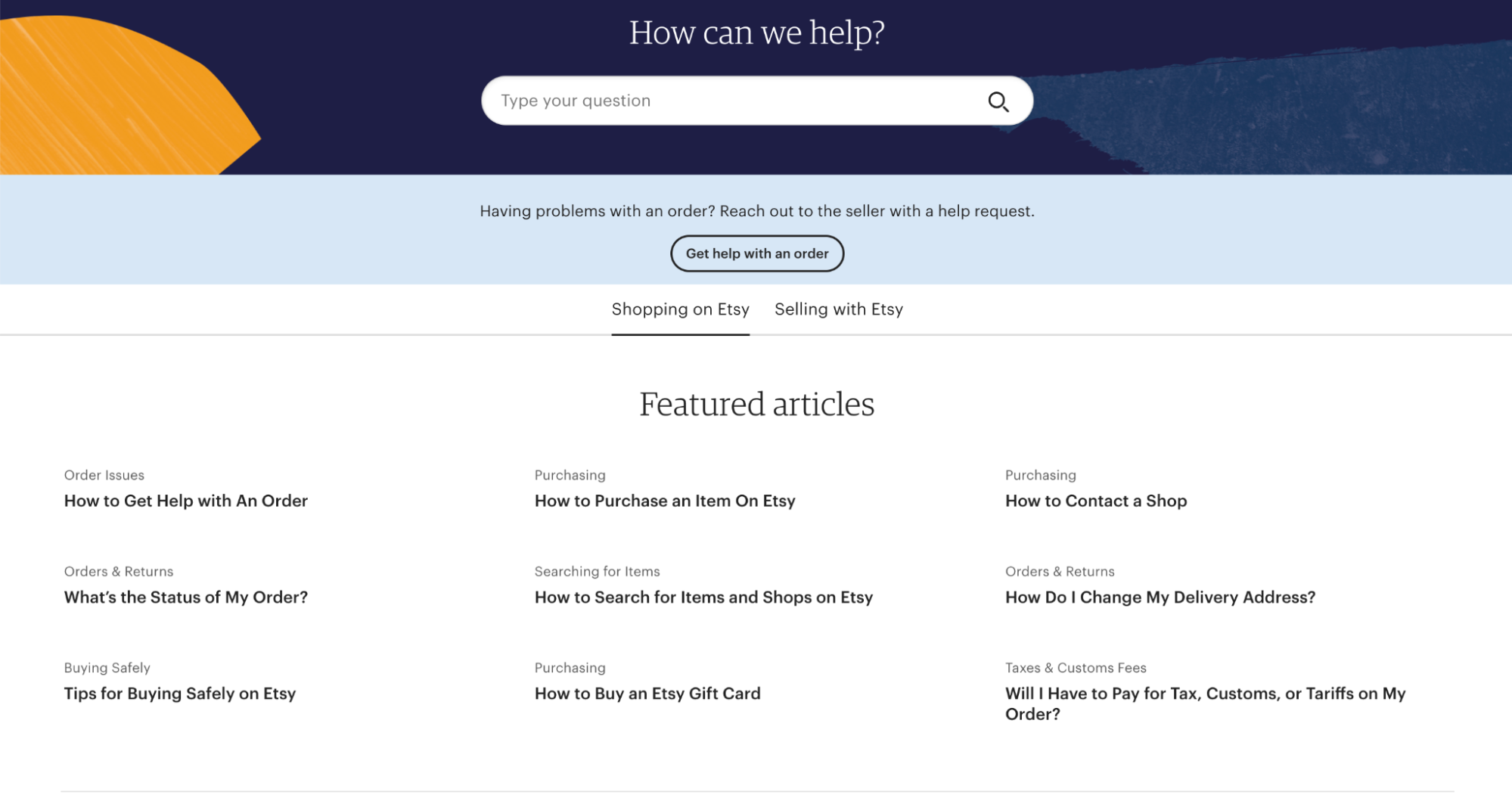
Divides your FAQs into topic-based groups, enabling quicker navigation.
Examples: AdEspresso, Etsy, Fabletics, McDonald’s
- Overview of grouped categories: Orders, Billing, Products, Shipping.
- UX advantages: It reduces the need to scroll and allows customers to quickly find the information they need.
- Template structure with categories:
Category A: 3–5 Q&As
Category B: 3–5 Q&As
Category C: 3–5 Q&As
3. Accordion FAQ Template (Expand/Collapse)
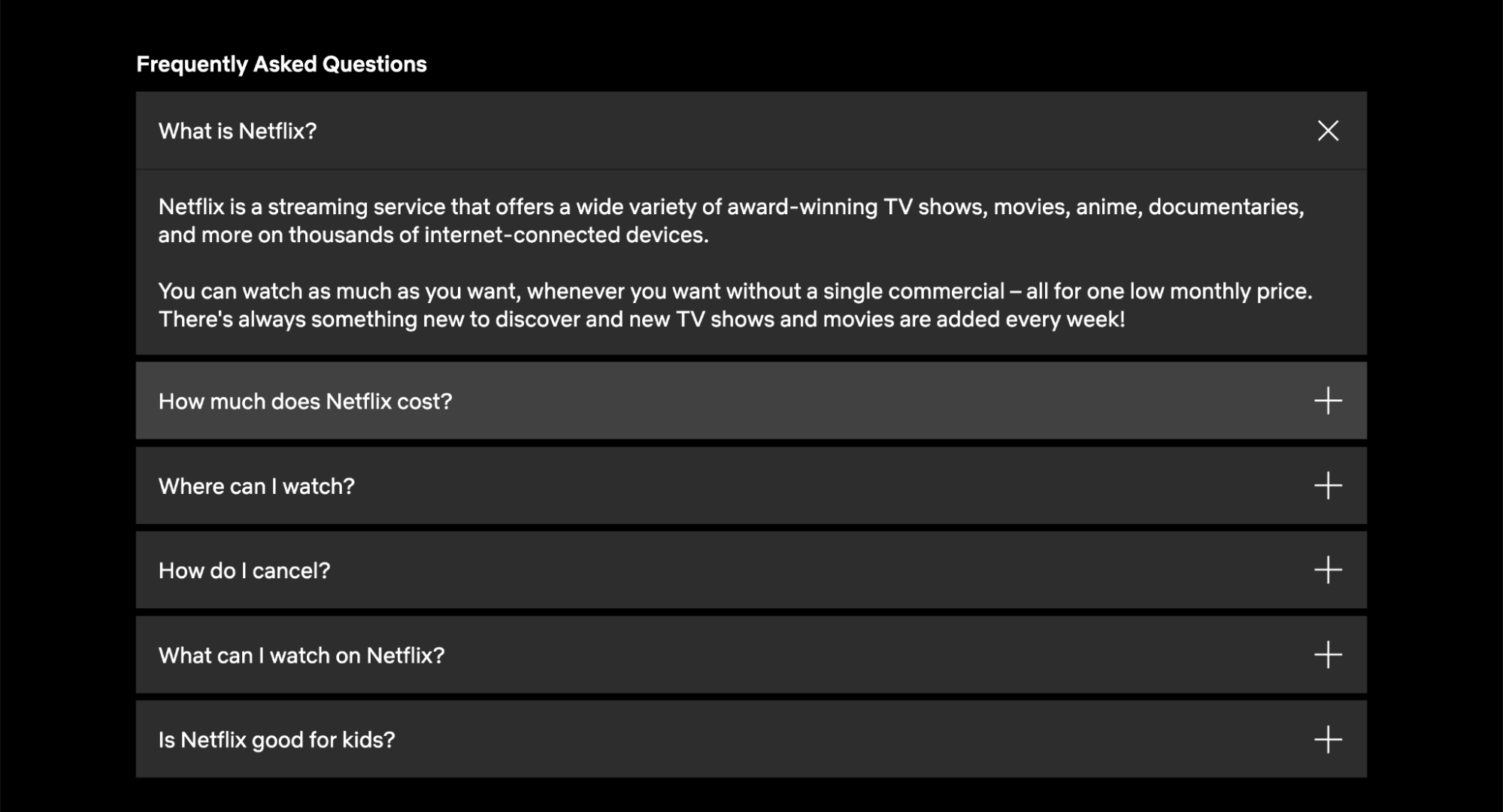
Perfect if you have a lot of frequently asked questions but a limited amount of space.
Examples: Netflix, Huel, Liquid Death, HelpCenter.io Basic Template
- When to use accordions: There is a lengthy list of FAQs that needs to be spaced out more.
- Mobile benefits: It is a good means of saving the display area, and hence, there is less scrolling.
- Accordion-style copy template:
- Q: Do you ship internationally?
A: (Revealed after clicking)
- Q: Do you ship internationally?
4. Searchable FAQ Template
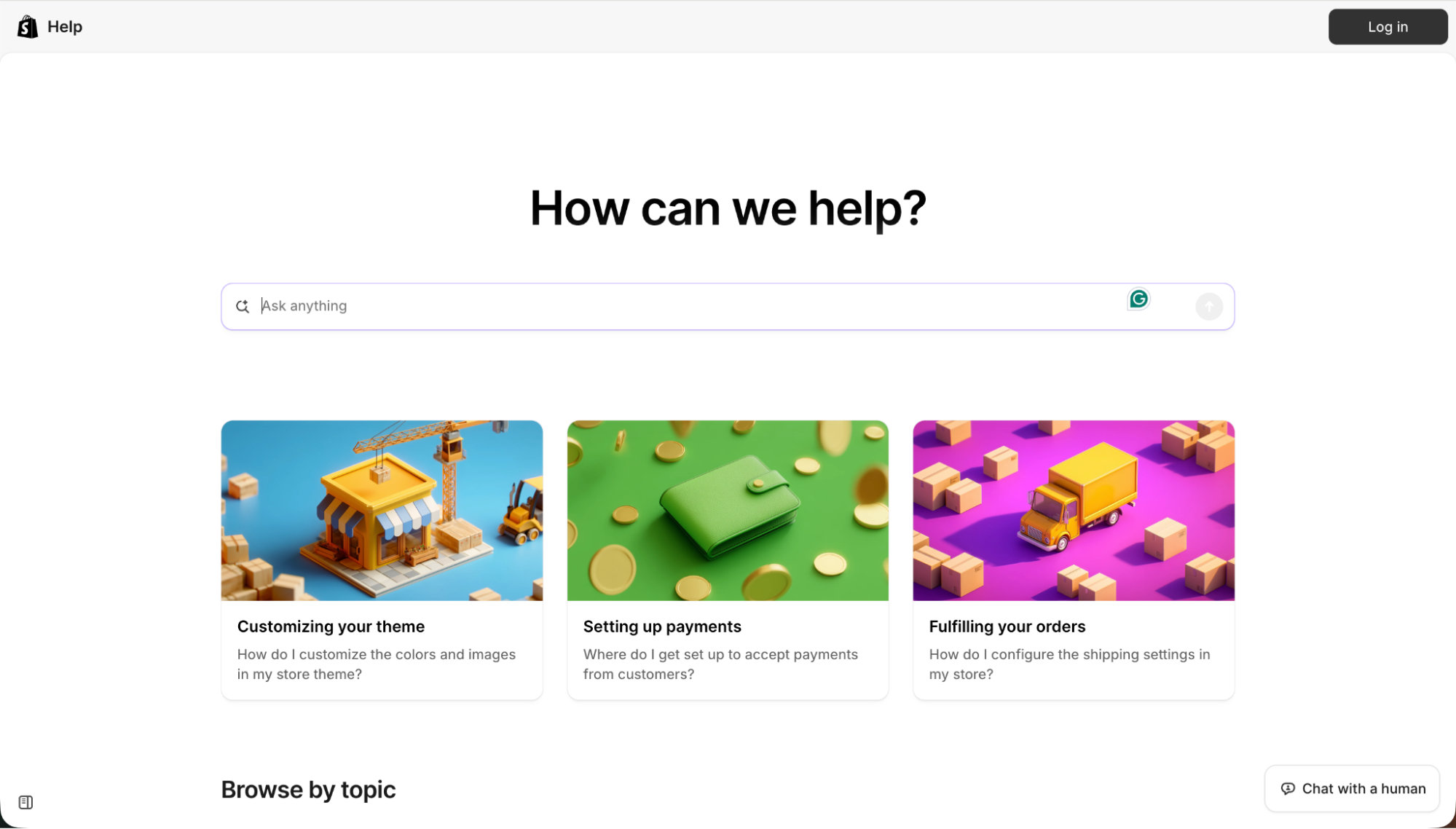
Designed for large FAQ collections that require quick access.
Examples: Shopify, YouTube, Airtable, Mailchimp
- Why search is critical: Allows users to skim through hundreds of Q&As in a flash.
- Example UI patterns: Search bar → Categories → Questions.
- Template block with search-first layout:
[ Search bar ]
Category → Q&A list
5. Role-Based FAQ Template
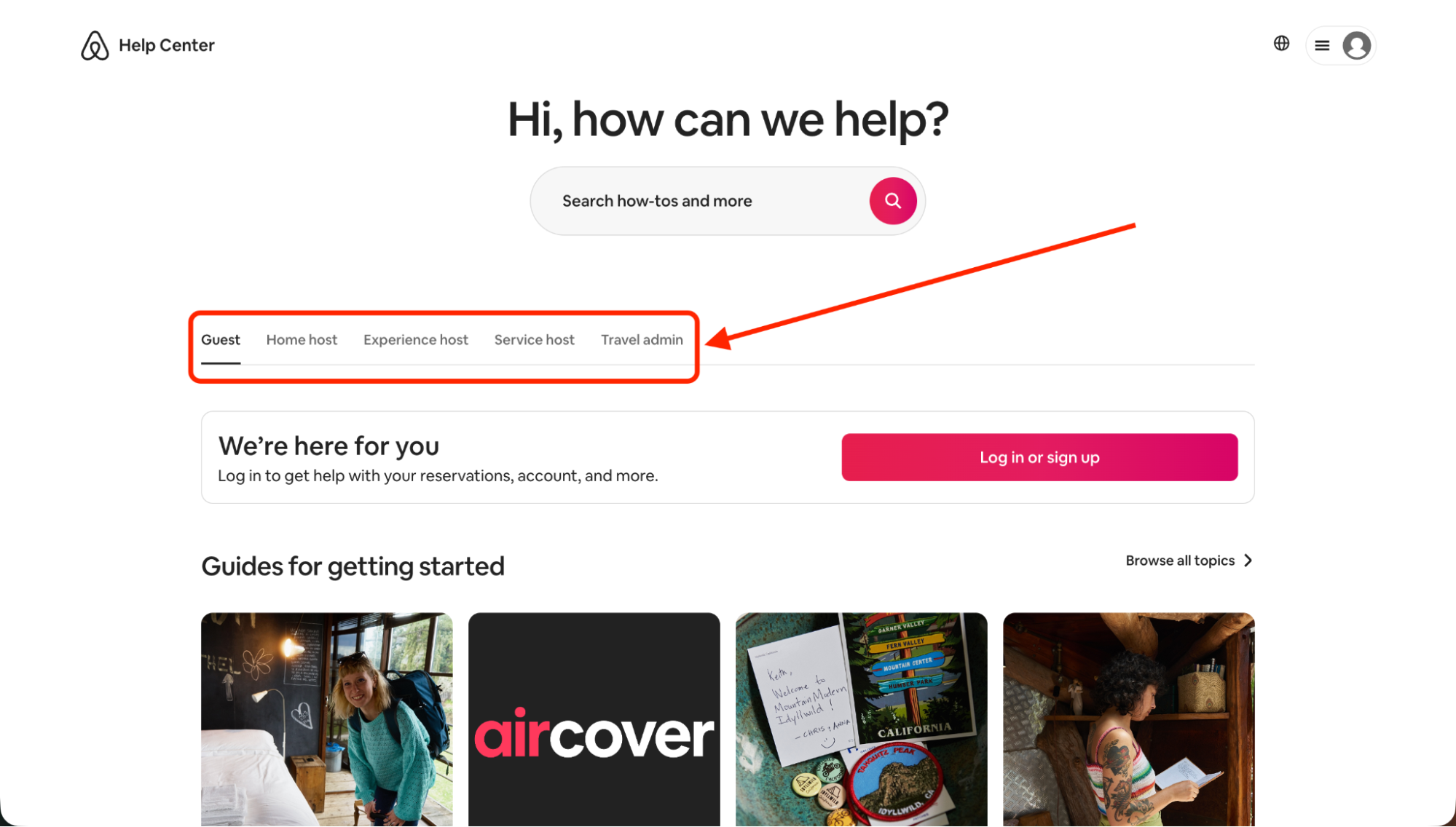
It is useful when various users need different instructions.
Examples: Airbnb (Guests vs. Hosts), Upwork, Vrbo
- How to divide FAQs by user role: Create separate sections for each use case.
- Benefits of segmentation: Helps clarify information for an audience that includes a mix of different users.
- Template layout:
Role A: 3–5 FAQs
Role B: 3–5 FAQs
6. Industry-Specific FAQ Template
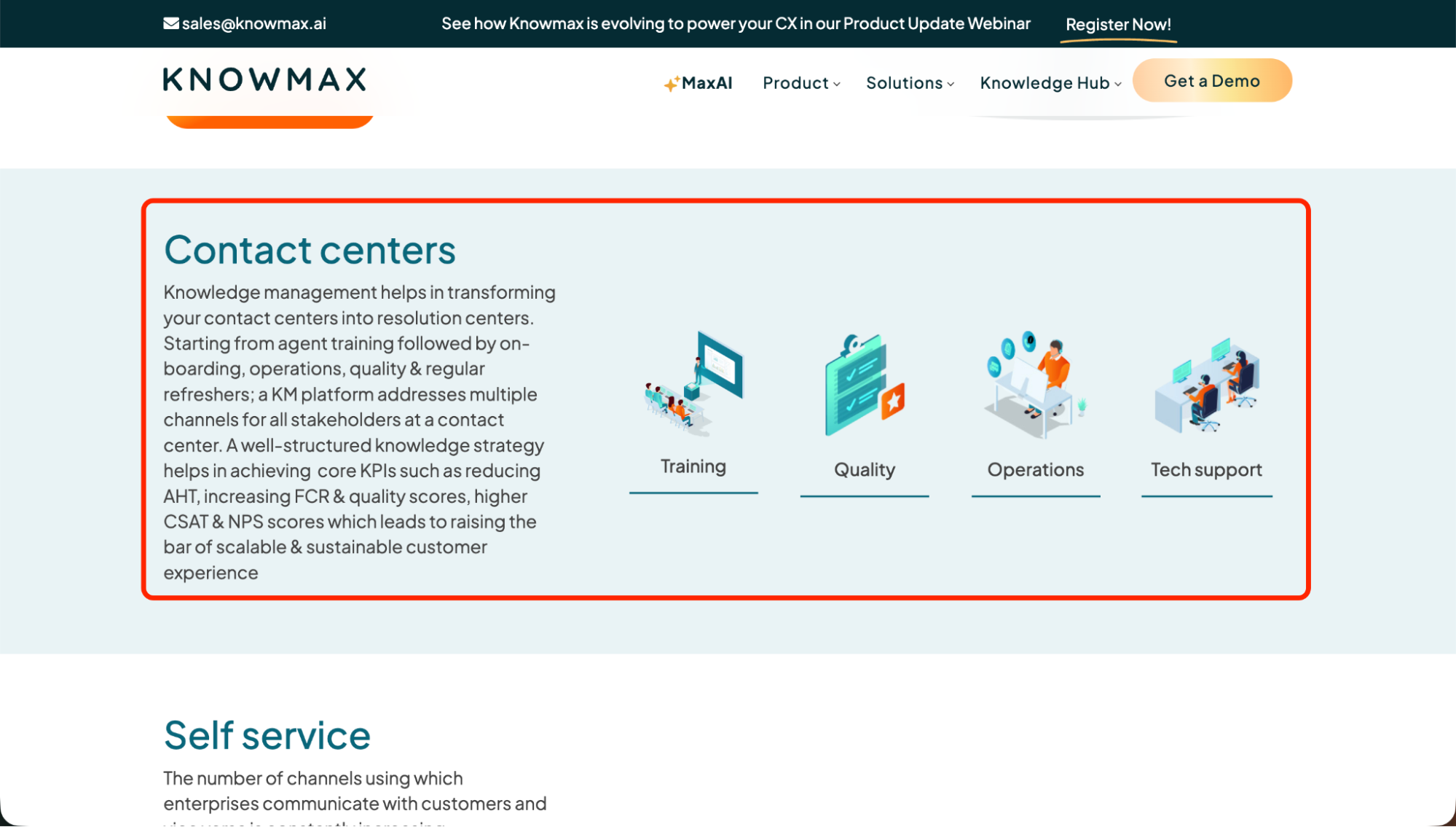
These are great for industries with highly varied customer requirements or that are regulated.
Examples: Knowmax Telecom, Banking, BPO, Retail templates
- Industry group examples: Network problems, claims, payments, delivery, service policies.
- Typical categories per industry: Billing, Support, Troubleshooting, Orders.
- Copy-ready template framework:
Industry Category → 4–6 questions
7. Ecommerce Conversion FAQ Template
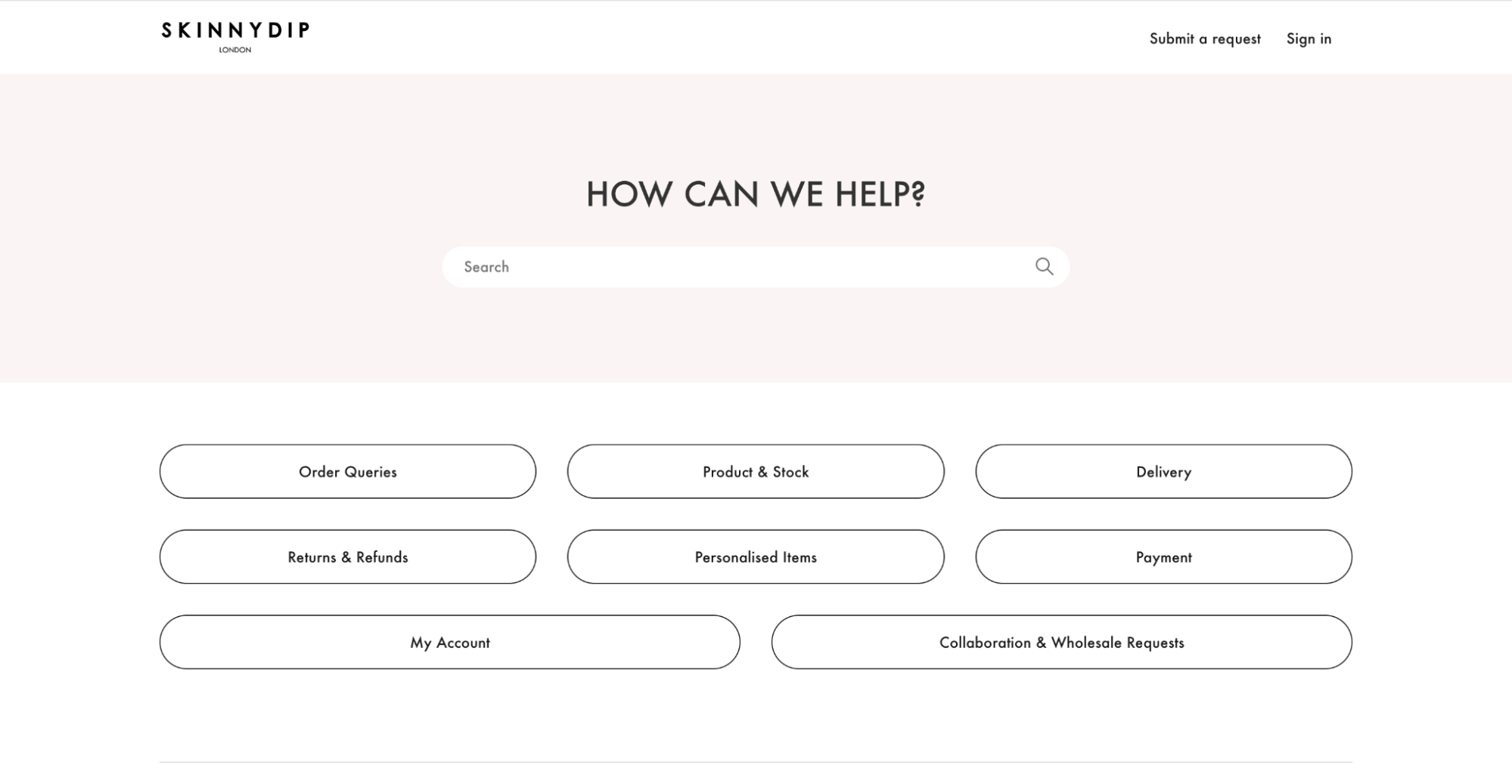
Designed to minimize doubt removal in the process of checkout.
Examples: Skinnydip London, Brooklinen, KITH, Magic Spoon
- E-commerce-specific question types: Returns, sizing, shipping, and payments.
- Reducing cart abandonment: Provide answers to “checkout objections” already there.
- Conversion-oriented FAQ template:
- Do you offer free returns?
- What size should I buy?
8. Product Page Embedded FAQ Template
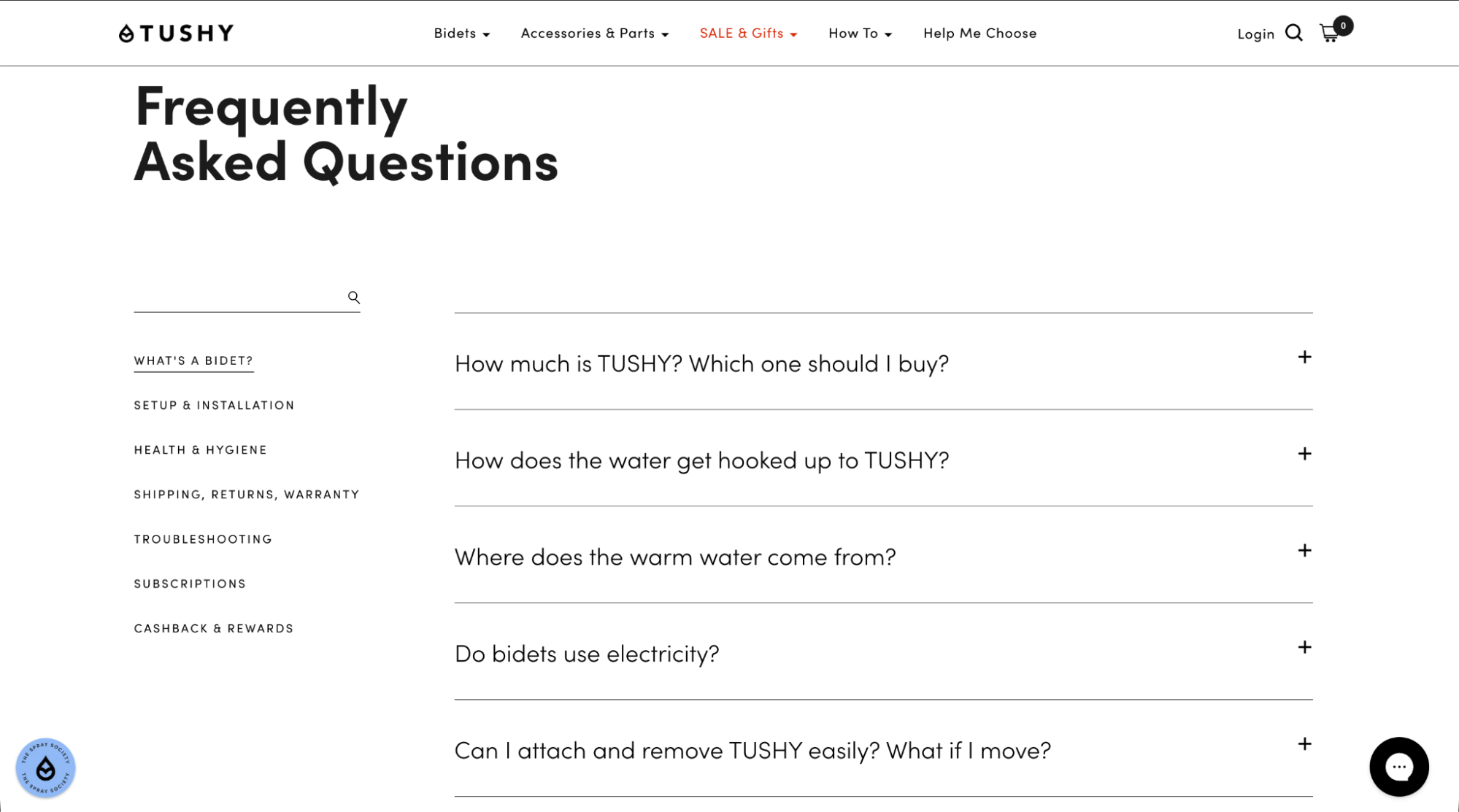
A product page that is equipped with an FAQ section to clarify the details and an immediate process.
Examples: Tushy, FIGS, MVMT
- Where the FAQ appears on the page: Under product info or above reviews.
- What questions belong here: What is the product made of? How does the product fit? How to use the product? How to care for the product?
- Template block:
Product Questions → Short answers
9. Visual/How-To FAQ Template
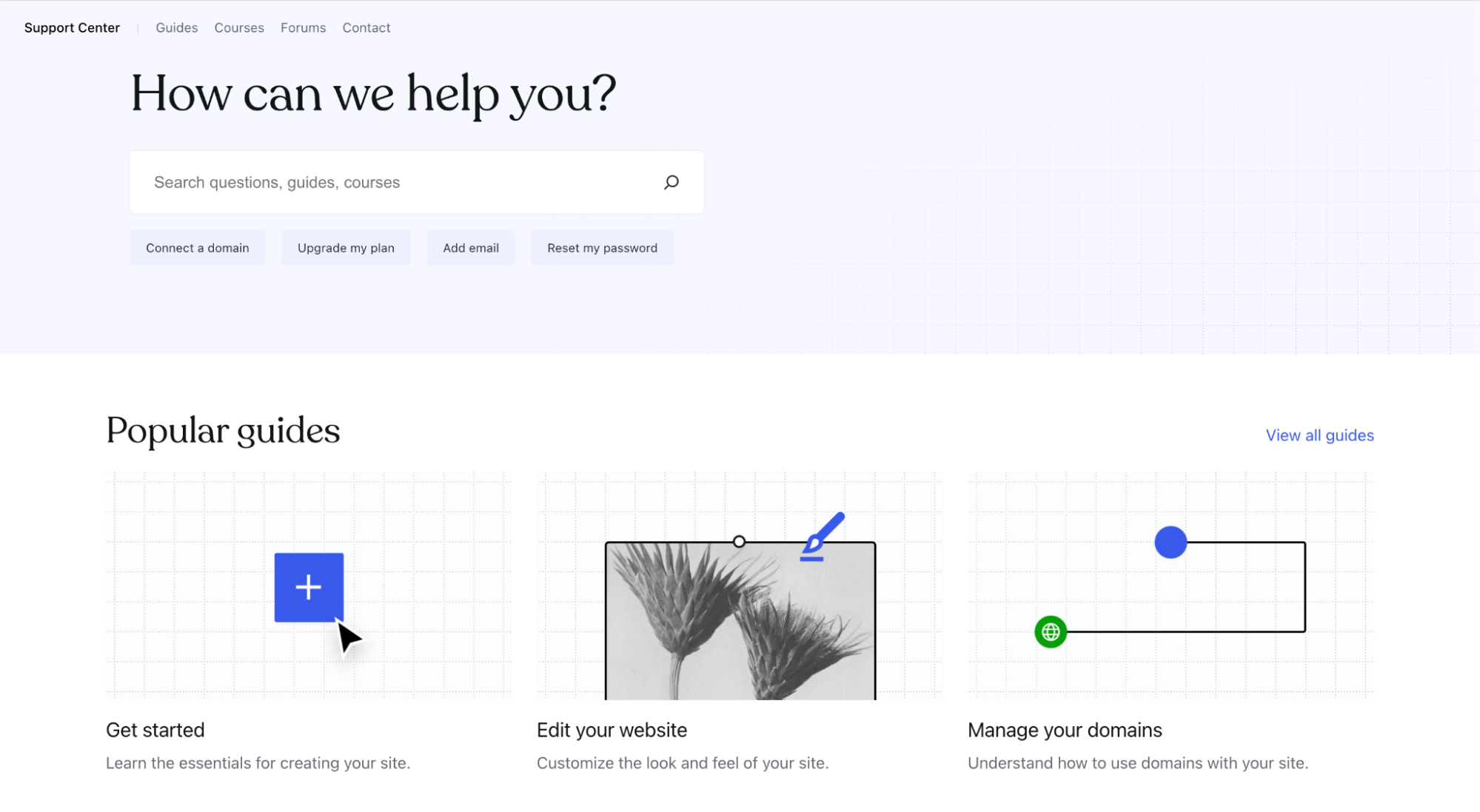
Great for usage, instruction, or troubleshooting stages.
Examples: Airbnb, Wistia, WordPress.com
- When visuals help: Installation or sequential tasks.
- Best practices: Limit videos to a few minutes and include subtitles.
- Template:
Image/Video → Short explanation
10. HTML/Tailwind FAQ Template
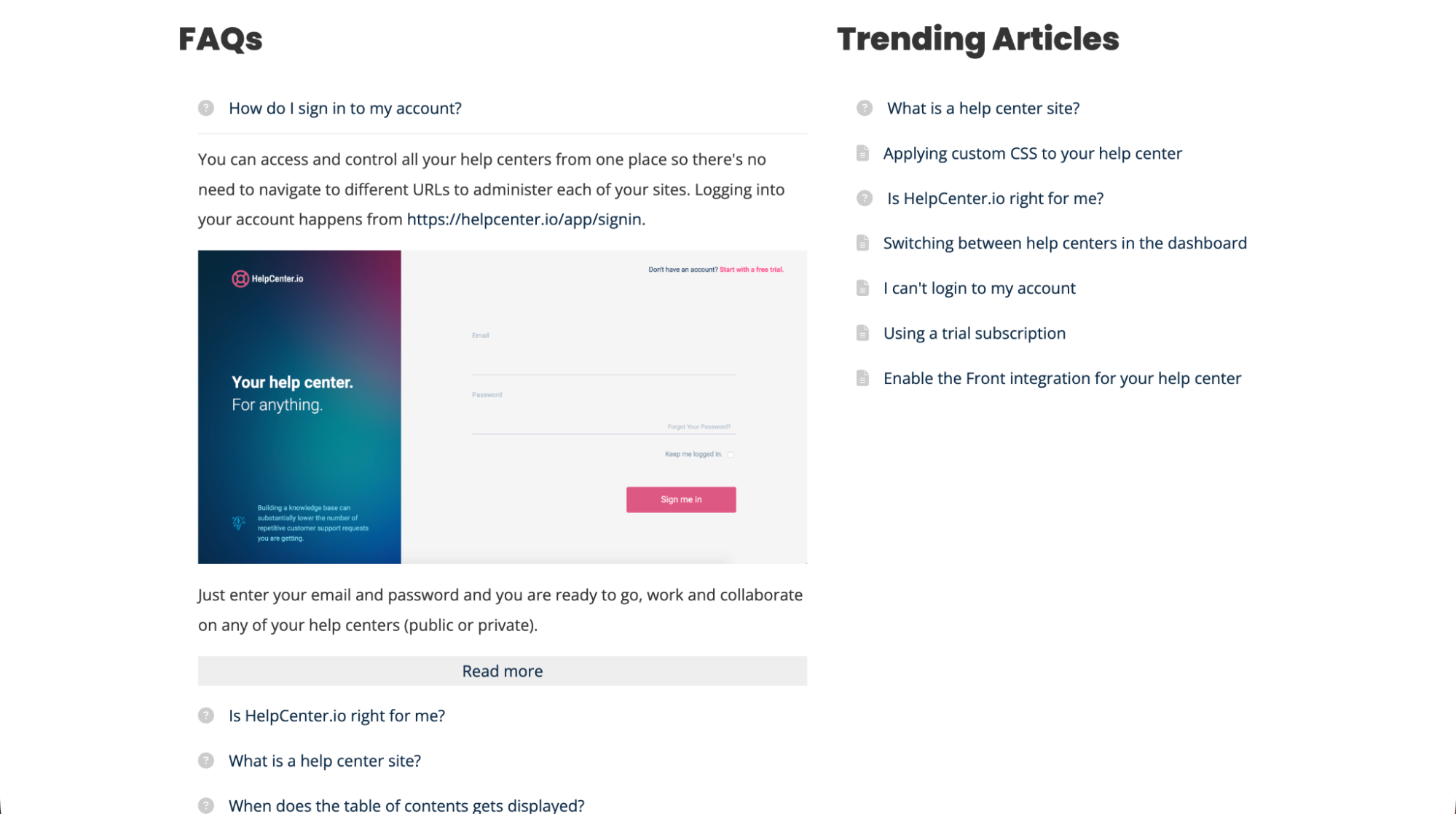
A developer will find it excellent to have full control over the design.
Examples: HelpCenter.io Light, Dark, Animated, Two-Column Templates
- Code-ready option explanation: It is accomplished with straightforward HTML or Tailwind blocks.
- UI customization: Change the spacing, icons, or borders.
- HTML/Tailwind snippet:
<div>Q&A</div>
11. Two-Column FAQ Template
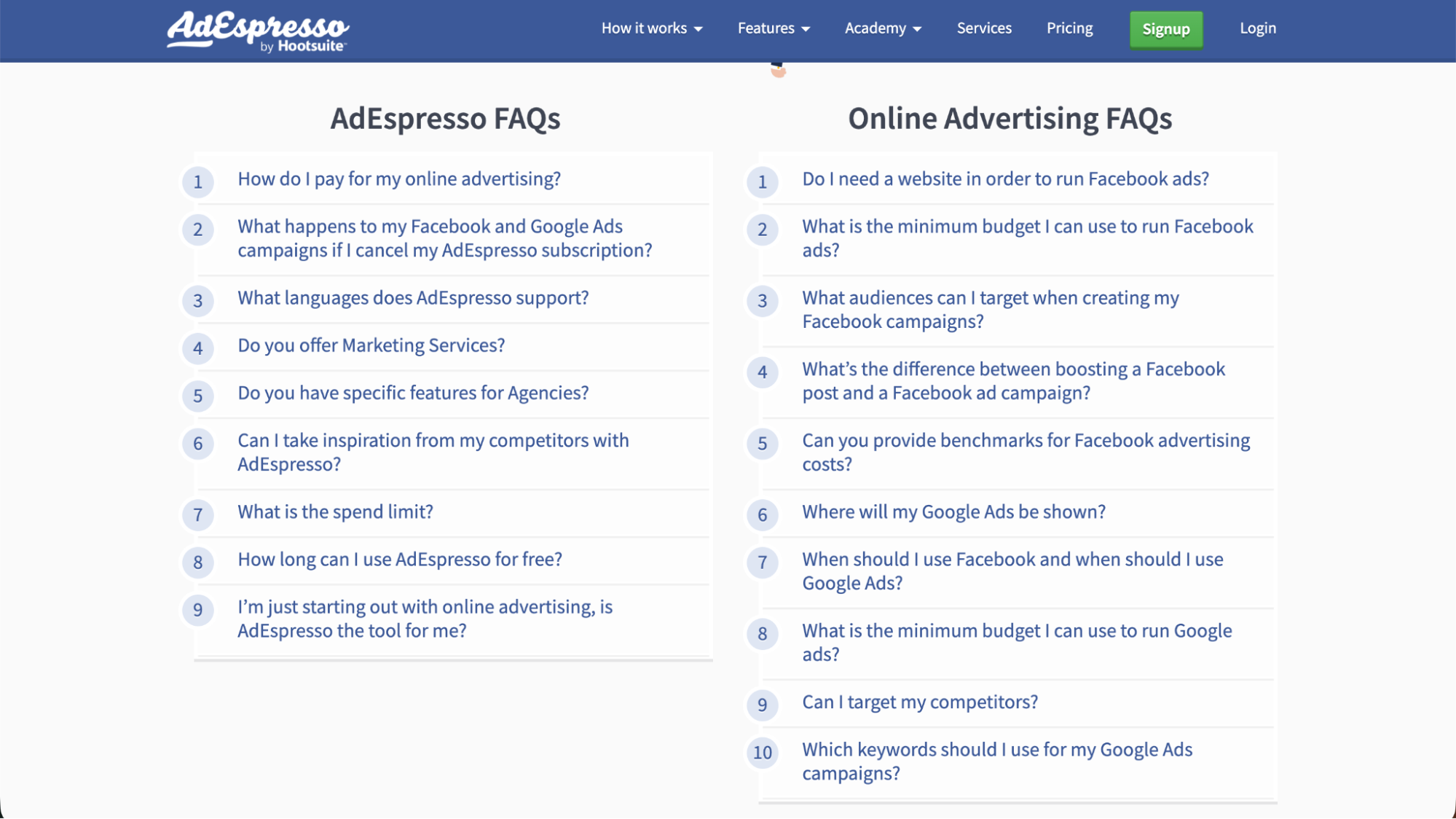
It enables dividing short Q&As into an even two-column manner.
Examples: HelpCenter.io Two-Column, AdEspresso
- Best use cases: Brief questions that the user can quickly understand.
- Layout advantages: The user has to scroll less, and the page looks more visually balanced.
- Two-column template:
Column A (3–5 Qs) | Column B (3–5 Qs)
12. Tabbed FAQ Template
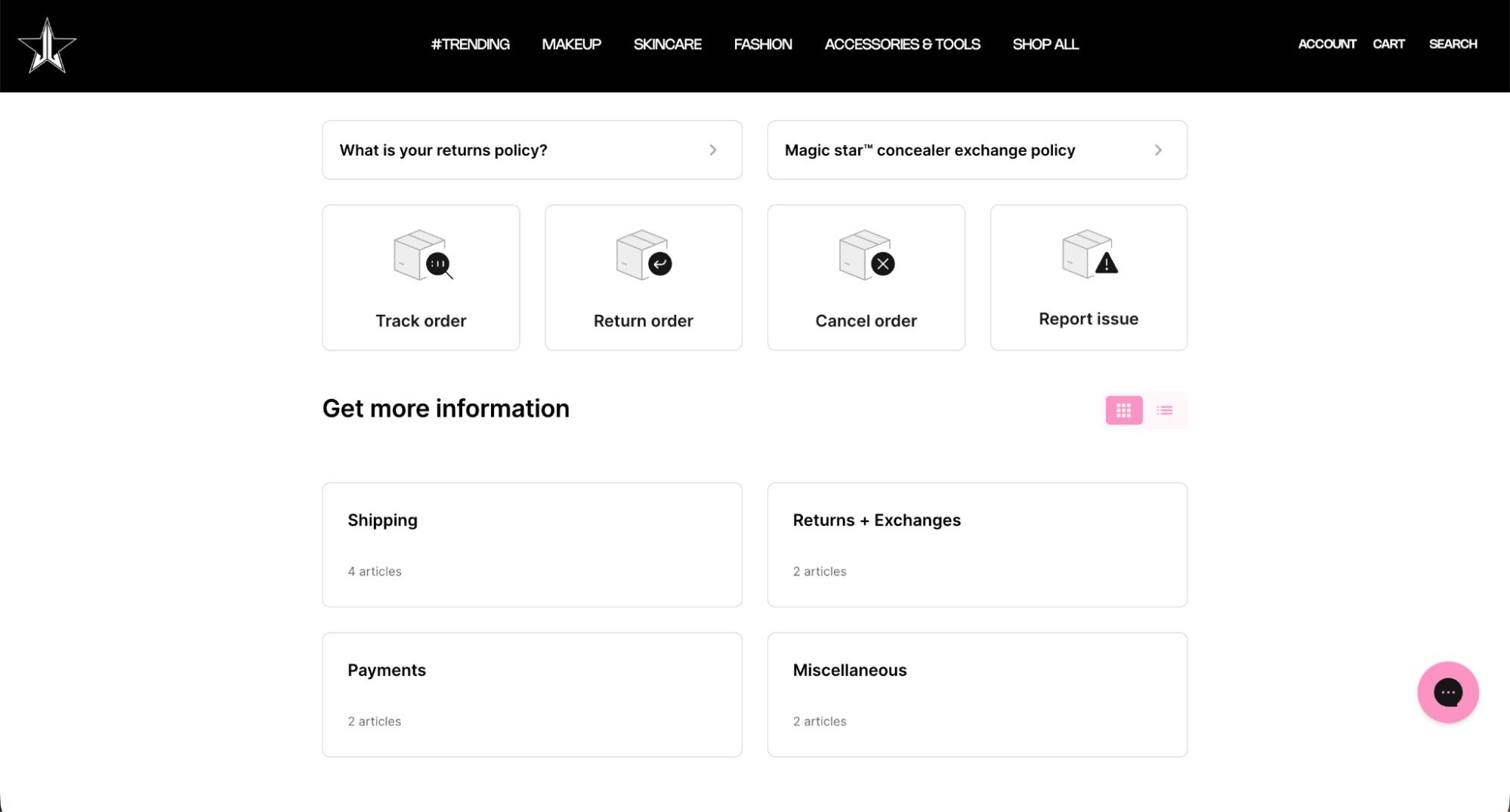
A good idea for brands that have several products or versions.
Examples: Jeffree Star Cosmetics, Secretlab, Microsoft
- When to use tabs: FAQs vary by product line.
- Tab navigation styles: Horizontal tabs or sidebar tabs.
- Template structure:
Tab 1 → Q&As
Tab 2 → Q&As
13. Filterable/Tagged FAQ Template
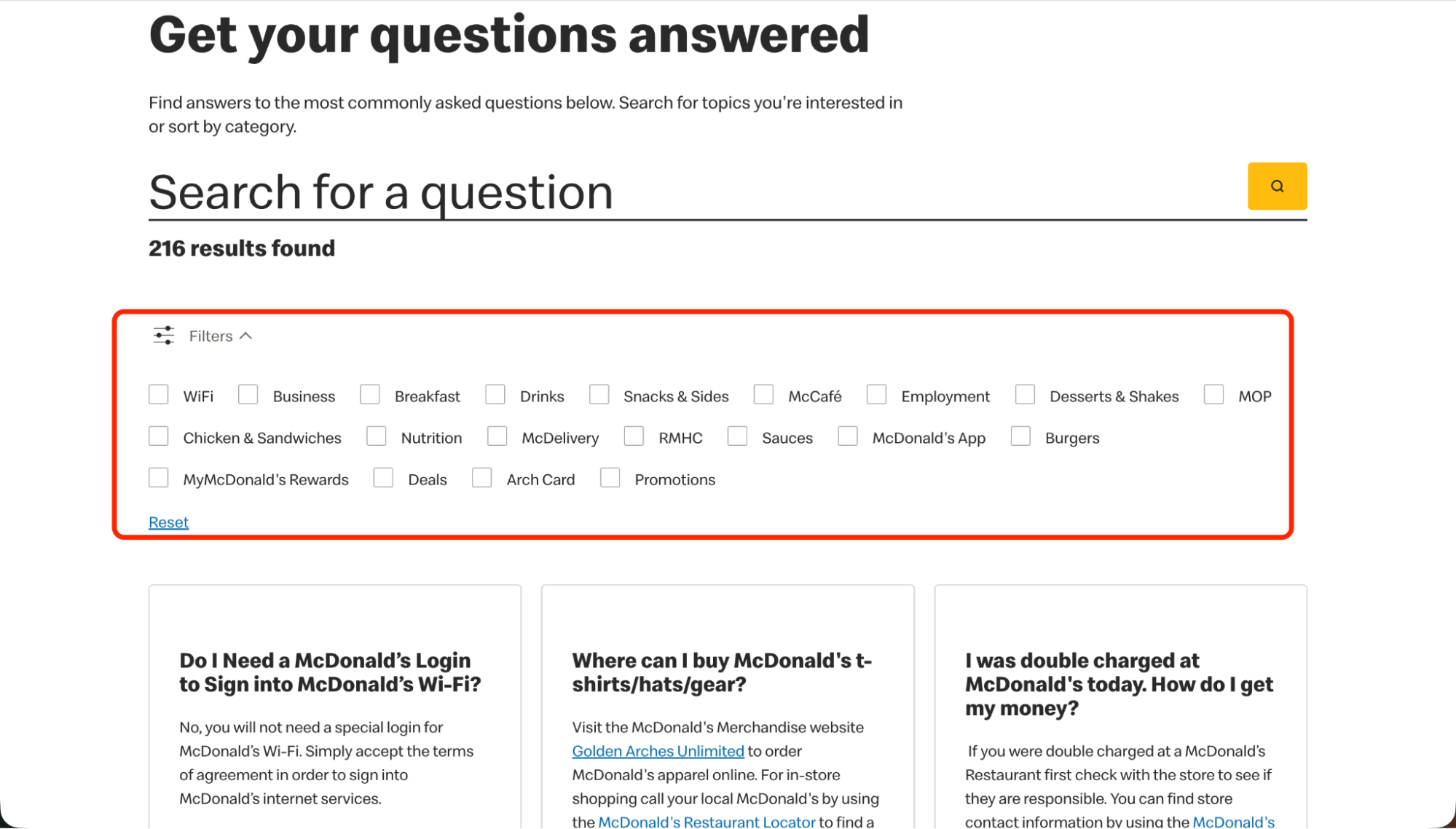
This is helpful when users have to go through many topics.
Examples: McDonald’s, Huel, FIGS
- Why filters improve navigation: A quick way to get to the correct questions.
- What tags to use: Shipping, Orders, Billing, Account.
- Template:
Tags → Filtered FAQ list
14. Humor & Brand-Voice FAQ Template
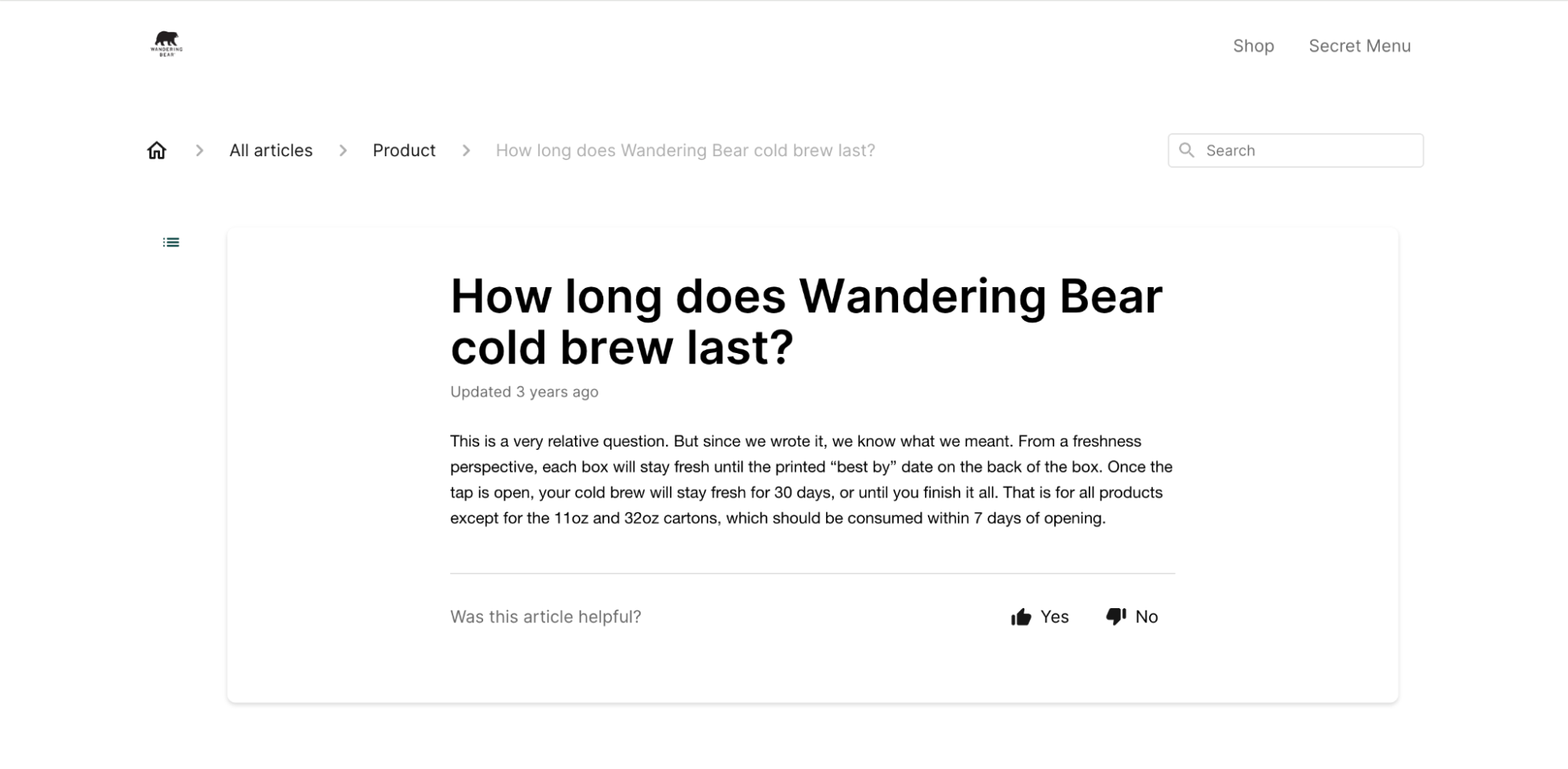
Perfect for brands with a lighthearted or fun communication style.
Examples: Wandering Bear, Roody, Liquid Death
- How to balance personality: The fun element should be there in the tone; however, the answers must still be clear.
- Example tone guidelines: Providing information in an entertaining way without confusing the reader.
- Humor-friendly template:
Playful question → Straight answer
15. Community-Integrated FAQ Template
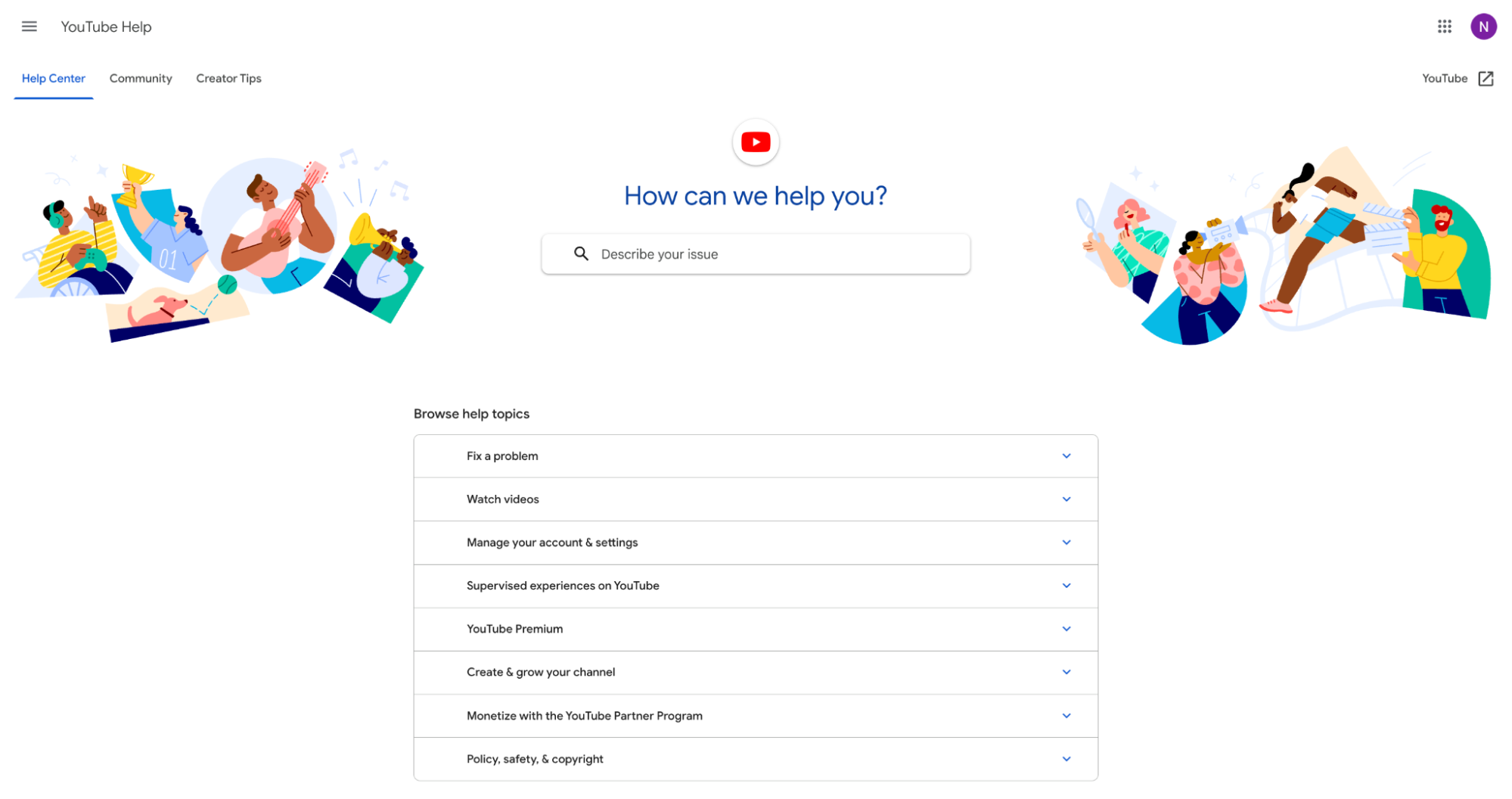
Community-based or forum-integrated FAQs?
Examples: YouTube Help Center, Airbnb Community, Upwork Community
- When to tie FAQs into forums: In case peer support is beneficial.
- Linking patterns: “Ask the community” button.
- Template layout:
FAQ → Community link
16. Chat-Integrated FAQ Template
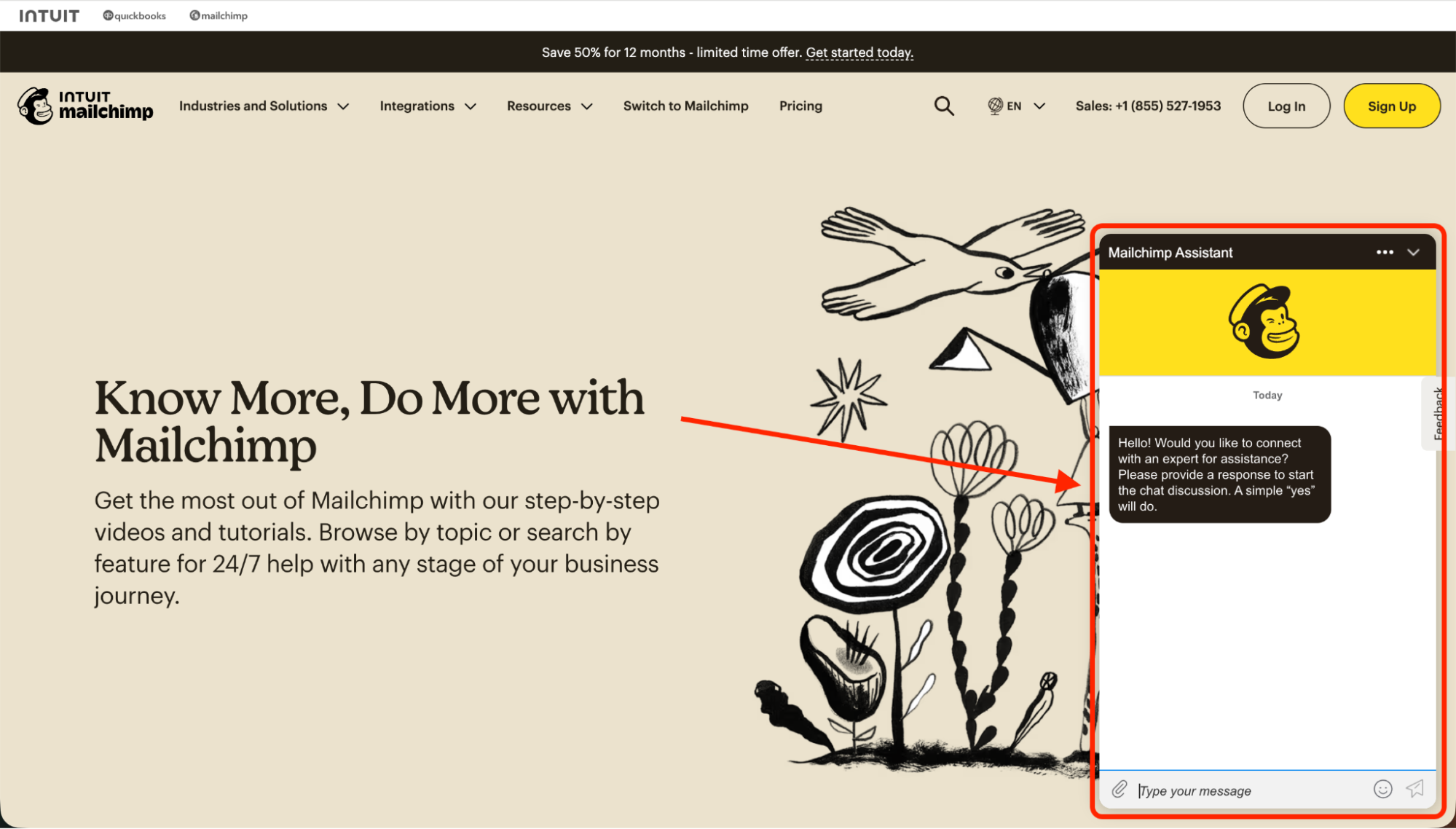
Combines FAQs with a live chat for instant assistance.
Examples: DoggieLawn, Mailchimp, Secretlab
- Where chat appears: A chat bubble in the corner next to FAQ.
- Escalation best practices: Hand off complicated problems to customer support representatives.
- Template:
FAQ → Chat CTA
17. AI-Powered FAQ Template
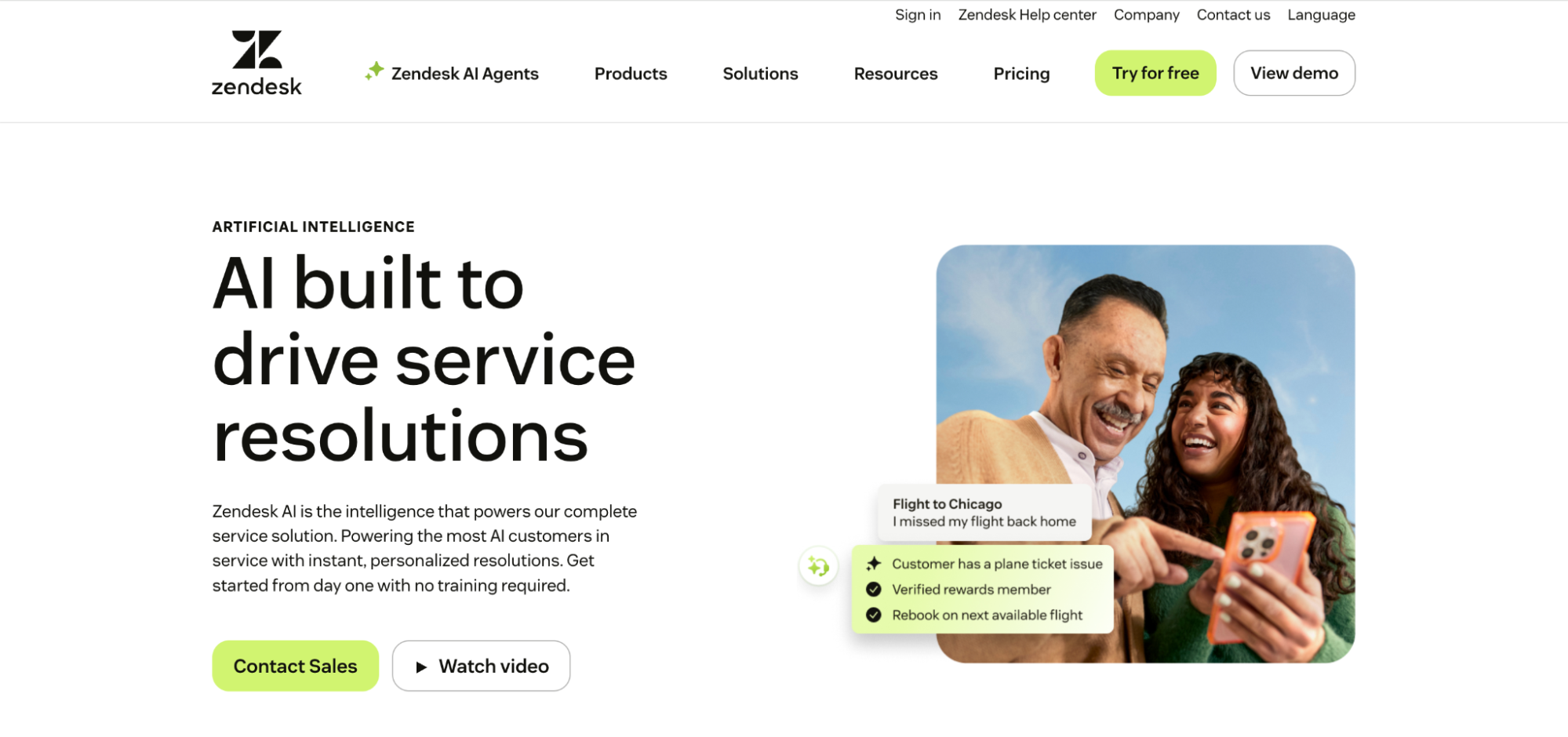
The technology relies on AI-driven suggestions and dynamic results.
Examples: Zendesk AI, Shopify’s AI suggestions, Knowmax AI
- AI search and suggested questions: Predictive suggestions for user convenience.
- Dynamic/related FAQs: Support auto-generating related topics.
- AI-friendly structure:
Search → Suggested → Related articles
18. Knowledge-Base Article FAQ Template
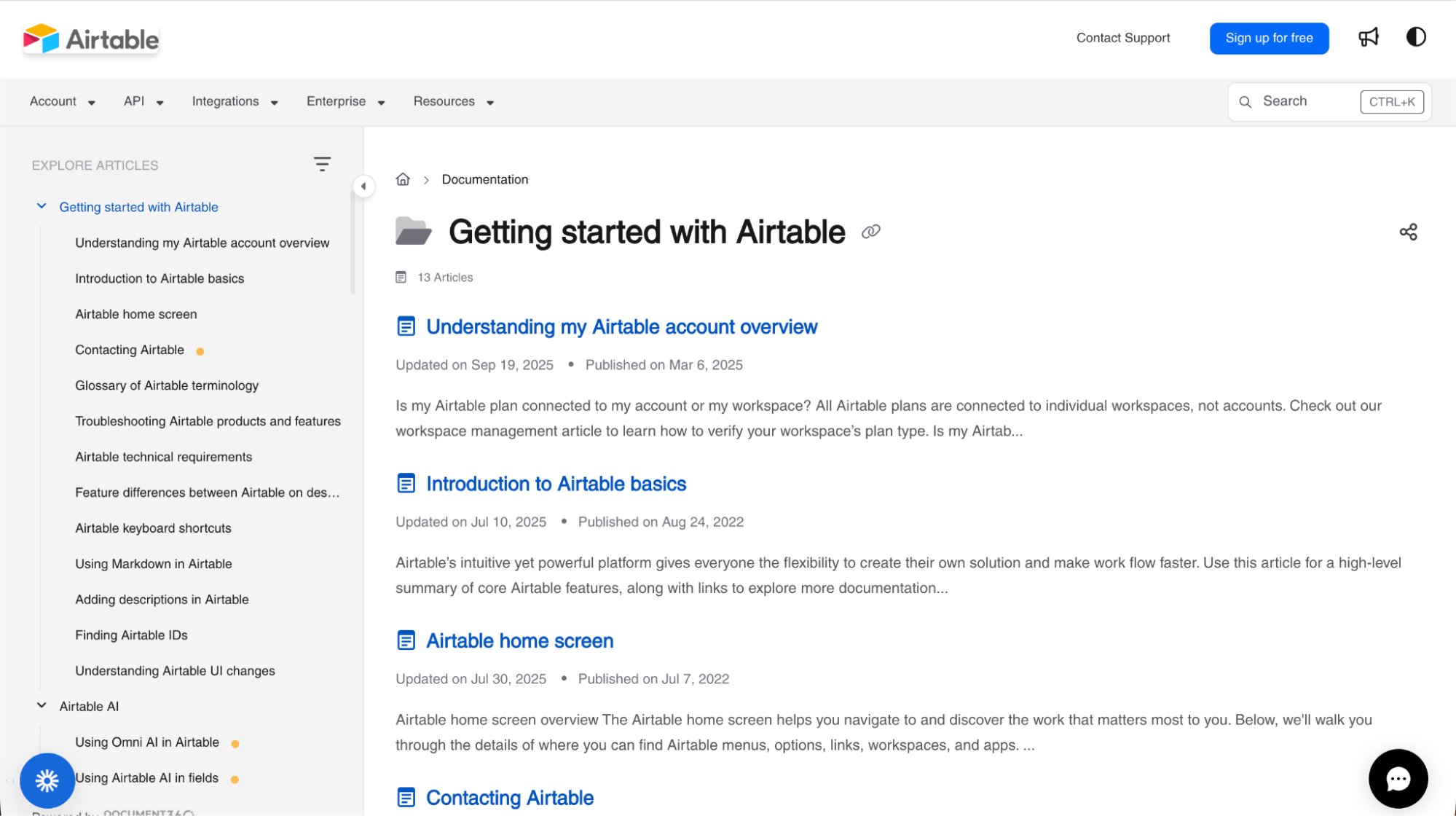
Provide short explanations with links to full guides.
Examples: Airtable, Zendesk Help Center, WordPress.com
- When answers need their own article: Complex processes or technical steps.
- Summary + link format: Very brief explanation + “Read full guide.”
- Template:
Q → Short explanation → Guide link
19. Internal FAQ Template (Agent-Only)
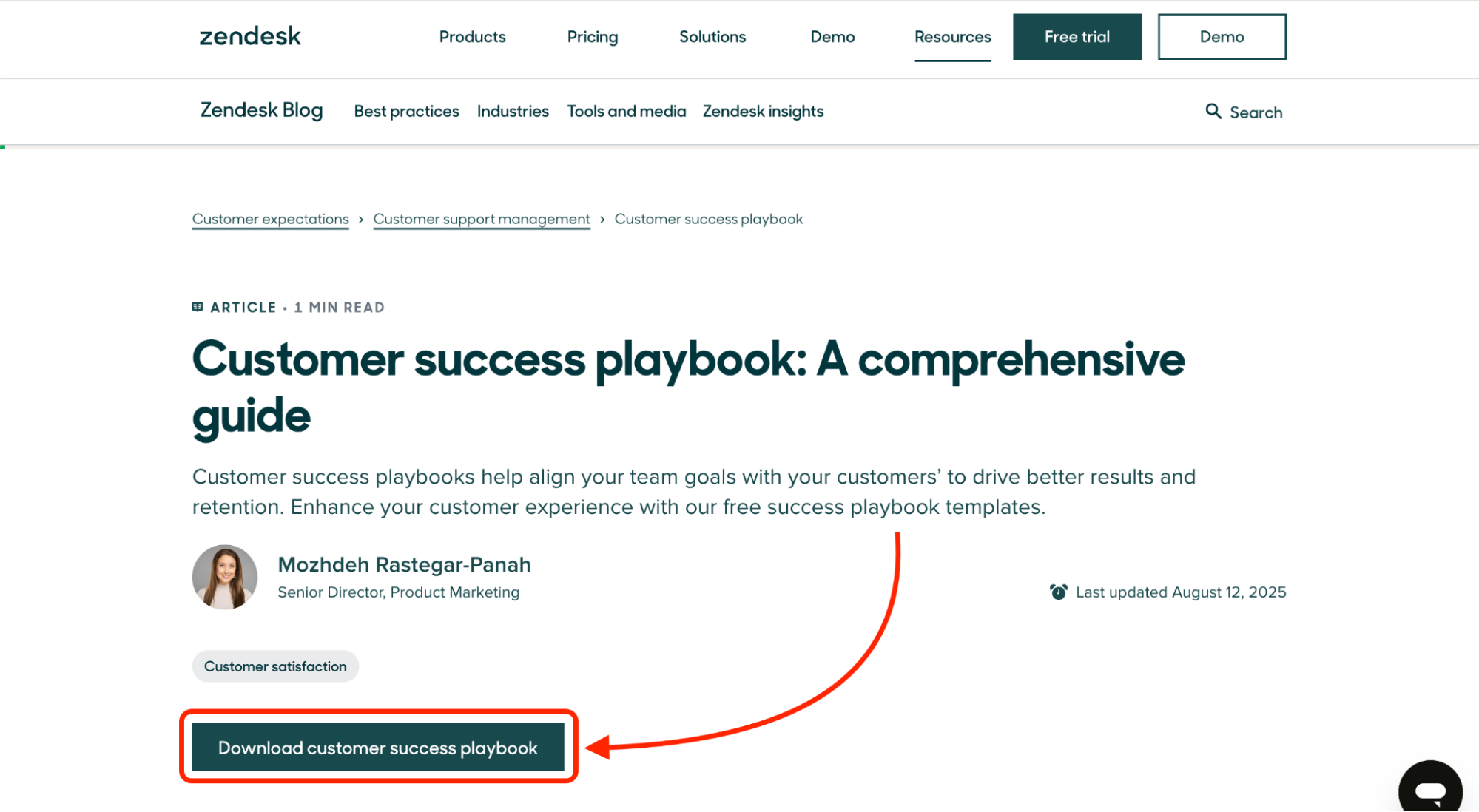
Help the support team members find the answers quickly.
Examples: Zendesk playbooks, BPO structures, Knowmax internal KB
- Why internal FAQs are different: Focused on accuracy and escalation.
- Structure for quick answers + escalation: Steps and decision paths.
- Agent-ready template:
Issue → Script → Escalation path
20. Landing Page FAQ Template
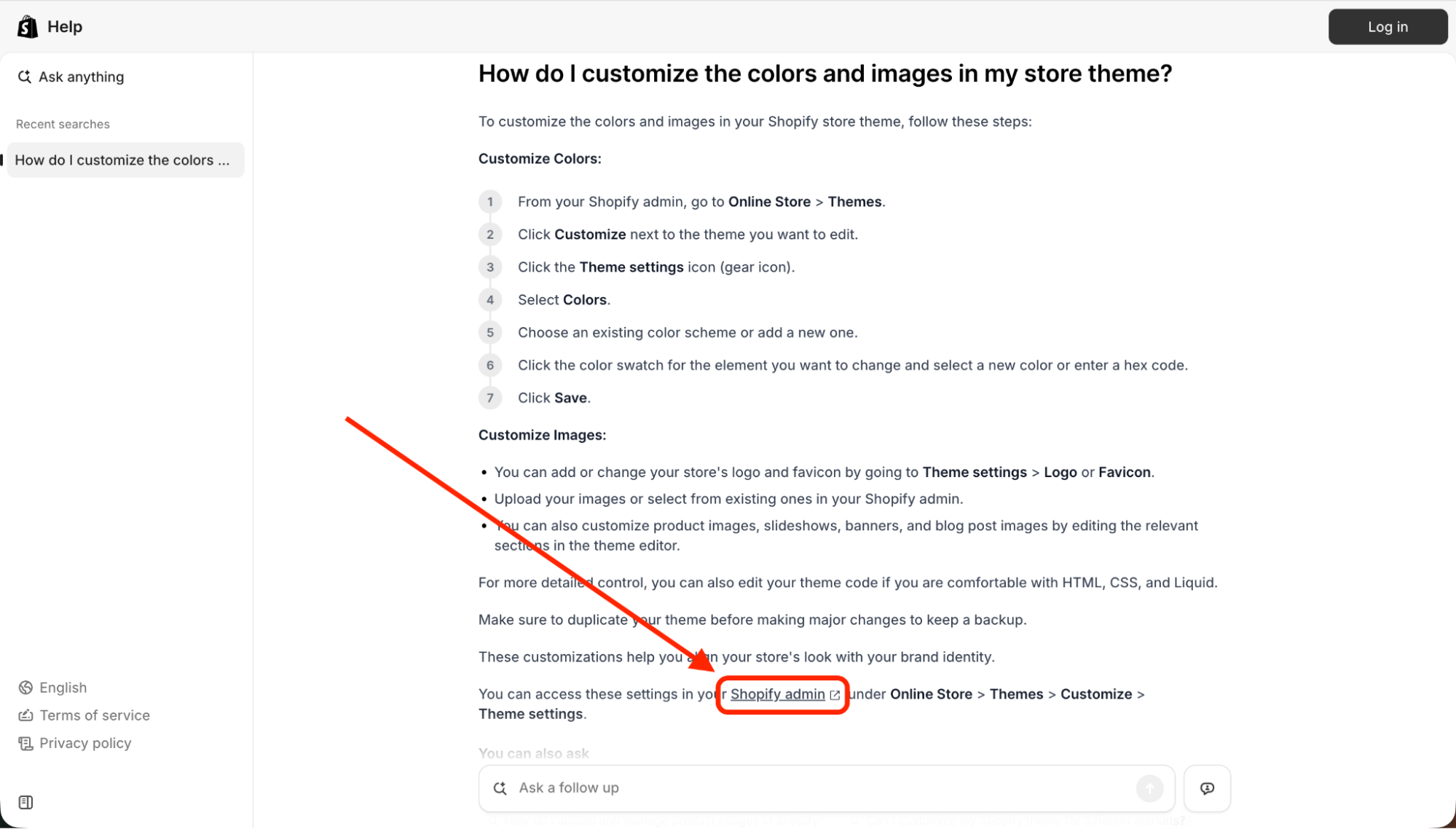
Use close to your CTA to increase conversions.
Examples: Shopify landing pages, product funnels
- FAQs for conversions: Risk, objections, guarantee details.
- Ideal placement: Just under the CTA.
- Template:
4–6 short conversion FAQs
21. Dashboard-Style FAQ Template
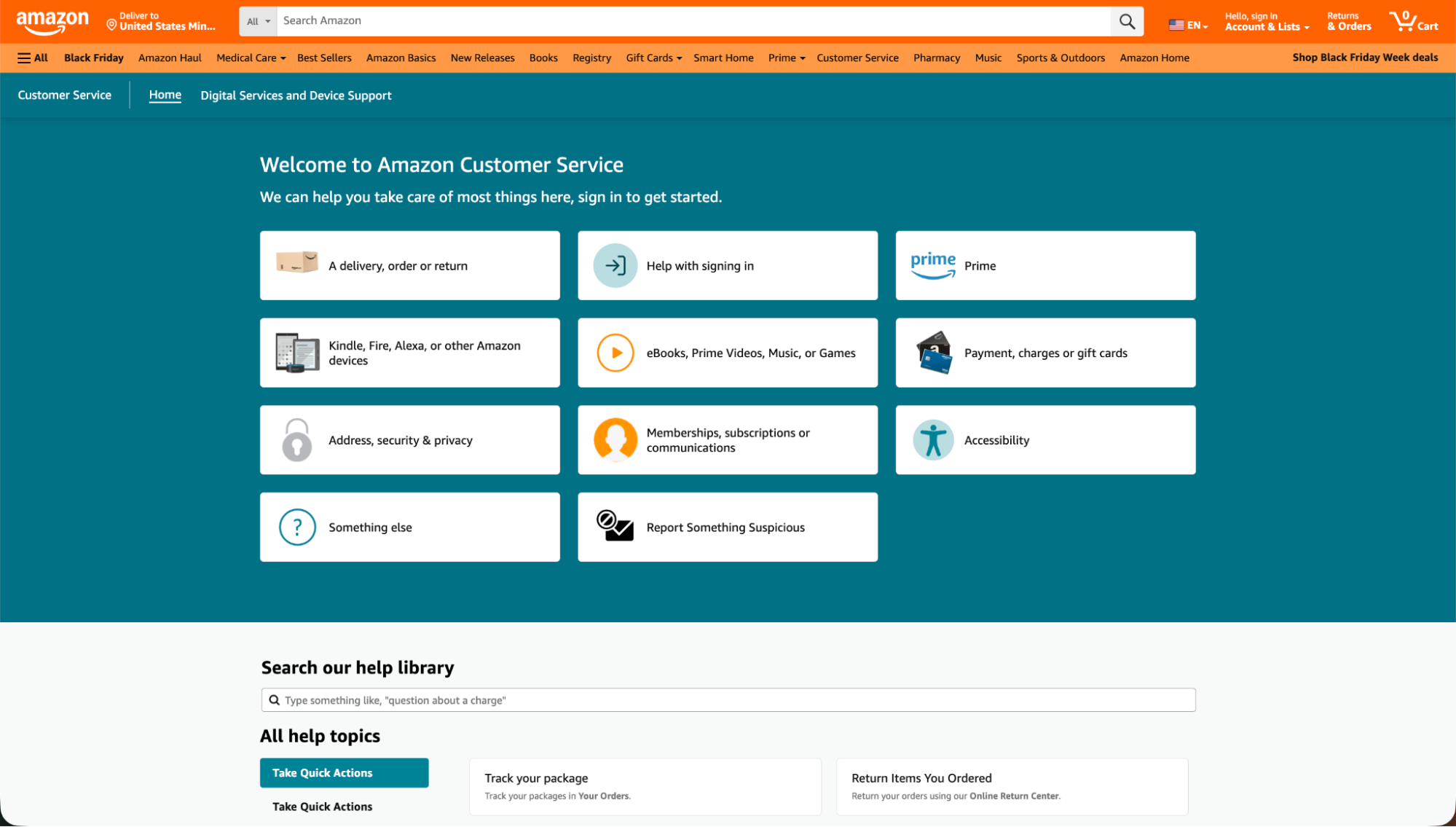
It shifts to visual representation through tiles or icons.
Examples: Amazon, Google, Microsoft
- When to use dashboard-style navigation: Extensive products with numerous categories.
- Tile/category structure: Icons → Category → Questions.
- Template:
Tile grid → FAQ groups
How to create an FAQ page using these templates
Constructing a useful FAQ page is made simple when you adhere to a definite workflow. Using any of the FAQ templates above, you can create a page that not only helps customers find answers quickly but also enhances the overall customer experience.
Step 1: Collect real customer questions
Initially, collect questions from customers that you have already received and answered.
- You can thoroughly analyze support tickets, chat transcripts, emails, and contact messages to identify customer questions.
- Why not also review the keywords customers use when searching your site?
- Moreover, you may wonder: “What do customer queries tell us about our business?” Analytics can help you answer that question by pointing out which topics generate the most queries.
The purpose of the exercise is to create your FAQ based on actual questions, not hypothetical ones.
Step 2: Group questions into logical categories
Afterward, take the list you prepared and categorize the questions into topics such as Account, Orders, Billing, or Shipping.
- Each section should be one of: Account, Orders, Billing, or Shipping.
- It is better not to put too many topics under one heading.
The structure of an FAQ that is well-planned FAQ can help customers get around without losing their way among the other pages.
Step 3: Write concise, action-oriented answers
Short, clear, and in language that the customer can understand are the main attributes of your answers.
- Each answer should contain 25–40 words.
- Along with the answers, provide links to the articles where the user can get detailed instructions.
- Aim to answer common questions directly and avoid fluff.
Such an approach makes the page user-friendly, especially for mobile users.
Step 4: Choose the right template type
Decide on the FAQ template that is suitable for your product, industry, and user needs.
- Simple products → Simple universal template
- Many topics → Category-based or searchable
- Visual setups → Visual/How-To template
- Role-based users → Guest/Host or Client/Freelancer split
The template should be there to help your customers if they want to browse in that way.
Step 5: Design for usability and accessibility
People should not find it hard to use a perfectly designed FAQ.
- Maintain a clean appearance and easy-to-read text.
- If the FAQ is larger, then one can add filters, tabs, or a search bar.
- Using visuals, screenshots, or short videos may be very effective in providing the right instructions.
Good design not only enhances the overall user experience but also reduces the need to visit customer support.
Step 6: Publish, test, and optimize
When the page containing your work is live, do some work on it yourself to see if it really functions well.
- Try navigating from the mobile view to the desktop one.
- Also, be certain the search component is functioning correctly.
- If users still require assistance, there should be an easy way for them to contact support.
- Keep an eye on the analytics to identify what questions need to be rephrased or refined.
By constantly updating the FAQ, it becomes a dependable tool that helps both your business and your customers in the long run.
FAQ design best practices
An aptly designed FAQ page gives answers to your customers fast, without them getting lost in a sea of questions. These are some practical best practices that will keep your layout clean, user-friendly, and easy to navigate:
- Keep questions scannable and short.
Try to keep it between 6 and 10 words so users are able to glance through the FAQ section without interrupting their flow. - Use clear, consistent formatting.
Using the same style for headings, spacing, and answers will give your page a professional look. - Add visuals for complex answers.
Help users by providing screenshots, GIFs, or short videos that can clarify steps. - Provide a fallback option for live support.
Offering customers the means to interact with personal assistance or customer service should include a clearly visible contact link or button. - Maintain brand voice.
The FAQ should be like a component of the whole site. So, you need to keep your tonality in line with your company’s identity. - Make the FAQ easy to find.
By adding it to the primary navigation menu, footer, or appropriate product pages, customers will never have to search for it. - Use analytics to see what people search for.
Monitoring search terms, clicks, and drop-offs will enable you to refine your FAQ templates and keep your content up to date with genuine customer inquiries.
How to measure FAQ performance
Knowing and measuring the performance of your FAQ page is a great way to see whether the FAQ is actually helping customers and reducing work for your customer support team. These are the main metrics you have to watch:
- Page traffic
Find out how many people view your FAQ. Often, increased traffic indicates that users consider it a trustworthy source of obtaining answers. - Bounce rate
It is possible that a high bounce rate indicates that the answers are not clearly understandable, that the user may be having difficulty navigating the FAQ templates, and that the information may be incomplete or missing. - Search queries used inside the FAQ
Examine what people say when they want to search in your FAQ. These search queries are the ones that tell you what customers really want — and what needs to be updated. - Support ticket deflection
Monitor the number of customer queries that are no longer directed to your support team because users have solved issues through your FAQ. - Conversion impact (if embedded on product pages)
Check whether conversions improve when you add FAQs to product pages or a landing page. Most likely, clear answers reduce the customer’s hesitation and strengthen their purchase confidence, resulting in a higher conversion rate.
Maintaining and updating your FAQ templates
The act of FAQ templates refreshing in your hands is an essential factor in a helpful and trustworthy faq page. FAQs are a primary resource that grows and evolves as your website, products, and customers evolve.
- Treat FAQs as a “living” resource.
Update them regularly so your answers remain correct, appropriate, and in line with the latest customer inquiries. - Set update triggers.
Refresh your templates when you have a new product launch, change a policy, get the same complaints, or see new messages from your customer support team. - Review analytics monthly or quarterly.
Find out which questions users look for, what they click, and where they need more explanation. - Remove outdated content and add new questions.
Make sure everything is up to date by updating old details, updating categories, and adding new frequently asked questions based on recent customer feedback.