
Amazon backend keywords are what you can call your secret weapon to be able to dominate search rankings without having to clutter your product listings. Although these hidden search terms are never displayed to shoppers, they are crucial in helping the Amazon algorithm understand what your product is.
In a way, they are invisible ranking boosters that allow your reach to be expanded to thousands of searches that are relevant but would not have been thought of by you.
This guide covers everything you need to know about optimizing backend keywords in 2025, starting from byte limits and indexing tricks to advanced strategies that top sellers use and which others cannot.

TL;DR
Backend keywords are hidden search terms in Seller Central that boost Amazon search visibility without affecting your public listing.
Stick to 249 bytes, avoid prohibited terms, and focus on synonyms, long-tail keywords, spelling variations, and high-intent phrases.
Use PPC data, reverse ASIN tools, and Amazon’s analytics to find new backend keyword opportunities and keep relevance strong.
Test indexing regularly (ASIN + keyword) and refresh backend terms quarterly, rotating seasonal keywords as needed.
Backend keywords expand organic reach, improve PPC efficiency, and strengthen overall ranking signals when used correctly.
What Are Amazon Backend Keywords?
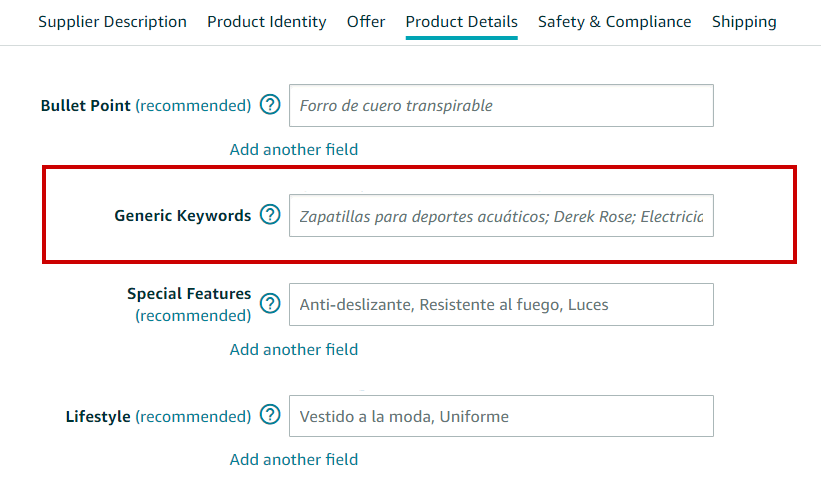
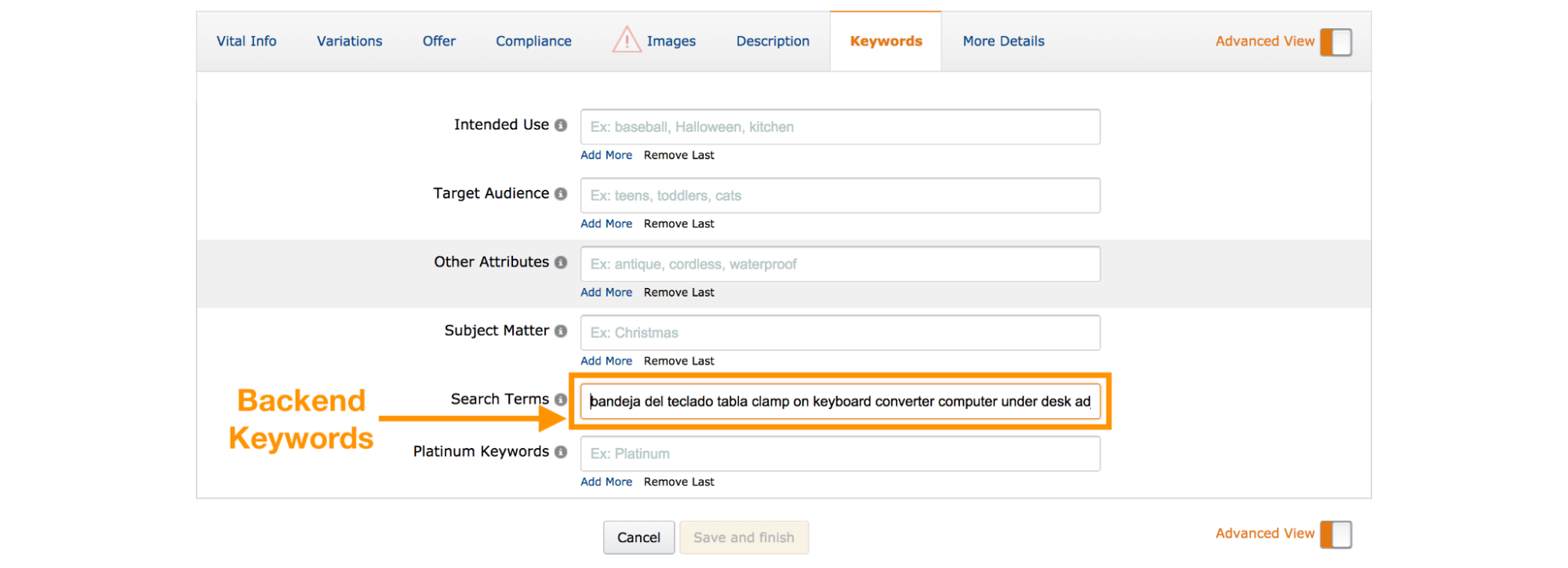
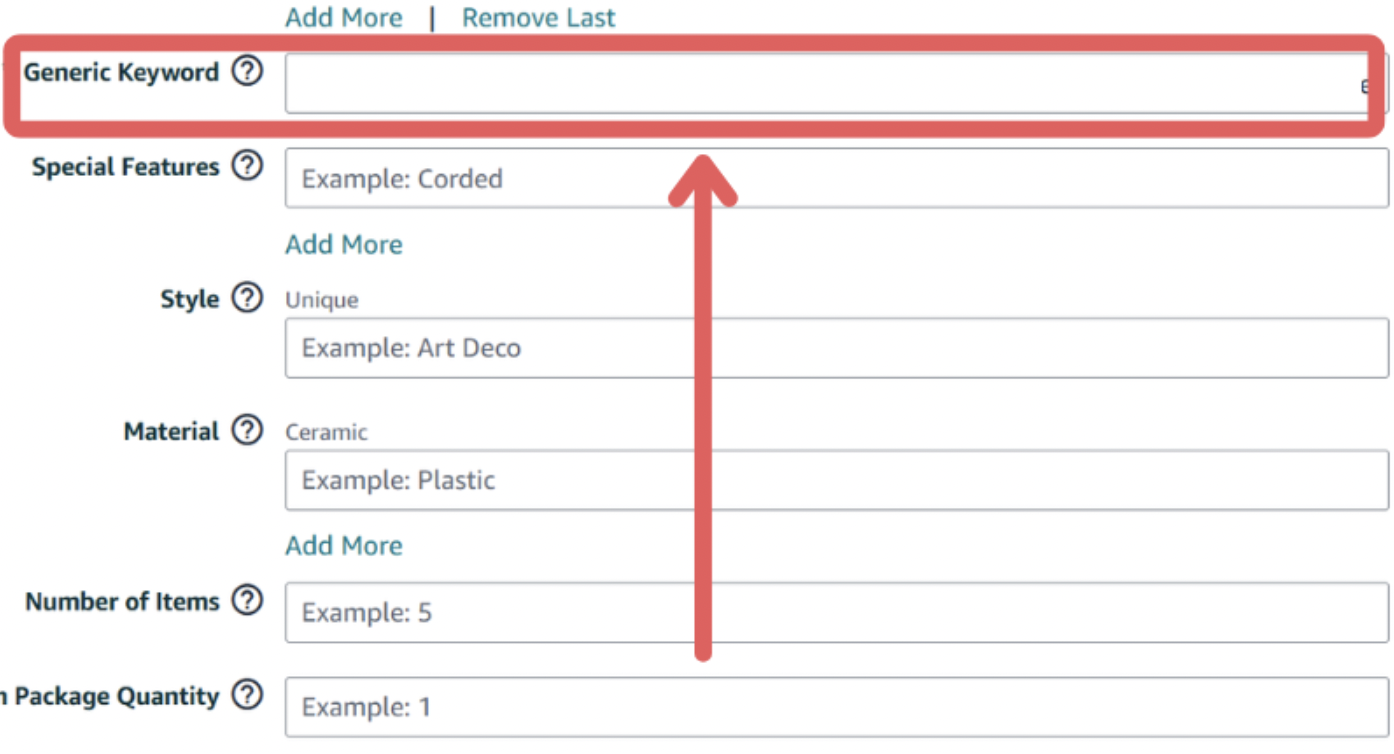
Backend keywords are the hidden search terms that you have to put in the “Generic Keyword” field in Amazon Seller Central. Unlike your product title or bullet points, the keywords are never visible to customers, but Amazon’s A10 search algorithm is very aware of them.
The principle is like this: by adding backend search terms, Amazon indexes them (if you are doing it by the book) and later refers to these indexed terms when it tries to find a match between your product and customer search queries.
Giving Amazon a backstage pass to understand every possible way someone might search for your product is pretty much what you are doing here.
The key difference:
- Frontend keywords (title, bullets, description) = customers see them, thus helping convert sales
- Backend keywords = not visible to customers, only used for search indexing
For example, if you are selling a steel travel mug, the title of your product might read “Insulated Travel Mug with Leak-Proof Lid.” However, on your backend, you may have terms like “commuter coffee cup,” “thermal beverage container,” and “spill-proof tumbler” that make sense as search terms but are not included in the listing. With the help of these backend keywords, the listing is not broken down into a keyword-filled mess but captured in variations of the search.
The Big Picture: Why Position Matters
According to recent Amazon shopper behavior research, here’s the reality that makes optimization critical:
- 70% of Amazon customers never go beyond the first page of search results
- 35% of shoppers click on the first product listed in search
- 64% of clicks occur on the first three results
- 81% of clicks go to brands on page one
The difference between appearing on page one versus page two can mean thousands in lost revenue every month. Backend keywords are your tool to bridge that gap.
Why Backend Keywords Are Your Hidden Ranking Engine
Expand Your Keyword Coverage Without the Clutter
Your product title has limited space (200 characters max in most categories). Your bullet points need actually to sell the product, not just list keywords. Backend keywords solve this by letting you target:
- Synonyms: “water bottle” vs “hydration flask” vs “reusable bottle.”
- Long tail keywords: “leakproof water bottle for gym bag.”
- Regional spelling variations: “color” vs “colour,” “aluminum” vs “aluminium.”
- Misspellings people actually search: “Bluetooth” instead of “Blue tooth” (if there’s real search volume)
Capture Long-Tail, High-Intent Searches
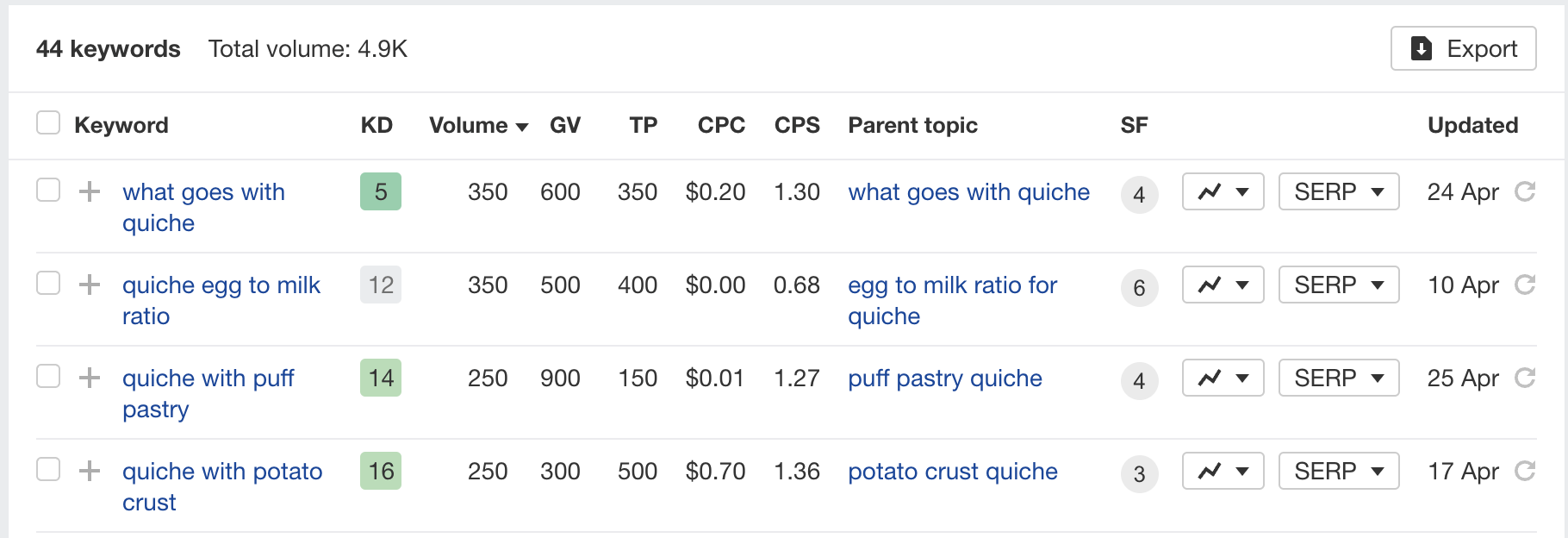
Long-tail keywords typically have lower search volumes but much higher conversion rates. Someone searching “insulated coffee mug with handle for car” knows exactly what they want—and they’re ready to buy.
Backend keywords let you target dozens of these specific keyword phrases without turning your product descriptions into an unreadable mess.
Boost Your PPC Performance and Lower ACoS
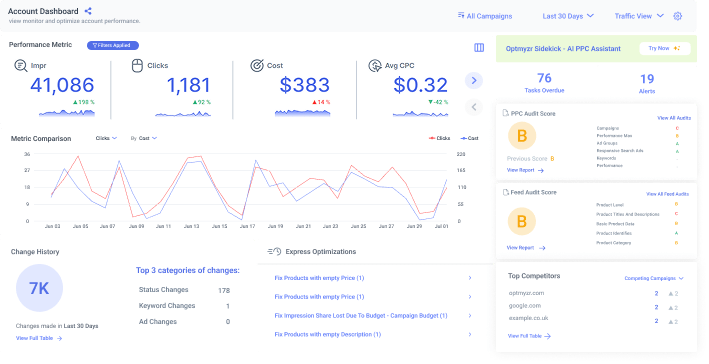
Here’s a strategy most sellers miss: add your PPC-targeted keywords to backend search terms. When Amazon sees the same keyword in both your organic indexing and your sponsored campaigns, it strengthens the relevance signal.
The result? Lower cost-per-click, better ad placement, and improved Quality Score in Amazon’s ad auction. Your ads become more relevant, Amazon rewards you with cheaper clicks, and your ACoS (Advertising Cost of Sales) drops.
Defend Your Brand (The Right Way)
You can add misspellings and variations of your own brand name to backend keywords. If your brand is “EcoBrew,” add “eco brew,” “ecco brew,” “ekobrew” to catch customers who can’t quite remember the spelling.
Critical warning: Never add competitor brand names. It’s against Amazon’s terms of service and can get your listing suppressed or your account flagged.
Keep Your Strategy Confidential
Your backend keyword list is invisible to competitors who scrape and analyze product listings. While they can reverse-engineer some of your strategy through tools, your exact backend keyword strategy stays hidden—giving you a competitive edge.
Understanding the Byte Limit (And Why It’s Not 500)
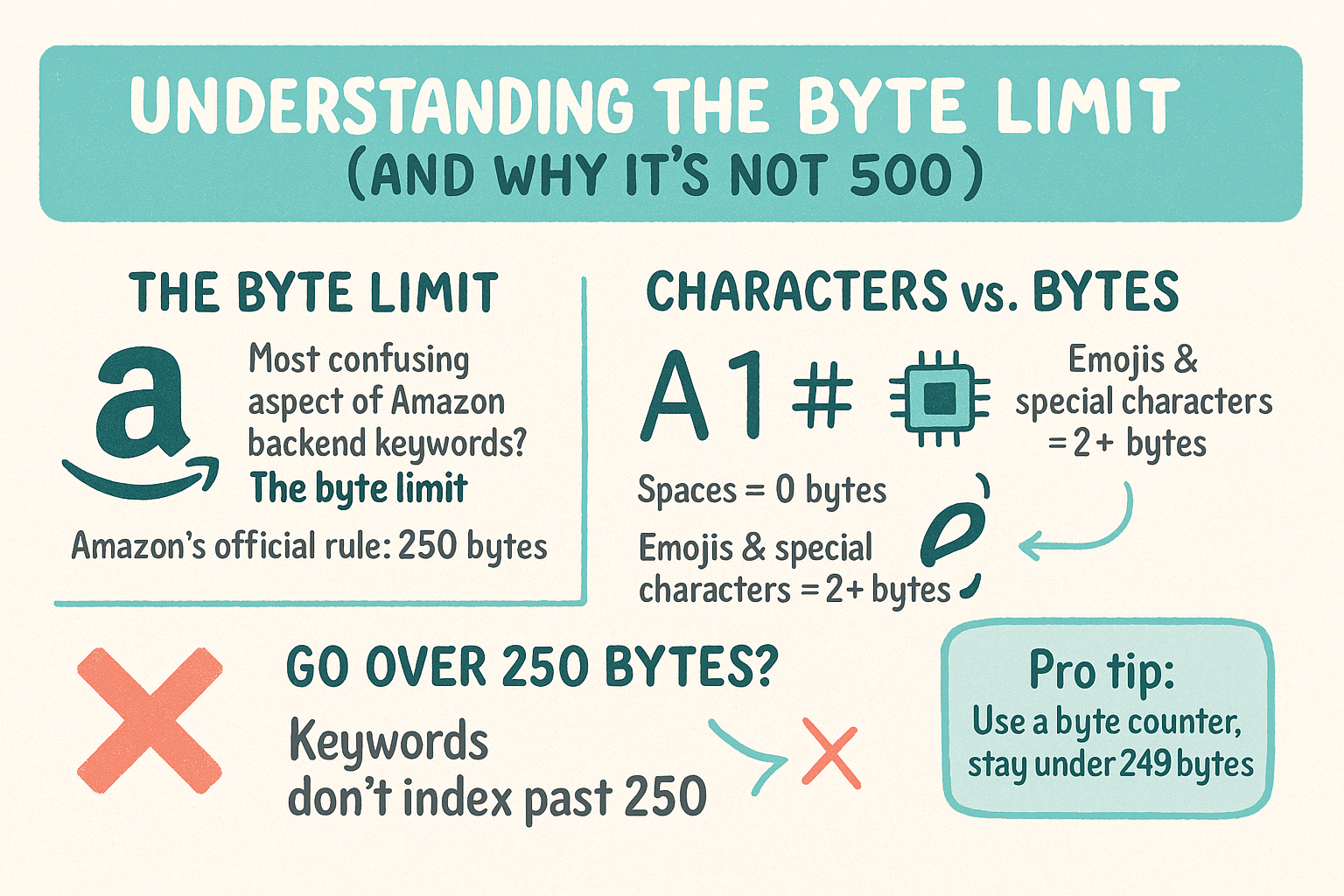
What is the most confusing aspect of Amazon backend keywords? The byte limit.
Amazon’s official rule: 250 bytes maximum
Some sellers see 500 bytes in their dashboard—this is from older experiments and certain category exceptions. But the safe, universal limit is 249 bytes to avoid any indexing issues.
Bytes vs. Characters: What’s the Difference?
- Characters = letters, numbers, symbols you type
- Bytes = how much digital space those characters take
For most English text, one character = 1 byte. But:
- Spaces don’t count toward your limit
- Special characters (é, ñ, ™) may count as 2+ bytes
- Emojis definitely count as multiple bytes (don’t use them anyway)
What happens if you exceed the limit? Amazon stops indexing at byte 250. Everything after that is ignored—potentially wasting dozens of valuable keywords.
Pro tip: Use a byte counter tool before saving to ensure accurate file size. Stay under 249 bytes to be safe.
What Amazon Actually Indexes (The Technical Rules)
Not everything you add to backend search terms gets indexed. Amazon automatically filters out:
| Ignored by Amazon | Why It Matters |
| Stop words (“a,” “the,” “of,” “for”) | Don’t waste bytes on them |
| Duplicate keywords | Amazon only counts each unique term once |
| Your own brand name | Already indexed from your brand registry |
| Punctuation | Use spaces instead |
| Words after the byte limit | Everything past 250 bytes = invisible |
Amazon also ignores keywords that don’t relate to your product category. Adding “Christmas gift” to a hammer listing might work, but “birthday cake” won’t.
The Prohibited Keywords List (Stay Compliant)
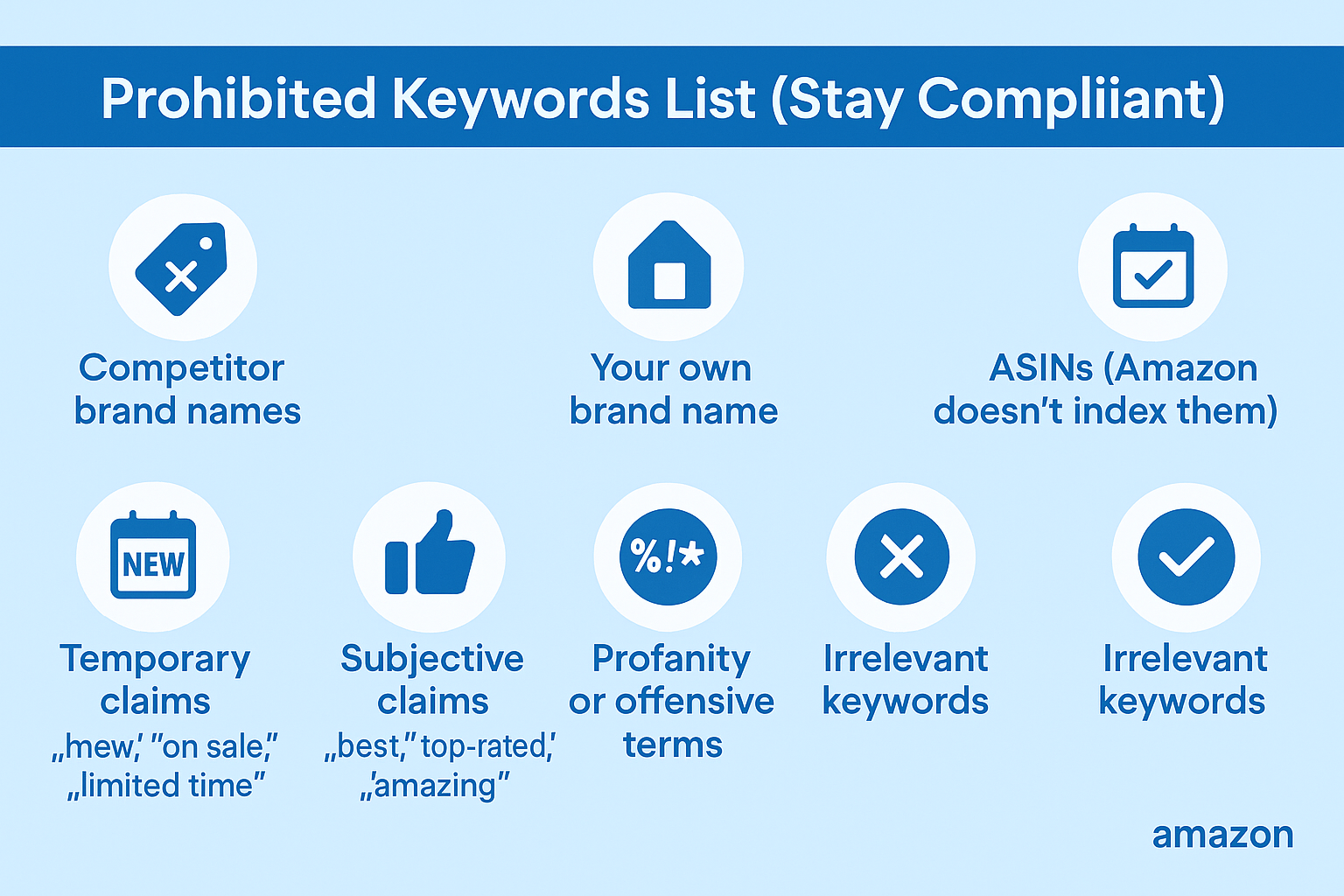
Amazon strictly prohibits certain keywords in backend fields. Using them can suppress your listing or damage your account health.
Never add:
- Competitor brand names – Even if customers search for them, using them is trademark infringement
- Your own brand name – Redundant and wastes space
- ASINs – Amazon doesn’t index them
- Temporary claims – “new,” “on sale,” “limited time offer”
- Subjective claims – “best,” “top-rated,” “amazing,” “cheap”
- Profanity or offensive terms – Obviously
- Irrelevant keywords – High search volume doesn’t matter if it’s not genuinely related
Example of what NOT to do:
best coffee mug new sale amazing Yeti RTIC cheap B07XYZ1234 top-rated
Correct approach:
thermal mug insulated cup travel tumbler commuter flask hot beverage container
What Keywords Should You Actually Use?
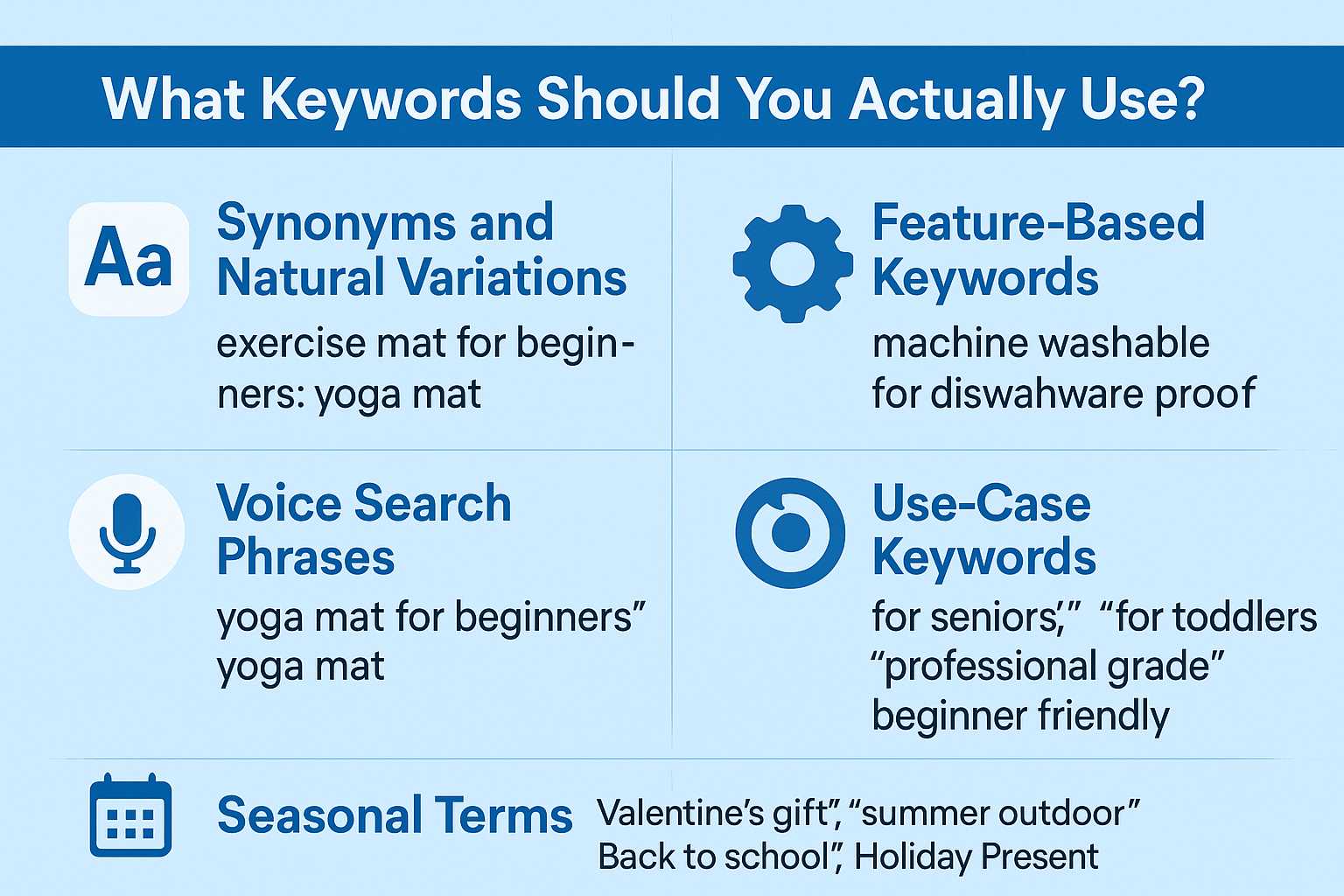
Focus on these high-impact keyword types:
Synonyms and Natural Variations
If you sell yoga mats, add: exercise mat, fitness mat, workout pad, gym mat
Voice Search Phrases
People ask Alexa differently than they type: “yoga mat for beginners” vs just “yoga mat”
Abbreviations and Acronyms
“BPA free,” “bisphenol-a free,” “USB-C,” and “USB Type-C”
Feature-Based Keywords
Terms that describe features but didn’t fit in bullet points: “machine washable,” “dishwasher safe,” “microwave proof.”
Use-Case Keywords
“teacher gift,” “office supplies,” “college dorm essentials,” “camping gear”
Target Audience Keywords
“for seniors,” “for toddlers,” “professional grade,” “beginner friendly.”
Seasonal Terms
Rotate these quarterly: “Valentine’s gift,” “summer outdoor,” “Back to school,” “Holiday Present.”
How to Find High-Impact Backend Keywords
Amazon Native Tools (Free and Powerful)
Search Term Report (STR): Your most valuable data source. Download it from your Amazon Advertising console and look for:
- Keywords generating impressions but zero clicks (add to backend)
- High-impression, low-conversion terms (maybe too broad)
- Exact match terms customers actually used
Brand Analytics. If you’re brand registered, use:
- Search Query Performance (see what converts)
- Search Catalog Performance (find gaps in your indexing)
- Market Basket Analysis (discover related products customers buy together)
Product Opportunity Explorer Amazon tells you exactly what keywords have demand in your niche, including search volume estimates and competition levels.
Third-Party Keyword Research Tools
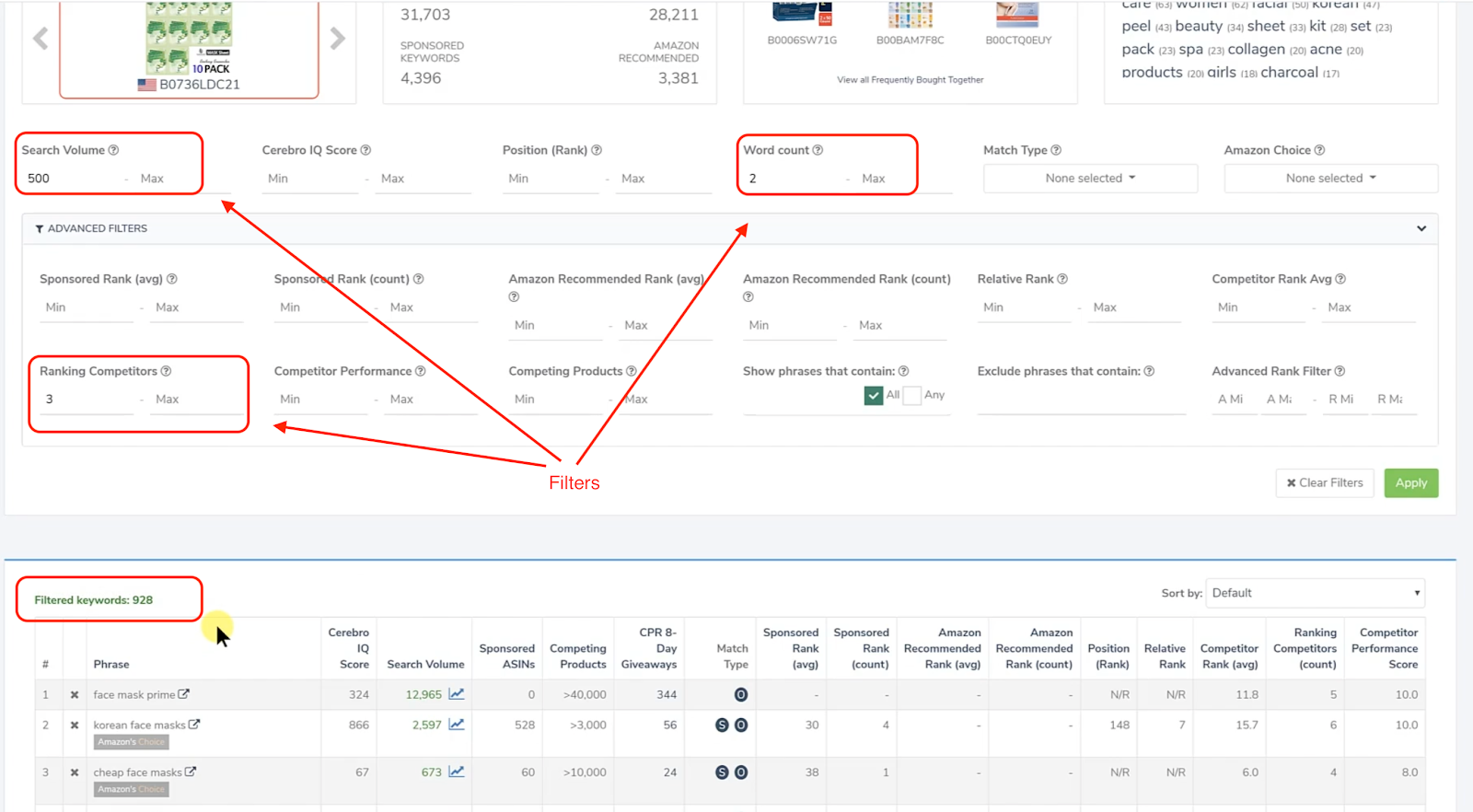
Top tools for reverse ASIN lookups and keyword discovery:
- Helium 10 Cerebro – Shows keywords your competitors rank for
- Jungle Scout Keyword Scout – Search volume and relevancy scores
- SellerApp – International marketplace keyword research
- Sonar – Free Amazon keyword research tool
Advanced technique: Run a reverse ASIN search on your top 3 competitors, extract their indexed keywords, filter for terms you’re not currently ranking for, and prioritize by search volume and relevance.
The PPC-to-Backend Feedback Loop
- Run broad match PPC campaigns to discover customer search behavior
- Analyze the search term report for hidden gems
- Add converting keywords to the backend if not already indexed
- Monitor if organic rankings improve for those terms
This creates a powerful cycle where your paid campaigns inform your organic strategy.
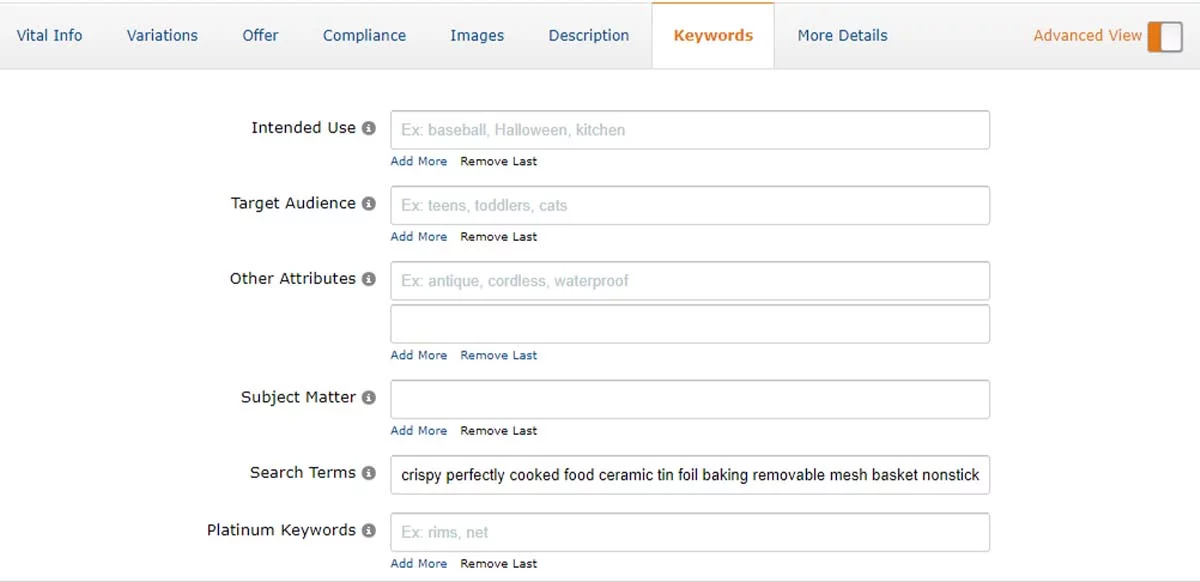
How to Add Backend Keywords in Amazon Seller Central
Quick method:
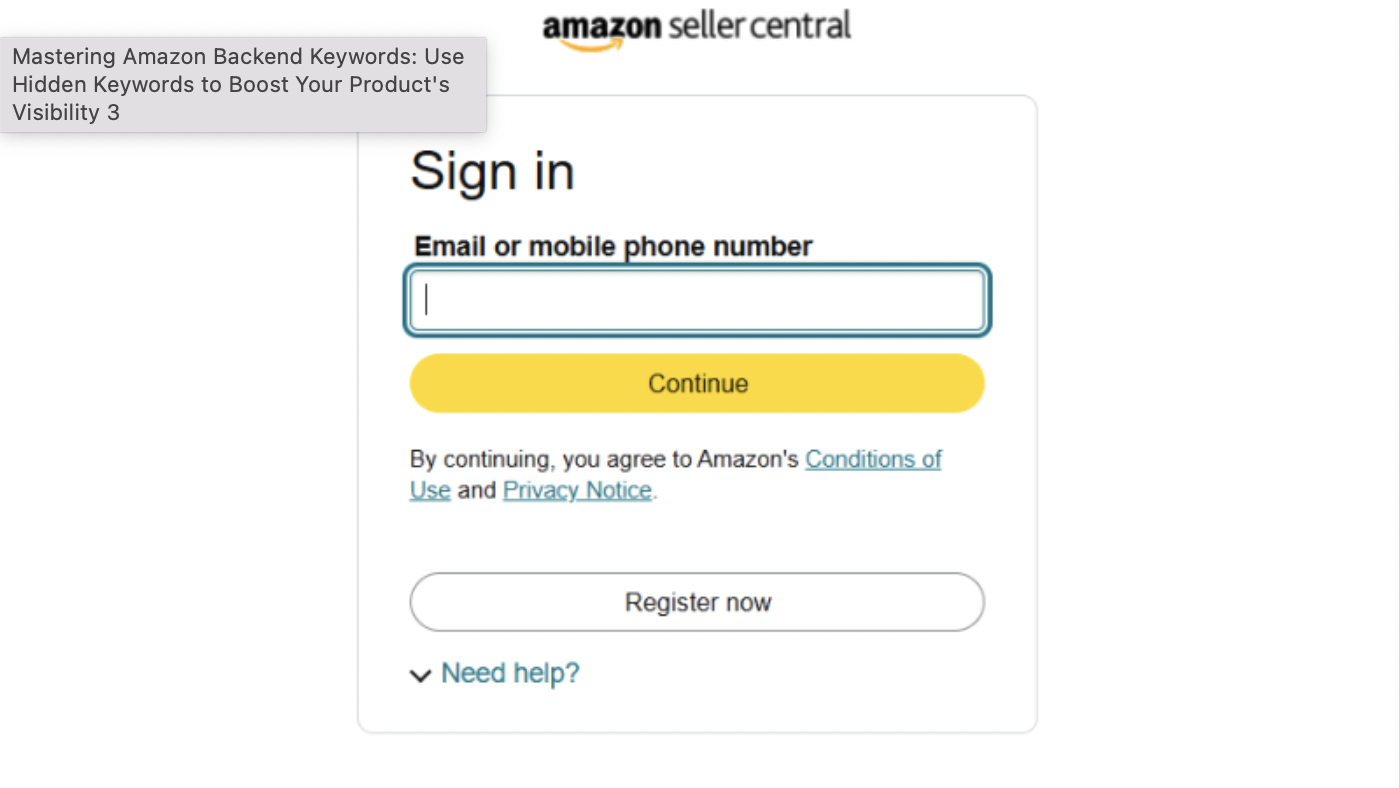
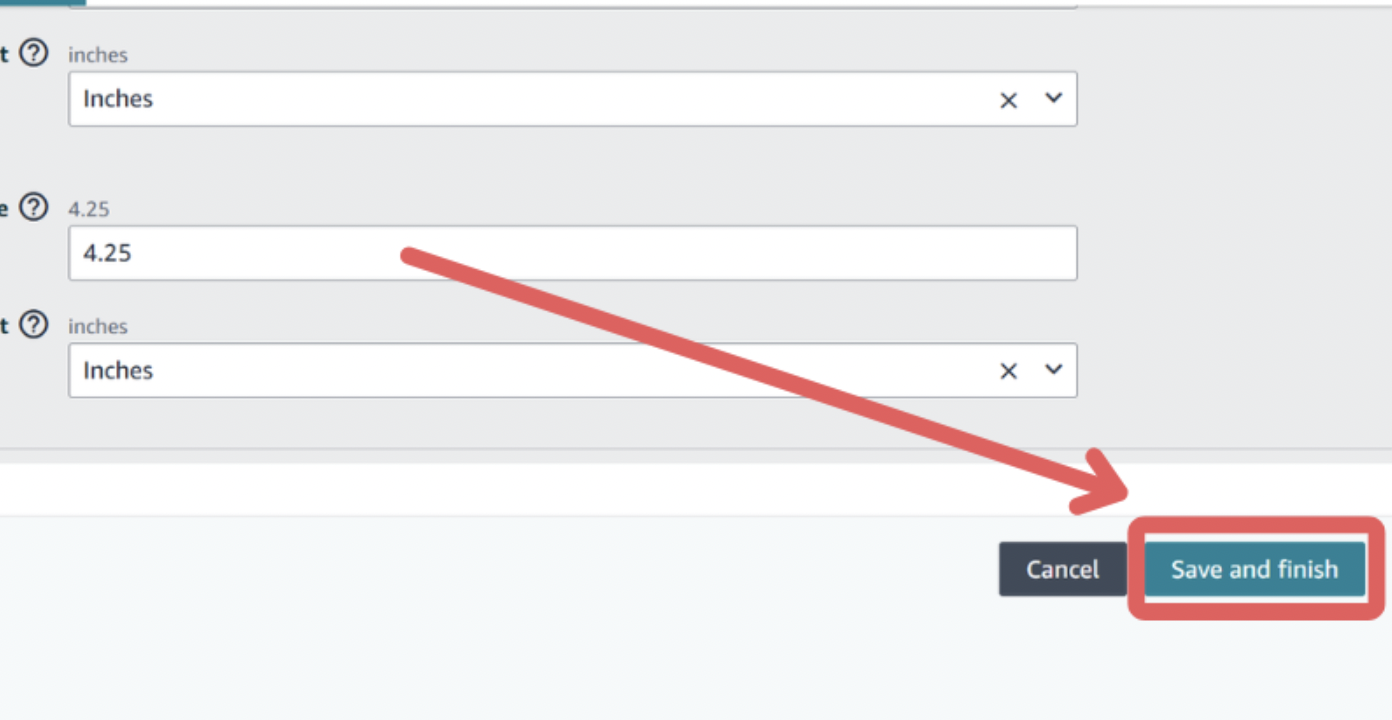
Log in to Seller Central
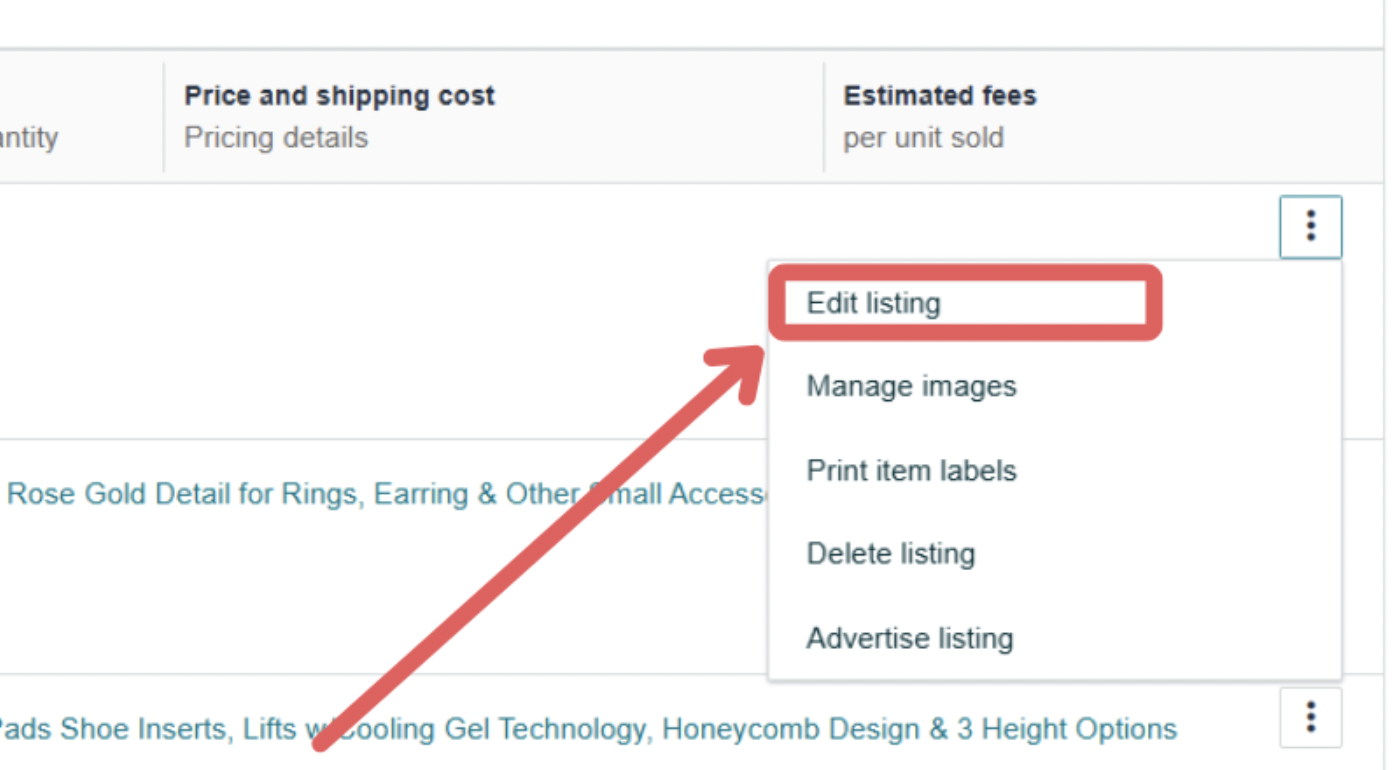
Go to Inventory → Manage All Inventory

Find your product, click Edit
Click the Keywords tab
Click Save and Finish
Bulk method for multiple products:
- Download your Category Listing Report
- Find the “generic_keywords” column
- Add keywords for each ASIN
- Upload via Add Products via Upload
Important timing note: Amazon reprocesses listings within 24-48 hours. Don’t expect instant indexing changes.
How to Test If Your Backend Keywords Are Actually Indexed
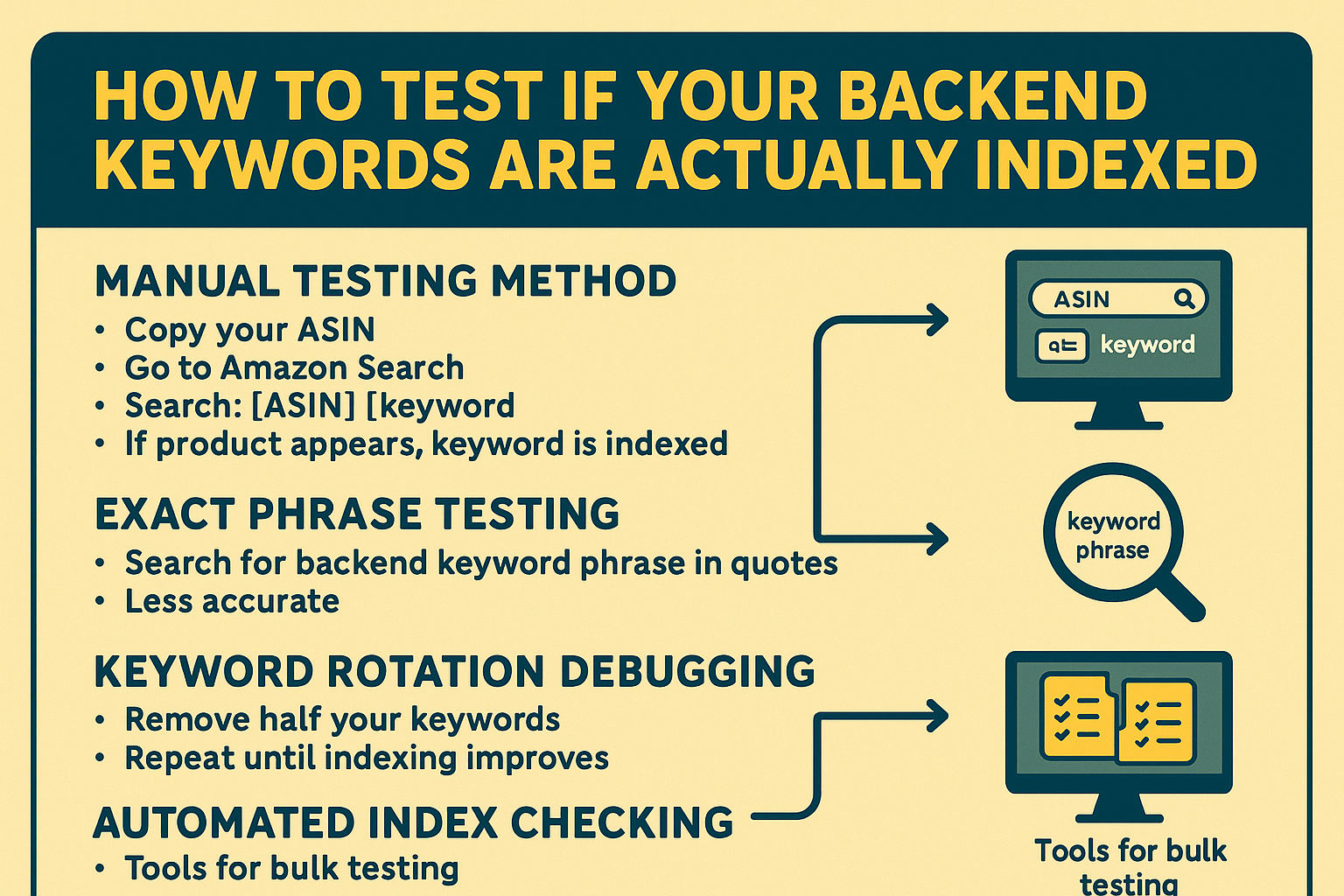
Manual Testing Method
The simplest way to check keyword indexing:
- Copy your ASIN (product identifier)
- Go to the Amazon search bar
- Search: [your ASIN] [keyword]
- If your product appears, that keyword is indexed
Example:
- ASIN: B08XYZ1234
- Test keyword: “thermal coffee mug”
- Search: B08XYZ1234 thermal coffee mug
Limitation: This only works for keywords that Amazon actually indexed. It won’t tell you why a keyword isn’t indexed.
Exact Phrase Testing
Search for your exact backend keyword phrase in quotes. Less accurate because it depends on your product’s overall relevance score, not just indexing.
Keyword Rotation Debugging
If you suspect Amazon isn’t indexing your backend properly:
- Note your current backend string
- Remove half the keywords
- Wait 48 hours, test indexing
- If indexing improves, the problem was in the removed half
- Repeat until you find the problematic keyword
Common culprits include prohibited terms, byte overage, and irrelevant keywords that trigger Amazon’s filters.
Automated Index Checking
Tools like Helium 10’s Index Checker or SellerApp enable you to bulk-test dozens of keywords simultaneously, saving hours of manual work.
Backend Keyword Optimization Strategy (The 2025 Playbook)
Prioritization Framework
Don’t just throw keywords into your backend randomly. Use this hierarchy:
Tier 1 (Highest Priority):
- High-relevance, medium search volume keywords
- Proven converters from your search term report
- Long tail keywords with clear purchase intent
Tier 2 (Secondary):
- Relevant synonyms and variations
- Seasonal keywords (current season only)
- Voice search phrases
Tier 3 (Fill Remaining Space):
- Low-volume but highly specific terms
- Regional spelling variations
- Defensive misspellings (only if they have real traffic)
Word Order and Logical Phrasing
Amazon indexes individual tokens (words), but logical phrasing can improve relevance scoring.
Less effective:
bottle water stainless insulated steel leak proof spill resistant
More effective:
insulated water bottle stainless steel leak proof spill resistant
The second version creates logical phrases while still capturing individual keywords.
Avoid Redundant Variations
Don’t do this:
yoga mat yoga mats yogamat yoga-mat mat yoga
Do this instead:
yoga mat exercise pad fitness
Amazon understands singular/plural automatically. Use that space for different relevant keywords.
Seasonal Rotation Strategy
Update your backend keywords quarterly to match customer search behavior:
- Q1 (Jan-Mar): New Year fitness terms, Valentine’s Day, spring cleaning
- Q2 (Apr-Jun): Mother’s Day, graduation, summer vacation prep
- Q3 (Jul-Sep): Back to school, Father’s Day, fall preparation
- Q4 (Oct-Dec): Halloween, Thanksgiving, Christmas, holiday gifts
Real-World Backend Keyword Examples
Example 1: Travel Coffee Mug
Bad backend (wasted space, prohibited terms):
best coffee mug Yeti new sale thermal coffee mug stainless travel mug coffee travel mug
Problems: Prohibited terms (“best,” “Yeti,” “new,” “sale”), repetitive phrases, wasted bytes
Good backend (optimized):
insulated tumbler commuter flask thermal beverage container leak proof cup spill resistant thermos reusable coffee holder hot drink keeper vehicle cupholder
Why it works: Diverse synonyms, no repetition, all relevant terms, under byte limit
Example 2: Waterproof Backpack
Bad backend:
backpack waterproof bag best backpack waterproof backpacks rucksack waterproof rucksack bag waterproof
Good backend:
water resistant rucksack dry bag hiking pack outdoor daypack rain proof knapsack adventure gear camping bag
Example 3: Bluetooth Earbuds
Bad backend:
bluetooth earbuds wireless earbuds bluetooth wireless cheap airpods best earbuds
Good backend:
cordless earphones tws headphones sport earpieces gym headset running earbuds workout audio sweatproof in ear true wireless
Understanding Amazon’s Competitive Pricing Landscape
While backend keywords help you get discovered, it’s worth understanding the broader Amazon ecosystem. Amazon’s pricing algorithm makes approximately 2.5 million price changes every day, according to research by price intelligence firm Profitero. For comparison, Walmart and Best Buy make about 50,000 price changes per month combined.
This aggressive repricing strategy affects how products compete in search results. Amazon’s A10 algorithm places a strong emphasis on competitive pricing, meaning that even with perfect backend keywords, your product must offer competitive pricing to secure the Buy Box and maintain its rankings.
How Backend Keywords Impact Amazon’s A10 Algorithm
Amazon’s A10 search algorithm, which evolved from the previous A9 algorithm, uses backend keywords as part of its ranking factors. Understanding how the algorithm works helps you optimize more strategically:
Lexical Matching
Amazon scans your backend search terms to determine which search queries your product is relevant to. More indexed keywords = more potential search appearances.
Relevance Scoring
Backend keywords contribute to your product’s relevance score for specific searches. But they’re weighted less than title keywords or bullet points with conversion data.
Session-Based Ranking
When customers repeatedly click products with certain backend keywords, Amazon learns that those associations strengthen over time.
Important Reality Check
Backend keywords help you appear in search results. They don’t guarantee high rankings. Your click-through rate, conversion rate, and sales velocity matter far more for ranking position.
Think of backend keywords as your ticket to enter the race—but you still need to win through performance.
Monitoring Backend Keyword Performance
Track What Matters
Focus on these metrics to evaluate your backend keyword strategy:
- Impressions by keyword (from Search Term Report)
- Keyword ranking positions (use rank tracking tools)
- Organic conversion rate changes after backend updates
- New indexed keywords (test monthly)
Signs Your Backend Needs Updating
- Impression drops for previously ranking keywords
- Competitor products appearing for your core terms
- Seasonal misalignment (promoting “summer” keywords in winter)
- New search trends emerging in your niche
Best practice: Audit and refresh backend keywords quarterly, or immediately after launching PPC campaigns that reveal new keyword opportunities.
Why Amazon Might Drop Your Indexing
Amazon can stop indexing backend keywords if:
- Your conversion rate for those terms is extremely low (signals irrelevance)
- You violate the prohibited keyword rules
- Your backend string exceeds the byte limit
- Your product gets suppressed for other policy violations
Common Backend Keyword Mistakes (And How to Fix Them)
Mistake #1: Keyword Stuffing with Variations
❌ “water bottle bottles waterbottle water-bottle”
✅ “water bottle hydration flask reusable container.”
Mistake #2: Copying Frontend Keywords
❌ Adding your exact product title keywords to the backend
✅ Using the backend only for new relevant search terms
Mistake #3: Brand Name Inclusion
❌ “Contigo water bottle Hydro Flask”
✅ “insulated water bottle thermal flask.”
Mistake #4: Ignoring Byte Limits
❌ Pasting 400 characters and hoping Amazon indexes it all
✅ Calculating bytes, staying under 249
Mistake #5: Set-It-and-Forget-It
❌ Adding backend keywords once and never updating
✅ Quarterly audits based on search term report data
Mistake #6: Using Low-Quality Keyword Research
❌ Guessing what customers might search
✅ Using actual customer search behavior from Amazon’s data
Advanced Backend Strategies for Pro Sellers
Strategy #1: The New Launch Velocity Boost
When launching a new product:
- Front-load backend with high-conversion long tail keywords (less competition)
- Run PPC campaigns targeting those exact backend keywords
- Create a relevance feedback loop (organic + paid signal)
- Gradually expand to broader terms as you build ranking history
Strategy #2: Competitor Weakness Exploitation
Use reverse ASIN tools to find keywords where competitors rank on pages 2-3. These are terms that’re somewhat relevant but haven’t been optimized. Add these to your backend, optimize your listing for them, and steal their traffic.
Strategy #3: Voice Search Optimization
Alexa queries are longer and more conversational in nature. Add natural question phrases:
- “What is the best water bottle for hiking?”
- “leak-proof travel mug for car.”
- “stainless steel coffee cup with lid”
Amazon’s Rufus AI also benefits from this natural language approach.
Strategy #4: Multi-Marketplace Localization
Don’t just translate—localize. UK backend keywords should include:
- “colour” not “color”
- “torch” for “flashlight”
- “mobile” for “cell phone.”
- “trainers” for “sneakers”
Strategy #5: Seasonal Rotation Calendar
Set quarterly reminders to rotate keywords:
- January: New Year, resolutions, organization
- April: Spring cleaning, outdoor season, Easter
- July: Summer vacation, camping, Prime Day
- October: Halloween, fall, holiday prep, Black Friday
Strategy #6: PPC + Backend Synergy System
Create this monthly workflow:
- Download the search term report from PPC
- Identify high-impression, low-click keywords (add to backend)
- Find converting keywords not in your backend (add them)
- Remove backend keywords with zero impressions (confirmed irrelevant)
- Reinvest freed-up bytes into new opportunities
Backend Keywords and Amazon’s Future (2025-2026)
Amazon continues evolving how it processes search:
Rufus AI Integration: Amazon’s AI shopping assistant processes natural language queries. Backend keywords that mirror conversational search patterns will likely perform better.
Enhanced Semantic Understanding: Amazon’s algorithm is becoming increasingly capable of understanding related keywords without exact matches. But backend keywords still matter for edge cases and specific long-tail terms.
Stricter Compliance Enforcement: Amazon is enforcing compliance more rigorously, targeting prohibited keywords and irrelevant terms. Playing by the rules is more critical than ever.
The Bottom Line Backend keywords remain a powerful optimization lever—but they work best as part of a comprehensive SEO strategy that includes strong titles, converting bullet points, and consistent sales velocity.
Your Backend Keyword Action Plan
Here’s your step-by-step roadmap to optimize backend keywords today:
Week 1: Research and Audit
- Download your search term report
- Run reverse ASIN on the top competitors
- Identify gaps in your current backend keywords
- Create a prioritized keyword list
Week 2: Optimization
- Build your optimized backend string (under 249 bytes)
- Remove prohibited terms and duplicates
- Add seasonal keywords relevant to the current quarter
- Update your listings in Seller Central
Week 3: Testing
- Test indexing for your most important keywords
- Use ASIN + keyword search method
- Identify any indexing failures
- Adjust and resubmit if needed
Week 4: Monitor
- Track ranking changes for target keywords
- Watch for impression increases in the search term report
- Document what worked for future optimization
Ongoing: Quarterly Refresh
- Review backend keywords every 3 months
- Rotate seasonal terms
- Add new keywords from PPC data
- Remove underperformers