In the fiercely competitive market of early 2026, random posts will only make you disappear. If you want to attract attention, you have to turn your content marketing strategy from a mere idea set into a top-notch machine.
Having a detailed social media content calendar acts as a link between what you imagine and what you achieve. This way, your social media team can produce excellent content continuously without the anxiety of daily deadlines. When you perfect your content planning, you not only get a regular posting schedule but also the confidence of potential customers.
Here’s how to create a system that propels your social media presence.


TL;DR: Master Your 2026 Content Strategy
Stop relying on luck and start making progress. A social media content calendar is the one and only method to guarantee a regular posting schedule over several platforms. When you shift from spontaneous posting to a well-planned planning process, you not only get rid of the burnout but also get the most out of your social media metrics.
- The Foundation: Use Google Sheets or social media scheduling tools to track every publish date.
- The Workflow: Align your marketing team by assigning clear owners for video content, LinkedIn posts, and blog posts.
- The Advantage: Information from early 2026 indicates that well-structured content planning has the potential to lift engagement by more than 40%.
Be disciplined, review your social media platforms regularly, and make use of timeless content to maintain an active feed without the need for continuous manual work.
What a Content Calendar Is (And What It’s Not)
A content calendar is your tactical roadmap for social media marketing. It is a visual schedule template tracking every social post to its publish date. Think of it as the execution layer of your social media plan. While your strategy defines your audience, the calendar ensures you actually reach them through a consistent posting schedule.
Recent data underscores this necessity. Snippets from the report indicate 87% of users are active on Instagram overall, while 60% (or nearly 60%) rely on it for product research. This represents a 16% increase from last year for the product research figure.
Furthermore, Hootsuite’s 2026 Social Media Statistics highlight that LinkedIn posts saw a 37% year-over-year increase in comments, proving that structured engagement pays off.
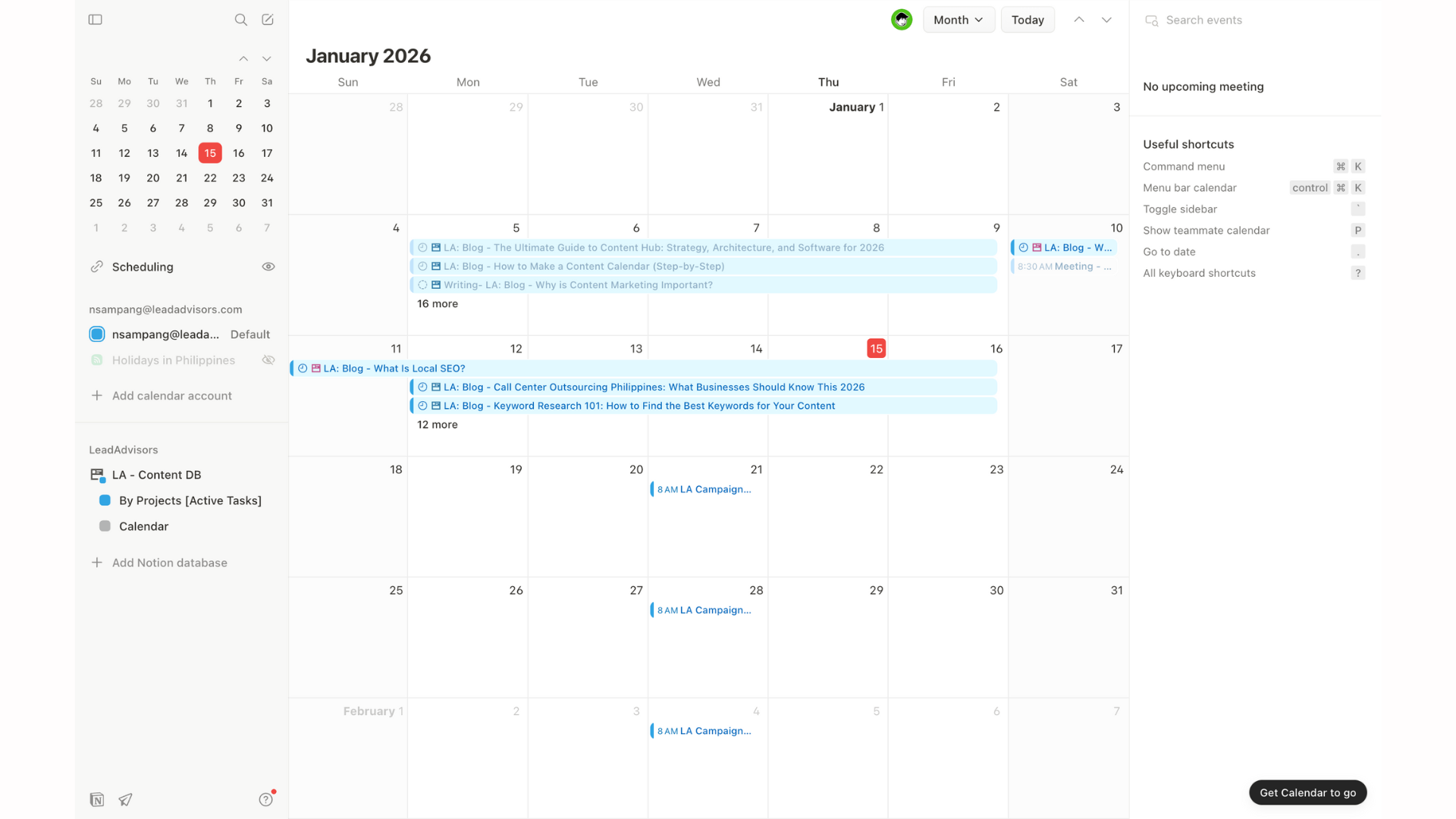
Whether you use Google Sheets, a Notion calendar, or Trello project management, this tool manages video content and Facebook posts across multiple platforms. It transforms chaotic content creation into a streamlined planning process, ensuring you convert potential customers in an increasingly crowded digital landscape.
When You Don’t Need One (Yet)
While structure is generally good, a full-scale calendar can occasionally be a bottleneck. You might skip the formal calendar if:
- You are a Solo Creator: If you are posting less than twice a week, a simple notes app often suffices.
- The “Pure Discovery” Phase: If you are currently testing 10 different styles, formats, or niches a day to see what sticks, the overhead of maintaining a calendar can slow down your ability to pivot in real-time.
Understanding the “Big Three” Calendars
To keep your marketing team aligned, it is vital to distinguish between these three distinct layers of planning:
| Calendar Type | Focus | Best For… |
| Editorial Calendar | High-level, long-form strategy. | Planning white papers, 1,500-word blog posts, and quarterly themes. |
| Social Media Calendar | Day-to-day execution and cadence. | Managing the “hub-and-spoke” distribution of content across Instagram, LinkedIn, and X. |
| Campaign Calendar | Short-term, high-intensity bursts. | Managing specific launches, holiday sales, or influencer takeovers (usually lasting 1–4 weeks). |
Why a Content Calendar Matters (Beyond Staying Organized)
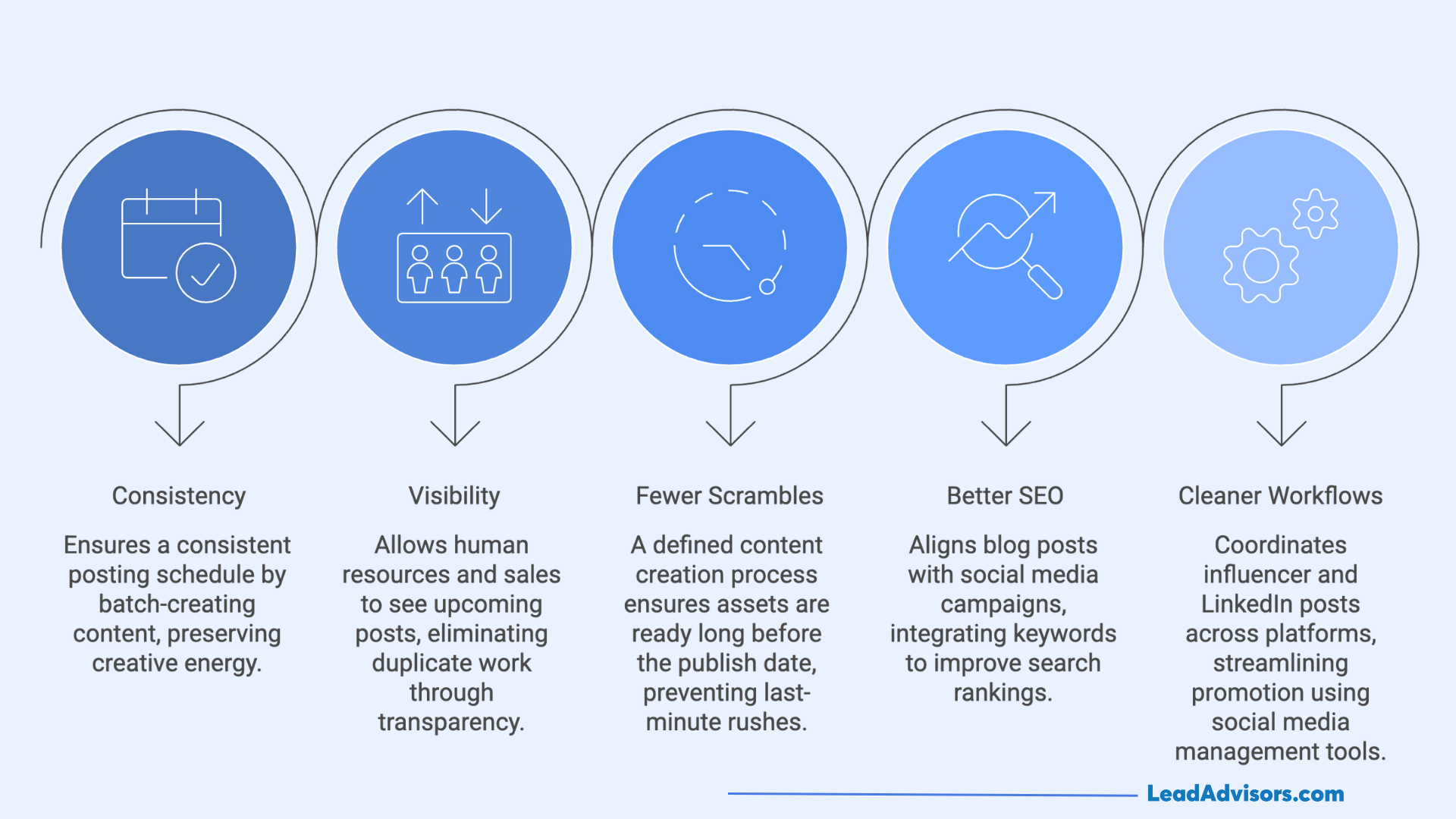
A content calendar acts as the nervous system for your digital marketing strategy. It moves your marketing team from reactive fire-fighting to proactive growth. By visualizing your posting schedule, you protect your team from the burnout of daily ideation.
- Consistency Without Burnout: Mapping social media posts weeks in advance ensures a consistent posting schedule. You can batch-create content, which preserves creative energy.
- Visibility Across Teams: Using Google Sheets, a Notion calendar, or a digital calendar allows human resources and sales to see upcoming posts. Transparency eliminates duplicate work.
- Fewer Last-Minute Scrambles: A defined content creation process means assets are ready long before the publish date. You no longer rush a Facebook post or video content at the eleventh hour.
- Better SEO Planning: An editorial calendar helps align a blog post with social media campaigns. Integrating keywords ensures your social media presence feeds your search rankings.
- Cleaner Promotion Workflows: Coordinate influencer posts and LinkedIn posts across multiple platforms seamlessly. Using a social media management platform like Hootsuite or Buffer social streamlines this.
According to Hootsuite’s 2026 benchmarks on content planning, teams using social media calendars achieve up to 30% higher engagement through optimized timing.
Keep track of your work and utilize social media scheduling apps to transform your content generation into a scalable resource for potential clients.
What to Include in a Content Calendar (Non-Negotiables)
Your content calendar must function as a single source of truth. Without specific data points, your social media strategy will fracture. Every template for a social media calendar requires core fields to maintain accountability and momentum.
The Non-Negotiables
- Publish Date: This is the time you have by which to post the articles.
- Content Type: Specify whether the content is a video, a blog post, or LinkedIn posts.
- Channel: Record which social media platform is hosting the content.
- Owner: It is a good idea to assign a specific person in your social media team to each task.
- Status: Use an Excel drop-down list to indicate whether a post is “Drafting, ” “Approved, ” or “Scheduled.
- Primary Topic/Keyword: Make sure every social post is in line with your SEO and social media marketing goals.
- CTA: Explain in detail what you want potential customers to do next.
Advanced Fields for High-Growth Teams
Once you master the basics, add layers to your planning process for deeper data analysis. Track the target audience persona to ensure relevant content hits the right eyes. Map the funnel stage to see if you are over-indexing on awareness versus conversion.
Include a section for internal links to boost site authority. Don’t forget a refresh date for evergreen content.
Businesses using social media content calendars achieve 67% higher engagement rates and 58% more consistent posting frequency compared to those without structured planning, according to 2026 digital marketing analyses.
How to Make a Content Calendar Step by Step
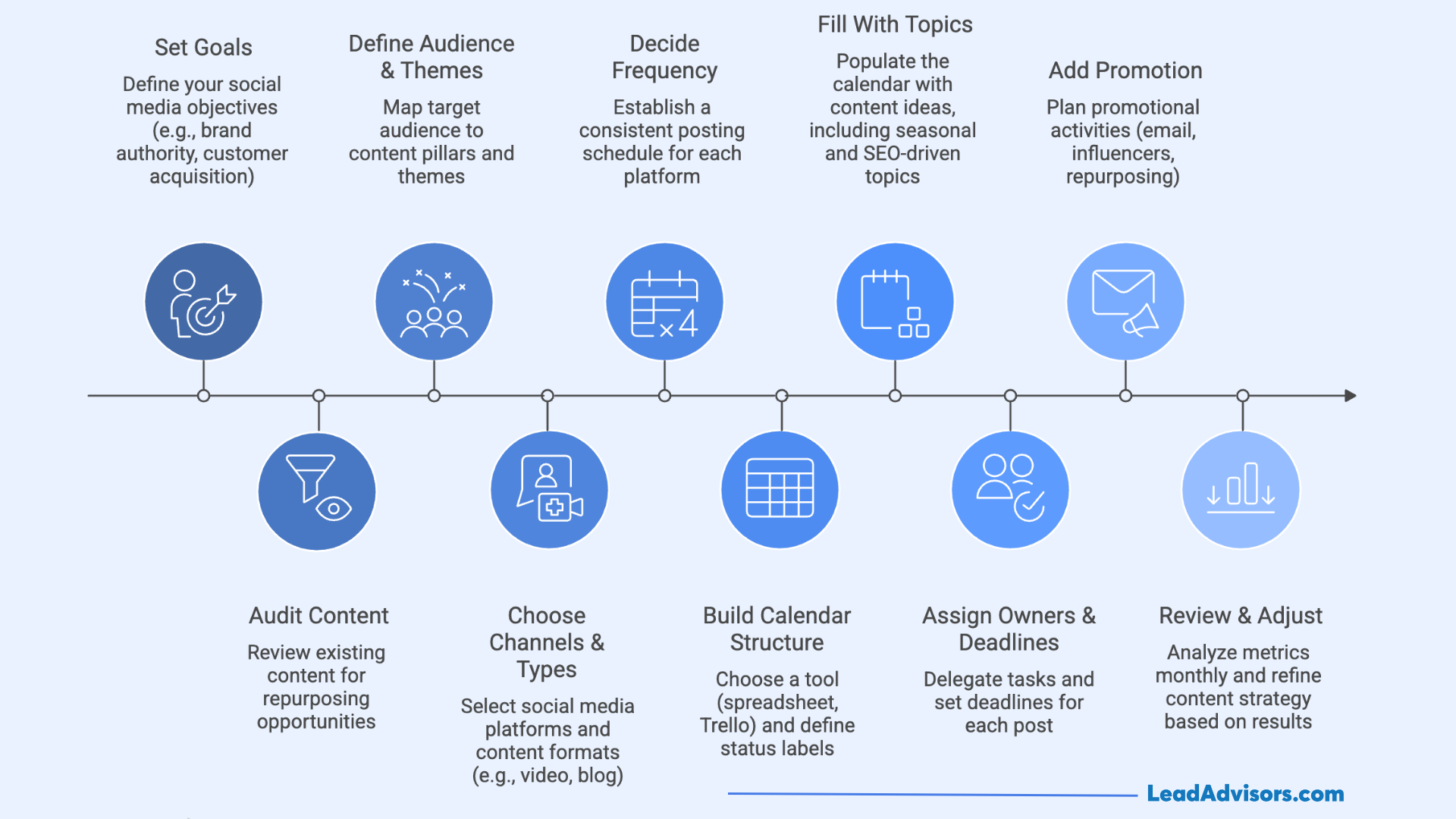
Planning a social media calendar is basically a controlled planning process anyway.
Step 1: Set Clear Content Goals
Your goals shouldn’t just sit in a strategy document; they must dictate the physical layout of your calendar.
- Goal: Lead Generation? Your calendar must prioritize “Gated Assets” (webinars, white papers, or templates). Your slots should be heavy on teaser content that drives traffic to a landing page.
- Goal: Retention/Loyalty? Your calendar shifts toward “Community Assets.” Prioritize slots for subscriber-only newsletters, community polls, and “Ask Me Anything” (AMA) sessions to keep existing customers engaged.
Step 2: Audit What You Already Have
Do a social media audit. Think about the pieces of evergreen content that you might be able to recycle or repurpose. Early identification of gaps in the process can help you avoid the creation of redundant content.
Influencer partnerships yield 41% stronger ROI than solo paid ads, while video campaigns lift conversions 34% over static ones—key repurposing opportunities in audits.
Moreover, brands reusing UGC see 30% better ad performance, supporting early gap identification for higher returns without redundant production.
Step 3: Define Your Audience and Themes
Map your target audience to specific content pillars. The themes not only provide you with a stop from just random posting but also ensure that relevant content fills your editorial calendar.
Step 4: Choose Content Types and Channels
Decide where your social posts will be. It doesn’t matter if you are doing a blog post, video content, or LinkedIn posts; keep one master plan for multiple platforms.
Step 5: Decide Your Publishing Frequency
Establishing a consistent posting schedule will always be more effective than bursting out a few great posts at irregular, scattered times. Determine a reasonable posting frequency for each social media platform. Never forget that quality always takes priority over quantity.
Step 6: Build the Calendar Structure
Choosing a content calendar software tool is part of the calendar-building process. Spreadsheets, Google Sheets, can be used for this purpose, or, if you are more of a professional, Trello project management. You should have clearly defined status labels such as “Needs Review”. To facilitate categorization, use an Excel drop-down list.
Step 7: Fill With Topics
To avoid “staring at a blank grid,” use a balanced distribution framework to physically populate your calendar:
- 70% Evergreen/SEO: These are your “Pillar” posts. They provide consistent value and search equity. Schedule these first, as they are the easiest to batch-create.
- 20% Timely/Trending: Leave these slots semi-open. Use them for newsjacking, reacting to 2026 industry shifts, or seasonal cultural moments.
- 10% Experimental/Personal: This is your “R&D” budget. Use these slots for high-risk ideas, raw behind-the-scenes content, or testing a brand-new platform feature.
Step 8: Assign Owners and Deadlines
It really matters that one and only one person is responsible for each social media post. Delegate the tasks to your social marketing group members and organize the work from the publish date backwards. Having accountability in place will help keep your work going in the right direction and make sure that no deadlines are missed.
Step 9: Add Promotion
Promotion is often where content goes to die. To prevent this, add a “Link to Outreach” column to your calendar.
- The Workflow: For every high-value post, list the specific influencers, partners, or internal team members you need to “ping” the moment it goes live.
- The Benefit: Having this column ensures that “Promotion” isn’t a vague idea, but a checklist of names and handles that must be contacted to maximize the post’s initial velocity.
Step 10: Review and Adjust
You can analyze the social media metrics one by one each month using data analysis. Based on the results, you can make changes to your content strategy.
Examples of Content Calendars (What “Good” Looks Like)
A “good” social media content calendar translates your social media strategy into actionable tasks. High-authority teams avoid cluttered lists. Instead, they use a social media management tool or a spreadsheet template to visualize the workflow.
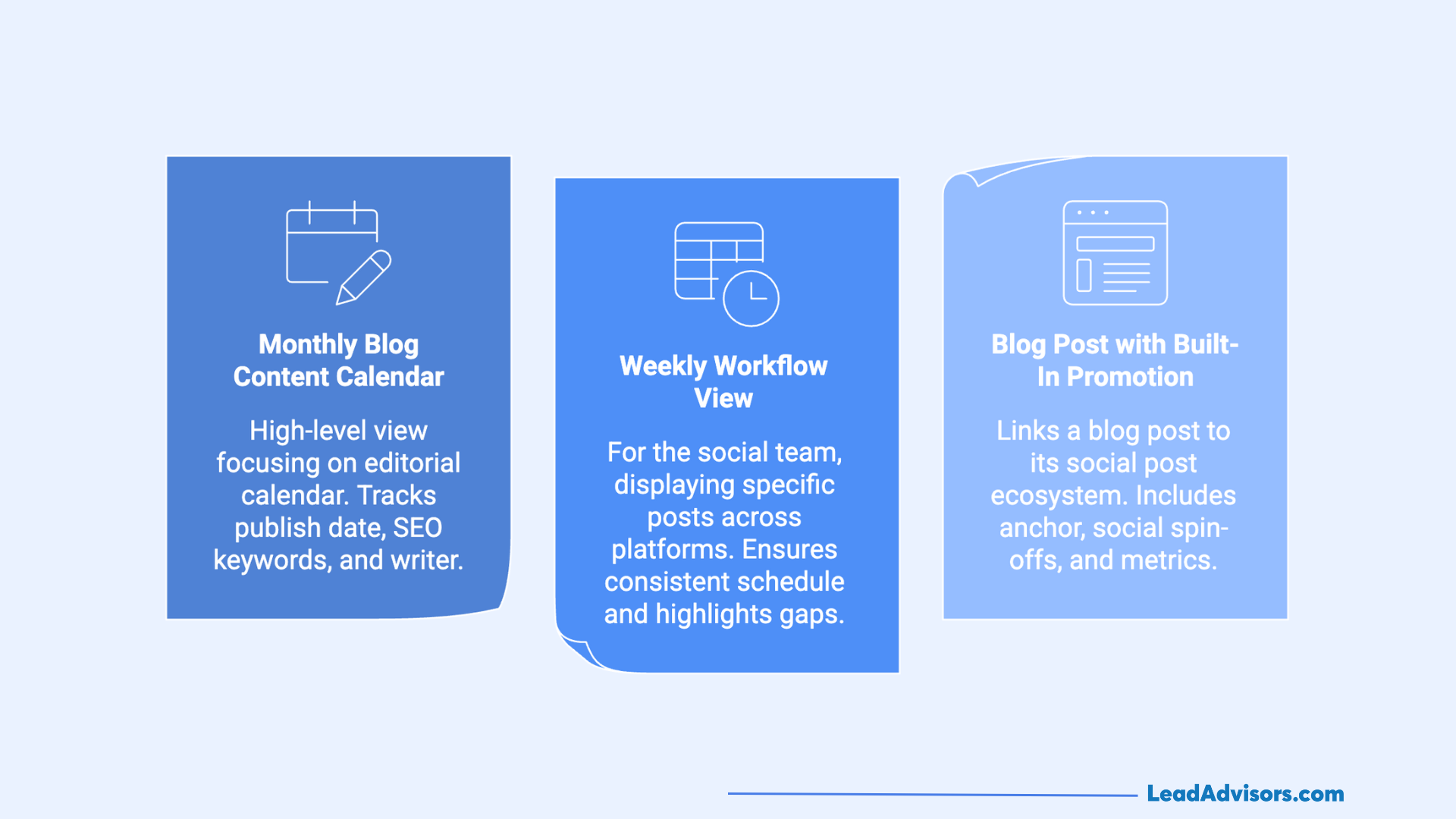
Example 1: Monthly Blog Content Calendar
This high-level view focuses on the editorial calendar. It tracks the publish date, primary SEO keywords, and the assigned writer.
Example 2: Weekly Workflow View
The weekly view is for the social team. It displays specific social media posts across multiple platforms like Instagram, X, and LinkedIn. Using Trello project management or a Notion calendar, teams can assign tasks and add comments in real-time. This granular view ensures a consistent posting schedule and highlights any gaps in the posting cadence.
Example 3: Blog Post with Built-In Promotion
This is the “master” entry. It links a single blog post to its entire social post ecosystem.
- The Anchor: 1,500-word guide on how to make a content calendar.
- The Social Spin-offs: Three video content snippets, one Facebook post, and four influencer posts.
- The Metrics: A 2026 case study showed that brands using this “hub-and-spoke” content planning model saw a 55% increase in lead generation.
Whether you use Google Sheets or SocialBee, a robust calendar template makes content creation scalable. It turns your social media accounts into a high-converting machine.
Content Calendar Templates (Use These Without Overthinking)
Choosing your infrastructure is the fastest way to get bogged down. In 2026, the best tool is simply the one your social media team actually uses. Match your choice to your team size and complexity to avoid decision fatigue.
Simple Spreadsheet (Solo Creators)
If you are managing multiple social media accounts alone, stick to a Google Sheets or Excel spreadsheet template. It is free, flexible, and requires zero onboarding. Use a blank monthly calendar layout with an Excel drop-down list for status tracking. This setup is perfect for managing a simple posting cadence without high costs.
Notion-Style Database (Small Teams)
For teams of 2–5, a Notion calendar is the gold standard. It allows you to add comments, store content ideas, and toggle between a digital calendar view and a Kanban board. You can even find a free template on the Notion Marketplace specifically designed for social media marketing in 2026.
PM Tools (Larger Teams)
A big marketing crew with a heavy content output definitely needs project management software like Trello, Asana, or Monday.com.
These applications allow you to be super specific with task assignments, and that way, you can also automate your content production schedule. If you have several social media channels under your management, using a dedicated social media management tool like Hootsuite or SproutSocial becomes indispensable, especially for performing data analysis and direct scheduling.
In a 2026 creator economy report, 84% of creators leverage AI-powered tools in their workflows, often leading to tool overload that contributes to burnout and reduced output efficiency. Choose one system only and stick to it for at least one quarter. Keep yourself well organized by concentrating your energy on the planning process rather than the software’s gimmicks.
Content Calendar Best Practices
Social media marketing success is a matter of strategic discipline and focus.
According to an industry benchmark report for 2026, brands with 3-5 pillars see 20-30% higher engagement from aligned content, per social media ROI guides, indirectly aiding retention through better recall and community building.
First of all, you need to stop just basic scheduling and move on to following high-authority habits if you want to dominate your niche.
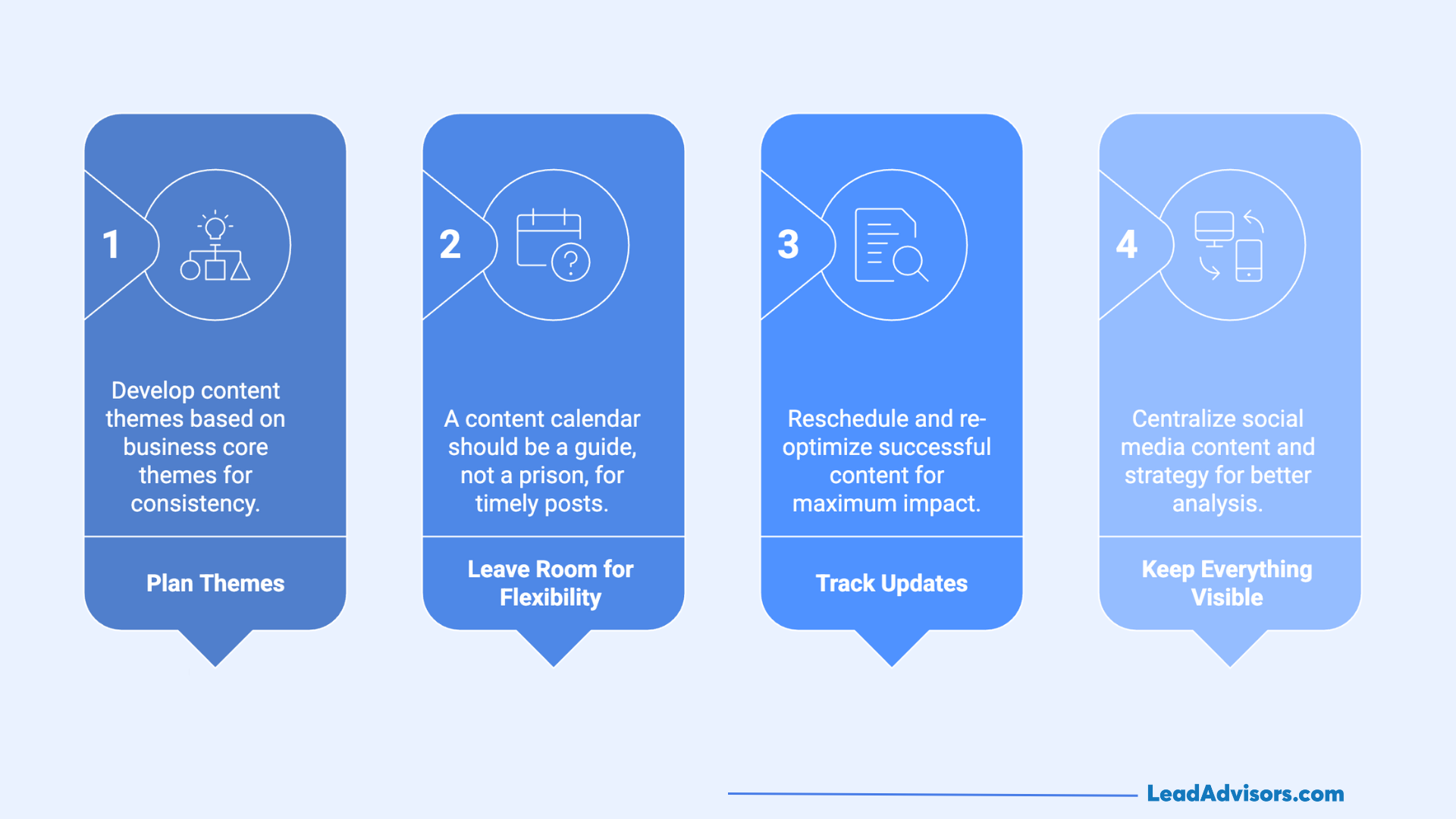
- Plan Themes, Not Random Posts: Put an end to the daily “what am I going to post today? ” struggle. Develop your social media content themes based on your business’s core themes. This way, your target audience will find your social media presence consistent and familiar. Referring to an editorial calendar, you can distribute these themes to different social media platforms.
- Leave Room for Flexibility: A content calendar should be considered as a guide only and not a prison. The real-time cultural moments in early 2026 will be the ones that will generate the most engagement, according to recent data. The 20% of your posting schedule that you leave unplanned will be available for timely posts or trending videos. With this agility, your brand will no longer sound like a robot.
- Track Updates, Not Just New Content: Evergreen content is a treasure. Make use of your digital calendar to reschedule an update for a successful blog post or a popular social post from the previous year. Re-optimizing current assets is the smartest content creation method for a single person or a small marketing team.
- Keep Everything Visible in One Place: Fragmentation kills momentum. Whether you use Google Sheets, Trello project management, or a social media management platform like Hootsuite, ensure the entire social team has access. Centralization allows for better data analysis and keeps your social media strategy aligned.
Maintain your organization by handling your calendar as a living document. By heeding these best practices, you are transforming your social media channels into a scalable, high-performing engine for winning over users and customers.
Common Content Calendar Mistakes to Avoid
Even if you have the most perfect social media calendar, your social media strategy can still give up on you if you unawares your self into these common traps. In 2026, the digital space will be so crowded that there will be hardly any room left for sloppy execution. Find errors like these and thus keep your presence sharp.
- Overplanning: In the first place, don’t schedule every Facebook post six months ahead of time. Rigidness to the extreme makes your brand look like it’s out of touch. Brands that adapt content during major news cycles maintain 20% higher engagement rates by reallocating 30% of their planned posts to timely, relevant topics, according to Hootsuite’s 2026 social media benchmarks.
- Ignoring Promotion: Content creation is just one half of the battle. The moment your social media content calendar lacks postings for influencer posts or email distribution, you are basically talking to no one. Promotion is as important as every blog post, which needs its time.
- No Ownership: Making everyone responsible for a social post means that no one is really responsible. Not assigning tasks to individuals on your team results in missing deadlines and ghosted social media accounts.
- Never Updating the Calendar: A digital calendar is not something that you just set once and then forget about it. You can use data analysis to make your planning process more up, to, date on a monthly basis. If you don’t measure social media metrics, you are just guessing.
- Treating SEO as an Afterthought: Every social media platform nowadays implements search-based algorithms. If you fail to incorporate relevant content keywords into your LinkedIn posts and video descriptions, you will miss out on potential customers.
By using social media management software such as Metricool or SocialBee, you can easily avoid these mistakes. Be organized, make your marketing team accountable, and treat your content calendar as a living, breathing asset.