Email is still a very powerful tool. A recent study shows that the return on investment for each dollar spent on email marketing ranges from $36 to $42 for most organizations. Nonprofits, in particular, generate an average of $2.63 in email-sourced revenue per subscriber per year. To put it differently, making a mistake in choosing the email marketing platform is not a small mistake – it’s a matter of donations, sales, and staff time.
In comparing Constant Contact with Mailchimp, this guide relies on vendor documentation, independent benchmarks, and the public reviews of nonprofits, financial advisors, local governments, cities, SMBs, and ecommerce brands. Besides, it is implied that some readers might already be using Salesforce, NetSuite, or similar systems, where integrations and data sync can slowly but surely become the costliest ones.


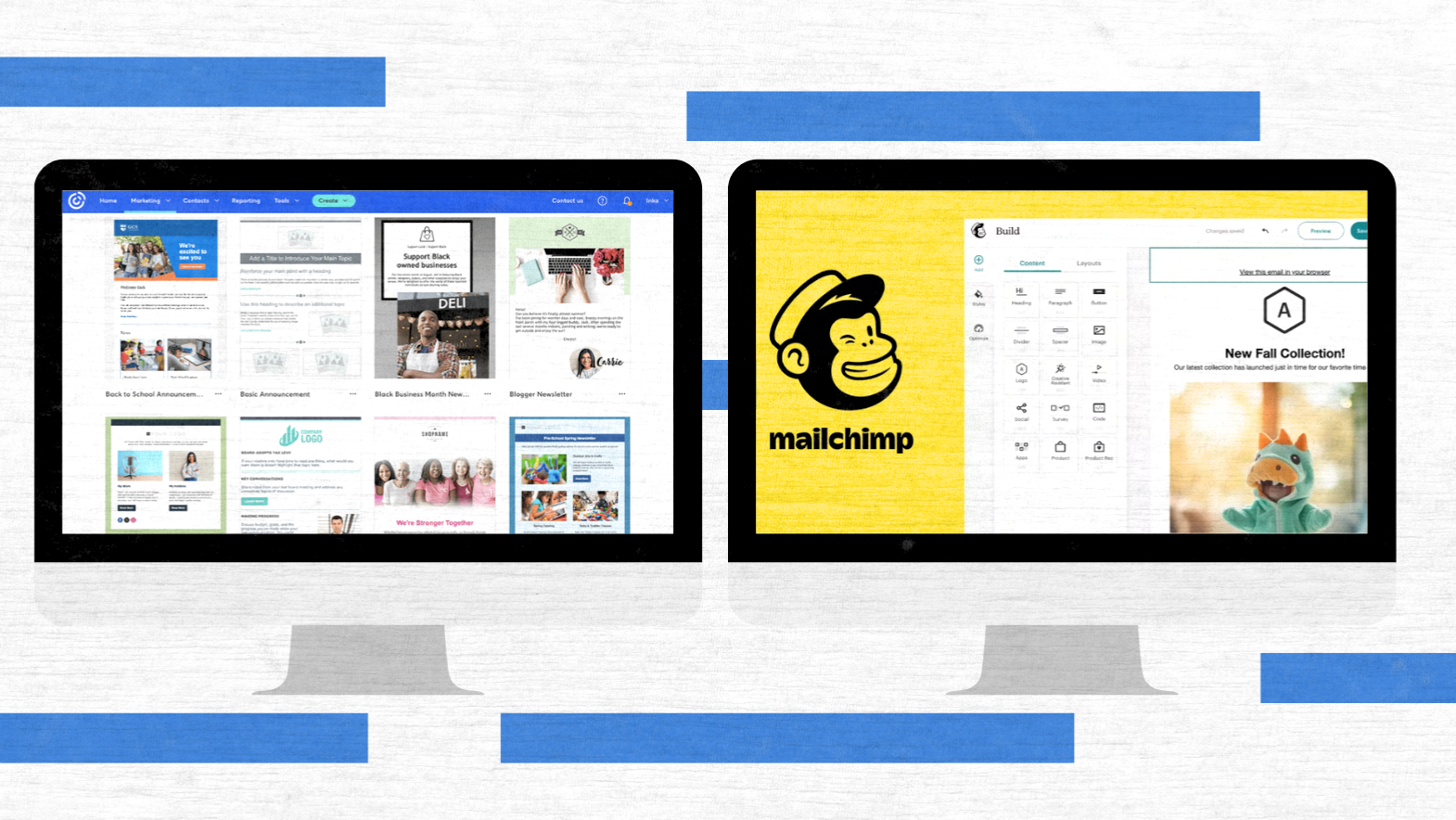
Constant Contact vs Mailchimp at a Glance
Quick Comparison Table
| Factor | Constant Contact | Mailchimp |
| Core focus | A socially responsible and easy-to-use email marketing software with features such as events, surveys, and simple websites. | An adaptable platform for email marketing with customer journeys, ads, and ecommerce. |
| Typical users | Nonprofits, associations, local governments, financial advisors, and small businesses. | Brands of merchants who sell their products online, SaaS, Online publishers, and multi-channel marketers. |
| Pricing model | Tiered by contacts and features – see pricing. | Number of contacts + features – Mailchimp pricing for Essentials, Standard, Premium, and free tier. |
| Standout strengths | Templates, phone support, event management, friendly UX, newsletter, and email campaign tools. | Marketing automation, segmentation, AI, customer journey builder, and detailed ecommerce reporting. |
| Where it can be frustrating | There are not so many advanced automated options; constantly interacting with fees and “which plan includes what” might cause some confusion. | It may feel complicated; Mailchimp’s costs can rise rapidly with list size and feature use. |
A quick way to think about Mailchimp vs Constant Contact:
- Constant Contact is made for teams that need “good email and events out the door” with help.
- Mailchimp is a better choice for teams that want to analyze user behavior, create heavy automations, and associate revenue with every customer journey.
How to Use This Guide
This guide is a decision map rather than a feature checklist.
- If you automate most of your work and focus on journeys and segmentation, then you should dedicate most of your time to Automation & Journeys and Reporting sections.
- If you are interested in templates, events, and phone support, then you should carefully read the design, list-building, and support sections.
- If your board is constantly asking about the cost, you should take a close look at the Pricing, Free Plans & Discounts (2026) section. This is where the costs of Constant Contact and Mailchimp, and “how much is Mailchimp at scale,” become apparent.
Additionally, you may use this as a detailed comparison of Constant Contact vs Mailchimp and any Mailchimp alternative or Constant Contact alternative that you might be considering.
Who Are These Tools Really Built For? Use Cases by Industry
Nonprofits & Associations
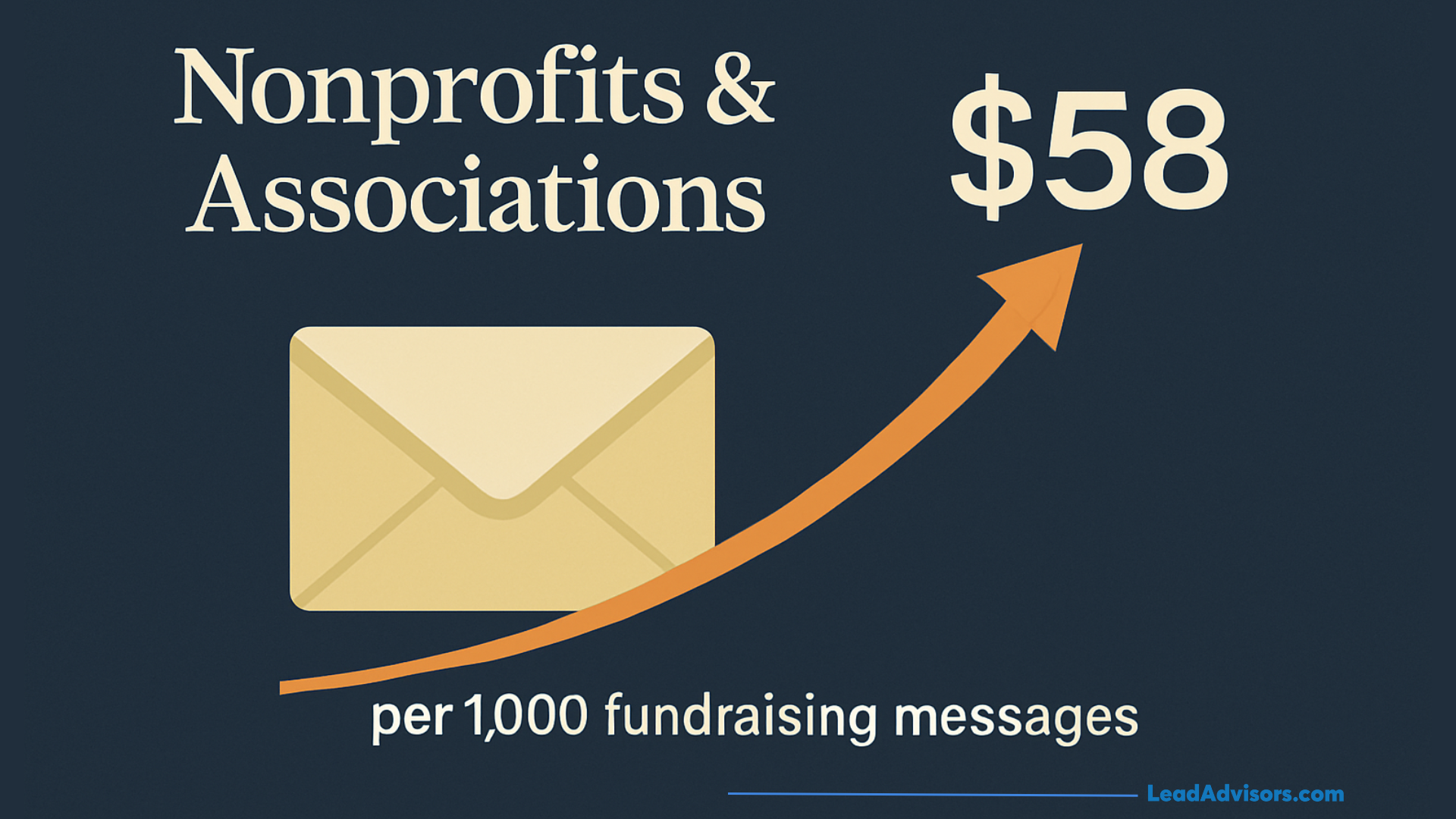
Nonprofits depend on email quite a lot. A benchmark report on more than 1,000 nonprofits revealed that email is the primary source of fundraising, still generating an average of $58 per 1,000 fundraising messages. It is therefore the central tool in digital fundraising plans.
In this situation:
- Constant Contact is largely used for event-driven fundraising, pledge drives, and simple list-building. It offers nonprofit-friendly Constant Contact pricing, discount options, and many newsletter examples tailored to campaigns. For a board or development team that mainly focuses on a clean, consistent contact newsletter, event invites, and follow-ups, the platform is a good fit for safety and predictability.
- Mailchimp is suitable for donor programs that heavily rely on segmentation and multichannel campaigns. Nonprofits that operate complex ladders (welcome, nurture, advocacy, recurring upgrade, lapsed reactivation) usually rely on Mailchimp’s automation workflows, predictive segments, and other advanced features, such as send-time optimization. Read our blog about which email marketing platform is better in 2026, between MailerLite and Mailchimp.
Eventually, some organizations question whether a more advanced Mailchimp alternative could outperform both. However, for most smaller nonprofits, the choice between Constant Contact and Mailchimp is still their first big decision.
Financial Advisors, RIAs & Regulated Industries
In industries with strict regulations, the factor that often determines the choice is not the design but the compliance:
- Advisors require archiving, supervision, and recordkeeping that meet the broker-dealer rules.
- Many companies are already aware of Constant Contact logs, exports, and approval flows.
That is the reason why some broker-dealers authorize Constant Contact but not Mailchimp. Advisors, therefore, forgo a few more advanced automation options to reduce compliance risk. A typical Constant Contact review from this segment refers to:
- Simple workflows,
- Acceptable Constant Contact deliverability, and
- A transparent, balanced assessment of the pros and cons of constant contact leaned toward “good enough and approved.”
Mailchimp may still be an option for a few companies, but the compliance department, rather than marketing, will usually be the one to decide between Constant Contact and Mailchimp.
Local Governments, Cities & Public Agencies
Local governments and public agencies usually need:
- Convenient toolkits for employees with limited design and technical knowledge.
- Trustworthy outbound alerts, newsletters, and notices.
- Uncomplicated lists for residents, districts, or interest groups.
Constant Contact is great at this because:
- Templates and content blocks are user-friendly.
- Employees can create a Constant Contact newsletter without having to learn a complicated funnel tool.
- A council briefing can be done using simple reports.
Mailchimp can still be used – particularly where there is a need for advanced segmentation – however, the additional framework around journeys and data may seem a bit much for communications teams that only require good email marketing services rather than a full marketing cloud.
Ecommerce & Online Retailers
Funnels are the main thing that decides the success or failure of ecommerce brands. Flows that are automated, like abandoned cart, post-purchase follow-ups, and product recommendations, are, a lot of times, for each sent message, far more profitable than broadcast campaigns.
In that world:
- Mailchimp is the usual winner. It has product-aware automation templates, a visual customer journey builder, and detailed revenue reporting. After integrating an online store with Mailchimp, you can segment customers by order value, category, and behavior, and link click-through rates directly to revenue.
- Constant Contact is still a viable option for very simple stores that mainly focus on promo blasts and need only basic email automation. It can be integrated with some carts and supports event management and SMS marketing, but it does not compete with specialized ecommerce tools for deep behavioral journeys.
When ecommerce is the primary source of income, you are most likely to consider Constant Contact either as a temporary stage or as a backup Mailchimp alternative for small side projects.
Coaches, Creators & Small Businesses
Coaches, course creators, and small businesses are typically in a situation where they have to choose between keeping things simple and growing their business:
- Why don’t you start with Constant Contact if that is what you need for quick newsletters, a simple drag-and-drop editor, and guided email automation that doesn’t require a marketing ops person?
- On the other hand, if you plan to create funnels, connect landing pages, and integrate email with ads and social from a single interface, you should start with Mailchimp.
Quite a few professionals in this niche finally decide to add a tool such as a dedicated funnel builder or a more powerful Mailchimp alternative, but the initial decision between Mailchimp and Constant Contact usually determines how much automation and segmentation will be considered “normal” going forward.
Ease of Use, UX & Overall Feel
Onboarding & Learning Curve
Think about your first week:
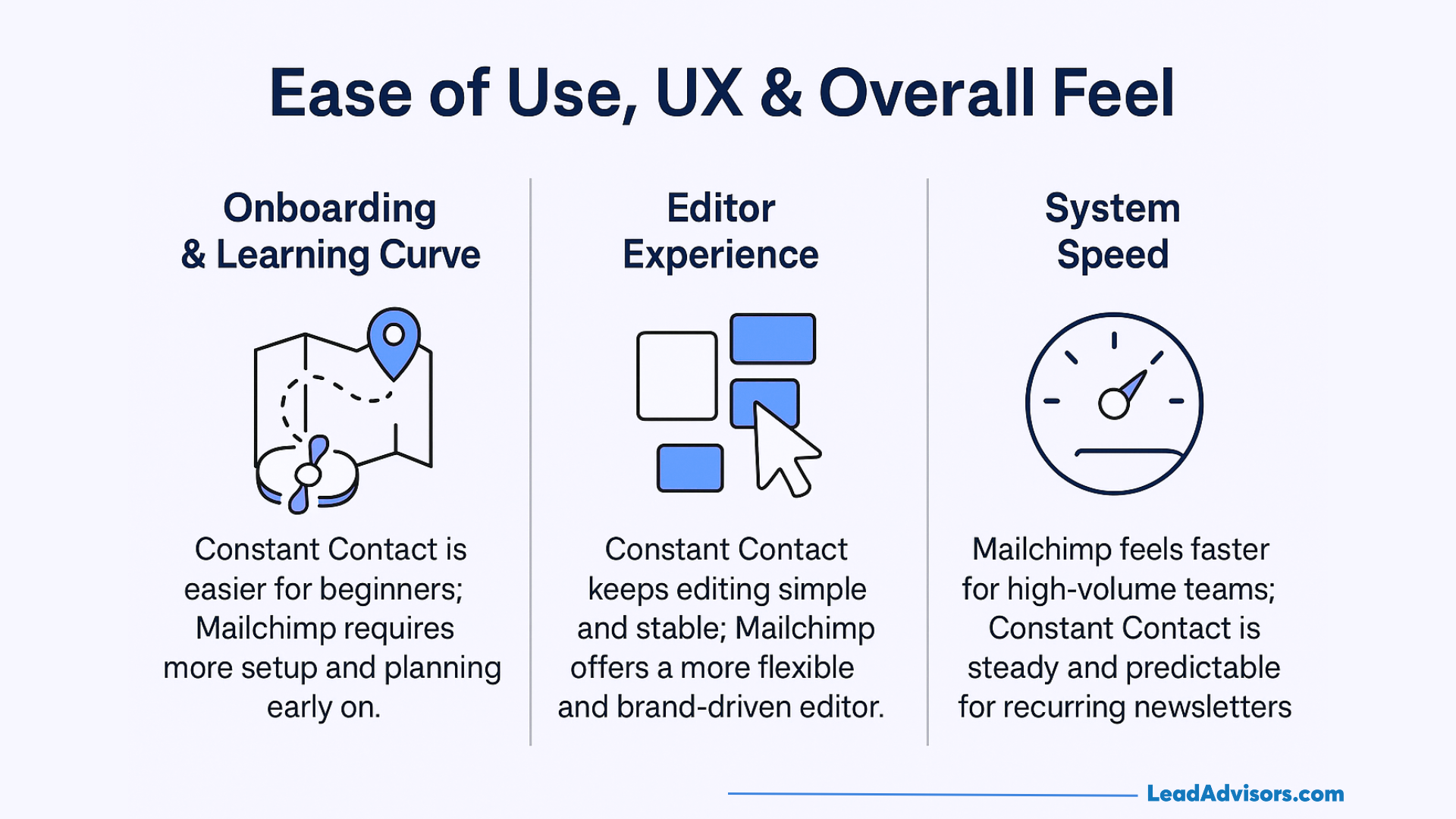
- Onboarding at Constant Contact feels like a journey with a guide. You create a list, choose a newsletter template, and quickly send out a campaign. Many Constant Contact reviews written by non-marketers emphasize that they hardly needed any training before they could send their first appeal or announcement.
- At Mailchimp, the first week is mostly about planning. To get the most out of the tool, you have to figure out audiences, tags, and journeys. The step will be rewarding later, but it can annoy teams that are only willing to send a message.
If your senders are not marketing professionals, the learning curve for Constant Contact will be more favorable than for Mailchimp.
Editor Experience & System Speed
Both products have a visual drag-and-drop builder, but the user experience differs.
Constant Contact:
- Implements block-based layouts with visually separated content blocks,
- Makes options simple, and
- Focuses on stability so that a standard Constant Contact newsletter can be easily reproduced every month.
Mailchimp:
- Provides a more versatile drag-and-drop editor,
- Uses a creative assistant to keep the brand visually consistent, and
- It is faster when you are familiar with the interface – great for teams that need to send a large volume of campaigns or create multi-step journeys.
For very few users, these differences matter very little. On the other hand, for users who work extensively with the system, system speed and editor comfort are two of the most important factors affecting their daily experience.
Email Design & Template Quality
Template Libraries Compared
Constant Contact puts the focus on the number of templates and their relevance:
- There are hundreds of email templates themed around holidays, sectors, events, and appeals.
- In general, many newsletter samples are designed specifically for nonprofits, local agencies, and SMBs.
Mailchimp has fewer templates to choose from, but the basic layouts are more polished and work better with its brand kit and website builder tools. The main target for these is trendy designs that can be used not only for landing pages, ads, and email campaigns but also across the whole brand.
Branding & Design Control
Both platforms support:
- Brand kits include the three main elements – colors, logos, and fonts.
- Sections that can be reused across different campaigns.
- Personalization tokens are a source for Constant Contact personalized email content or a similar Mailchimp counterpart.
Studies based on commercial sources indicate that personalization can double interest and conversions. A well-planned personalization application in a tool of your choice will, in most cases, raise your results to a greater extent than simply changing template families.
How Emails Render in the Real World
Mobile opens accounted for roughly 26% to 78% of total email opens, depending on the audience and industry. Consequently, a mobile-ready design is absolutely necessary.
Both tools:
- Provide mobile previews.
- Recommend single-column or simple multi-column layouts.
- Enable you to stay away from the most common Outlook quirks, even though no editor can totally eliminate every rendering issue.
The difference between Constant Contact and Mailchimp editors will matter less to your design discipline and content choices, which will ultimately be the main drivers of your results.
List Management, Segmentation & CRM Features
Basic List Management
Both Constant Contact and Mailchimp allow:
- Import operations from spreadsheets, CRMs, and third-party apps.
- Details of contacts and history of engagement are clearly visible.
- Unsubscribes, bounces, and compliance footers that are automatically managed.
For example, features such as constant contact import contacts are set up so that a non-technical person can transfer lists without extensive IT support.
Segmentation Power
Constant Contact:
- Employs lists and tags for easy segmentation.
- That would be perfect for very simple cuts, such as “donors in the last 12 months” or “members in this chapter.”
Mailchimp:
- Uses segments, tags, groups, and predictive models to identify customers for more in-depth segmentation.
- Supports conditions crossed by behavior, orders, and form submissions.
If you intend to have several micro-audiences within one database, Mailchimp’s setup is more flexible over time.
Built-in CRM vs “Just Email”
For really small groups, Mailchimp works somewhat like a light CRM. It stores customer data, supports custom fields, and tracks each contact’s behavior.
Constant Contact is often referred to as ‘just email’ and is used alongside a real CRM. Some teams use it alongside Salesforce or a donor system, relying on these tools for the full history while using it for broadcasts, reminders, and events.
If you are willing to use the email tool as your primary customer system, then Mailchimp (or a Mailchimp-heavy CRM alternative) would be the more suitable option.
Automation & Journeys: How Sophisticated Can You Get?
Essential Automations Both Tools Offer
Both are capable of:
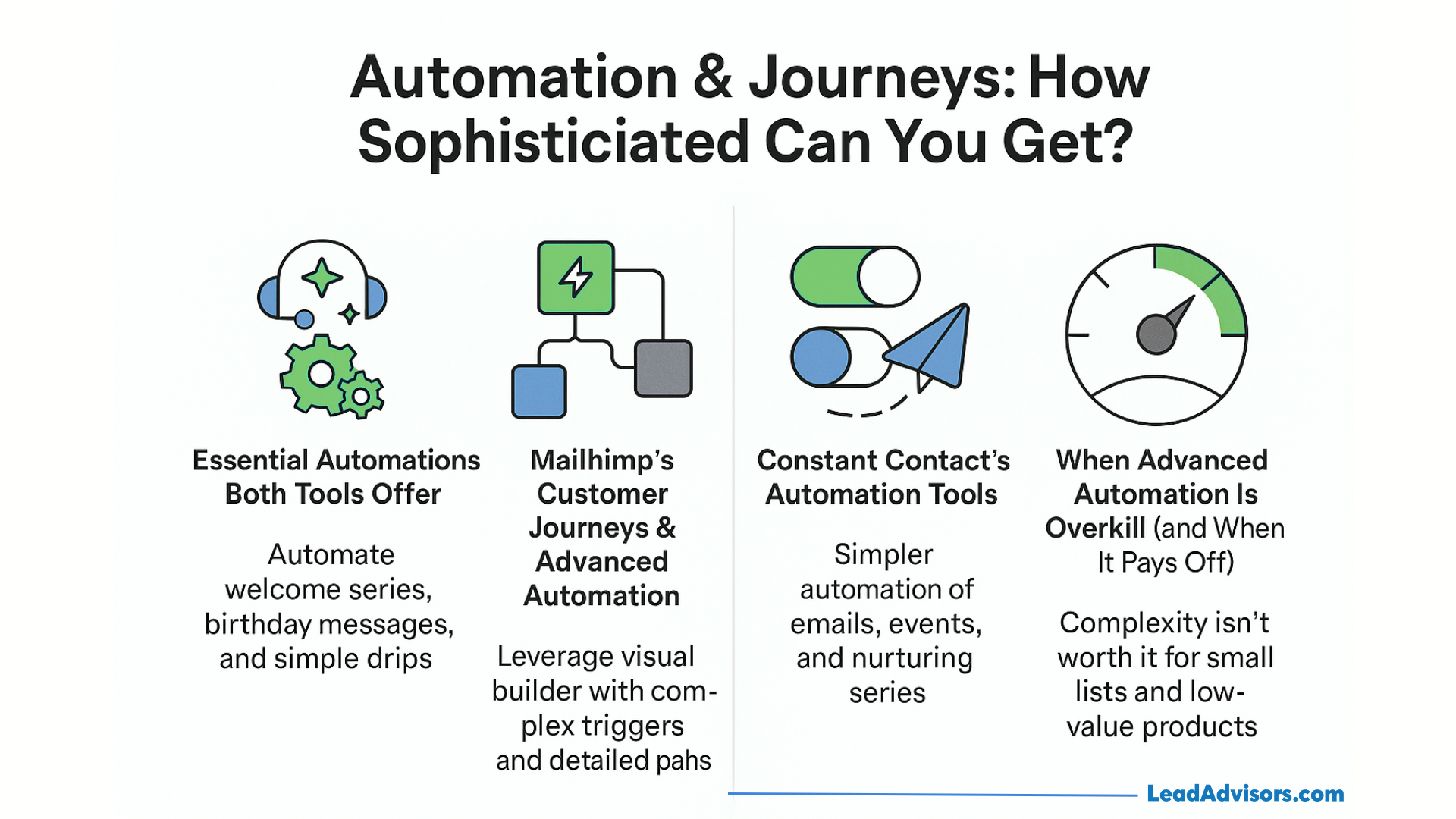
- Automating a welcome series,
- Sending gifts or greetings based on birthdays and anniversaries, and
- Running simple drip nurturing.
Moreover, by integrating the two platforms correctly, they can also support key flows such as abandoned cart and post-purchase follow-ups, which are very helpful for e-commerce and online programs. These automated sequences are often the primary drivers of additional revenue per subscriber compared to one-off email blasts.
Mailchimp’s Customer Journeys & Advanced Automation
Mailchimp’s customer journey builder:
- Utilizes visual diagrams with several triggers and branches.
- Merges customer actions, tags, and custom fields into intuitive paths.
- Provides templates specialized for ecommerce, SaaS onboarding, and lead nurturing.
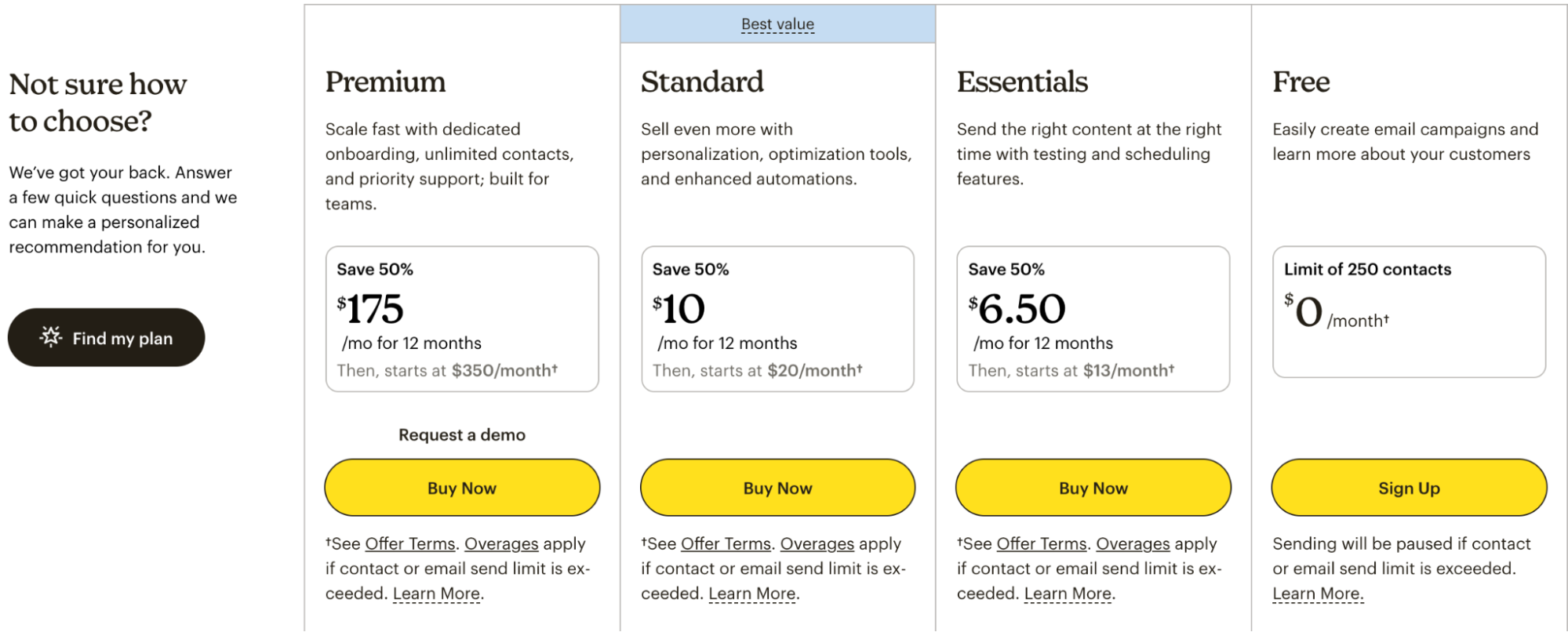
Mailchimp has additional advanced automation features and detailed reports that become available as you upgrade from the Essentials to the Standard and Premium plan tiers. That is the point at which the cost of Mailchimp and overall Mailchimp pricing may become a strategic budget question rather than just a line item.
Constant Contact’s Automation Tools
Automation is good, but less complicated and more user-friendly:
- One of its main features is the straightforward flow of operations that are related to joins, events, or tags.
- They mainly use marketing and email automation for welcome series, event sequences, and simple nurturing.
- Upgraded-tier packages like Email Plus and Pro bring in more triggers, some of which are transactional emails.
This level of email automation is sufficient for most nonprofits, advisors, and local orgs.
When Advanced Automation Is Overkill (and When It Pays Off)
Advanced journeys are profitable when:
- You have a big list,
- Your products are of high value, and
- You have time to keep testing and refining.
If the majority of your work consists of a monthly Constant Contact newsletter and a few reminder emails, then complicated journeys might increase your costs and risks without delivering significant returns.
In this case, the choice between Constant Contact and Mailchimp would probably favor the simpler tool, or even a different solution altogether (cloud-based) if the budget is limited.
Forms, Landing Pages & List-Building Tools
Embedded Forms, Popups & Lead Ads
On both platforms, one can get the following:
- Embedding forms and pop-ups linked to a contact list,
- Basic styling options, and
- Integrations with Google Ads and social lead tools.
Generally, Mailchimp offers more flexibility with custom fields and form design, which is very helpful when forms are used for advanced segmentation. Constant Contact is making the process of creating forms quicker and more comfortable for people who are not experts.
Landing Pages & Microsites
You can create targeted landing pages with both Constant Contact and Mailchimp for:
- Lead magnets,
- Event registrations,
- Waitlists and petitions.
In a few plans, Constant Contact’s website pricing bundles basic site tools with email and event management, whereas Mailchimp’s website builder is mainly about the tight integration with its journeys and segments.
Neither of them is a substitute for a full CMS, but both are ways to have less work when you want to have email campaigns, forms, and pages in one view.
Offline & Multichannel List Growth
Both tools facilitate:
- QR codes leading to signup pages,
- In-person signups at events, and
- New contacts are being synced into sequences through third-party apps.
The multi-channel scenario is becoming more vibrant with the addition of SMS marketing, but it is also becoming more complicated to manage.
A/B Testing & Optimization Tools
What You Can Test in Each Platform
Constant Contact:
- Permits A/B tests on different subject lines in numerous plans.
- Supports manual comparison of content and layout.
Mailchimp:
- We can experiment with subject lines, from names, send times, and content on suitable plans.
- Provides multivariate tests at higher tiers.
According to research, personalization, segmentation, and timing can significantly increase open and click rates. Mailchimp’s extensive test surface makes it more convenient to implement these results if your team has the time to come up with clear experiments.
Send-Time Optimization & Timezone Features
Mailchimp includes:
- Send-time optimization based on previous engagement,
- Tools that are similar to Timewarp, thus communications reach at local times
These features are usually more important for worldwide lists or for those who send large volumes. In the case of local or smaller lists, well-defined value propositions and great subject line selections are still the main factors that enhance performance.
Using Test Results to Actually Improve Campaigns
To take the tests really value out of the tests of either tool:
- Only change one variable at a time.
- Make sure that tests are run on sufficiently large samples.
- Therefore, to allow improvements to compound over time, it is necessary to transfer the winning versions into automation workflows and templates.
Consider tests as continuous email marketing strategy experiments rather than one-off experiments.
Reporting, Analytics & ROI Tracking
Core Metrics Both Platforms Provide
Constant Contact and Mailchimp both report on:
- Opens,
- Click-through rates,
- Bounces,
- Unsubscribes, and
- Campaign-to-campaign comparisons.
Latest benchmark reports show average email open rates of about 40–42% and average click-through rates of around 2% across most industries, with nonprofits usually going a bit higher. These figures provide you with a reference point when reading your reports on any of the platforms.
Constant Contact’s Reporting Style
Constant Contact’s reporting is structured to:
- Clear, simple charts,
- Easy exports for board packets, and
- Quick snapshots for non-technical executives.
The company does not intend to use its reporting as a full analytics suite. Their main aim is to provide a very brief account of the question “Were the Constant Contact newsletters and appeals effective?” without requiring additional tools.
Mailchimp’s Reporting Depth
Mailchimp offers:
- Click maps,
- Device and client breakdowns,
- Ecommerce funnel analytics, and
- Comparative reports across campaigns and segments.
These deeper analytics transform the question “what does Mailchimp do for us?” into a quantifiable one, rather than an assumption, for teams that consider email a primary profit source. The detail is also instrumental in explaining the transitions from the Essentials to the Standard and Premium plans, even as Mailchimp pricing increases.
Using Analytics for Real Decisions
Various sectors have different ways of implementing analytics:
- Nonprofits measure metrics such as revenue per subscriber, number of fundraising email campaigns per year, and list churn.
- Ecommerce brands are primarily concerned with metrics such as revenue per send, order value from emails, and automated flow performance.
- Advisors and RIAs are more interested in engagement and compliance signals rather than pure revenue.
The main thing is to be consistent with the review. In most cases, monthly and quarterly check-ins are more effective than annual audits.
Deliverability: Getting Into the Inbox
Vendor Claims vs Independent Tests
Independent deliverability and ROI studies continue to support email as a highly reliable channel when used properly. The differences between Constant Contact and Mailchimp are less than the differences between good sender practices and bad ones.
Deliverability Features & Safeguards
Both vendors support:
- SPF, DKIM, and DMARC,
- Bounce and complaint handling,
- Basic dashboards for list health.
If your lists are old or poorly consented, neither brand name will save you from the spam folder. If your lists are well-maintained, both can deliver reliably.
Content, List Quality & User Behavior
Research from both academia and industry on email attention and personalization indicates that relevant content and timing remain the most important factors. By improving your segmentation, consent, and creative, you will make your email marketing better than if you were to switch vendors to chase small deliverability differences.
Integrations, Ecosystem & Workflow Automation
Native Integrations
Both Constant Contact and Mailchimp connect to:
- CRMs such as Salesforce and others,
- Ecommerce platforms and tools for online stores,
- Event platforms, and more.
Constant Contact frequently promotes event management and easy stores as included features. Mailchimp highlights its extensive integration ecosystem and its ability to serve as the hub for numerous digital marketing tools.
Using iPaaS & No-Code Automation Tools
Such tools as Zapier, Make, or SyncApps:
- Perform the data transfer between CRMs, forms, and email lists,
- Initiate journeys depending on the occurrence of an external event,
- Ensure consistency of contact list records across different systems.
This is very important if you already have “all the tools” set up, and what ESP just needs is to be part of that web, not replace it.
Deep CRM Integrations (Salesforce / NetSuite & Beyond)
Deep, two-way synchronization is basically required when:
- Your CRM stands as the main data source,
- Activity information has to be the basis for reports and predictions, and
- Several departments are using the same contacts
In such instances, the debate between Constant Contact and Mailchimp should include an in-depth examination of sync rules, field coverage, and each platform’s future approach to contact management.
AI, SMS & “Next-Gen” Features
AI Content & Creative Tools
Both tools have been upgraded with the support of AI:
- Mailchimp provides AI copy and design suggestions through the creative assistant and other features.
- Constant Contact provides AI content suggestions in email templates and campaigns.
According to research, personalization and relevance can more than double open and click rates. However, AI will only be of help if it is used to implement a clear strategy.
SMS & Multichannel Campaigns
Mailchimp and Constant Contact are enabling sms marketing for a few countries and plans, thus:
- Email + SMS reminders for events,
- Short campaigns tied to launches or deadlines, and
- More complex multichannel journeys.
As for the budget, you should be adding SMS costs to the base Mailchimp or Constant Contact pricing when calculating your spending.
What Actually Moves the Needle vs Shiny Objects
Where most of the biggest wins come from in spite of all the new tools:
- Clean lists and solid consent practices.
- Subject line and copy with clear value propositions.
- Relevant automation, not every single one.
AI and SMS can be of great help, but only when they are built on firm groundwork.
Pricing, Free Plans & Discounts (2026)
Free Plans & Trials
In pricing conversations regarding Constant Contact and Mailchimp:
- Mailchimp provides a free plan that is limited and is suitable for small accounts/lists only. Features are limited to basic email marketing and templates.
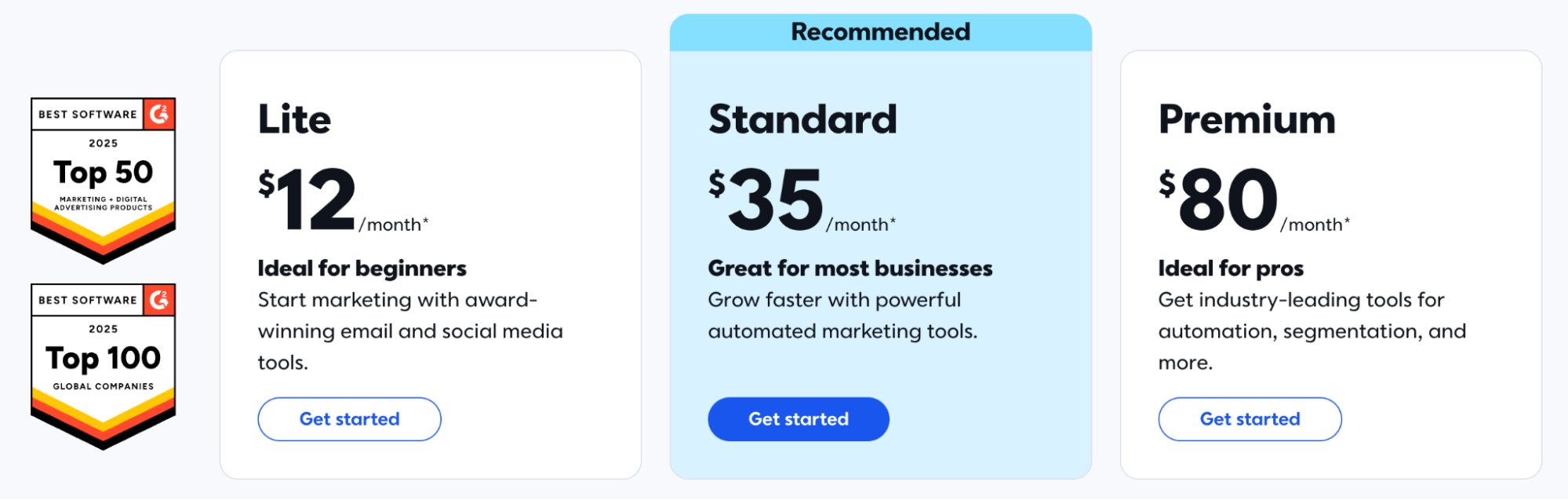
- Constant Contact offers a 30–60-day trial but doesn’t have a free tier. When teams are testing, pausing, and then resuming paid service, questions such as “What is Constant Contact?” or “Constant Contact on my statement?” frequently arise.
Ongoing Pricing by List Size & Plan Tier
The main questions sound like:
- “What does constant contact pricing look like at 10,000 contacts?”
- “How much is Mailchimp pricing if we need a Standard or a Premium plan?”
- “Which Constant Contact pricing tiers include Email Plus and additional services like surveys or ecommerce?”
Departments also compare Constant Contact with competitors and alternatives. That is, especially when list sizes push into the higher tiers, or when Mailchimp costs increase rapidly with automation and seats.
Nonprofit & Small Business Discounts
Nonprofits and small businesses are likely to enjoy the benefits of:
- Constant Contact discount offers, nonprofit packages, and Constant Contact coupon codes for prepay.
- Mailchimp discounts or credits, particularly when combined with pay-as-you-go models.
These discounts can alter the apparent winner in Mailchimp vs. Constant Contact comparisons once you have modeled the spend for 12–24 months.
Real-World Cost Scenarios
A real cost review should feature:
- Platform fees (and Constant Contact website pricing if you are using it),
- Add-ons for SMS or extra seats,
- Costs of iPaaS tools to connect other platforms, and
- Staff time required to manage complex automation workflows.
To answer questions like “how much does Mailchimp cost?” or “what do Constant Contact rates look like at scale?”, one has to add all of these together, not just look at the headline price.
Support, Onboarding & Cancellation Experience
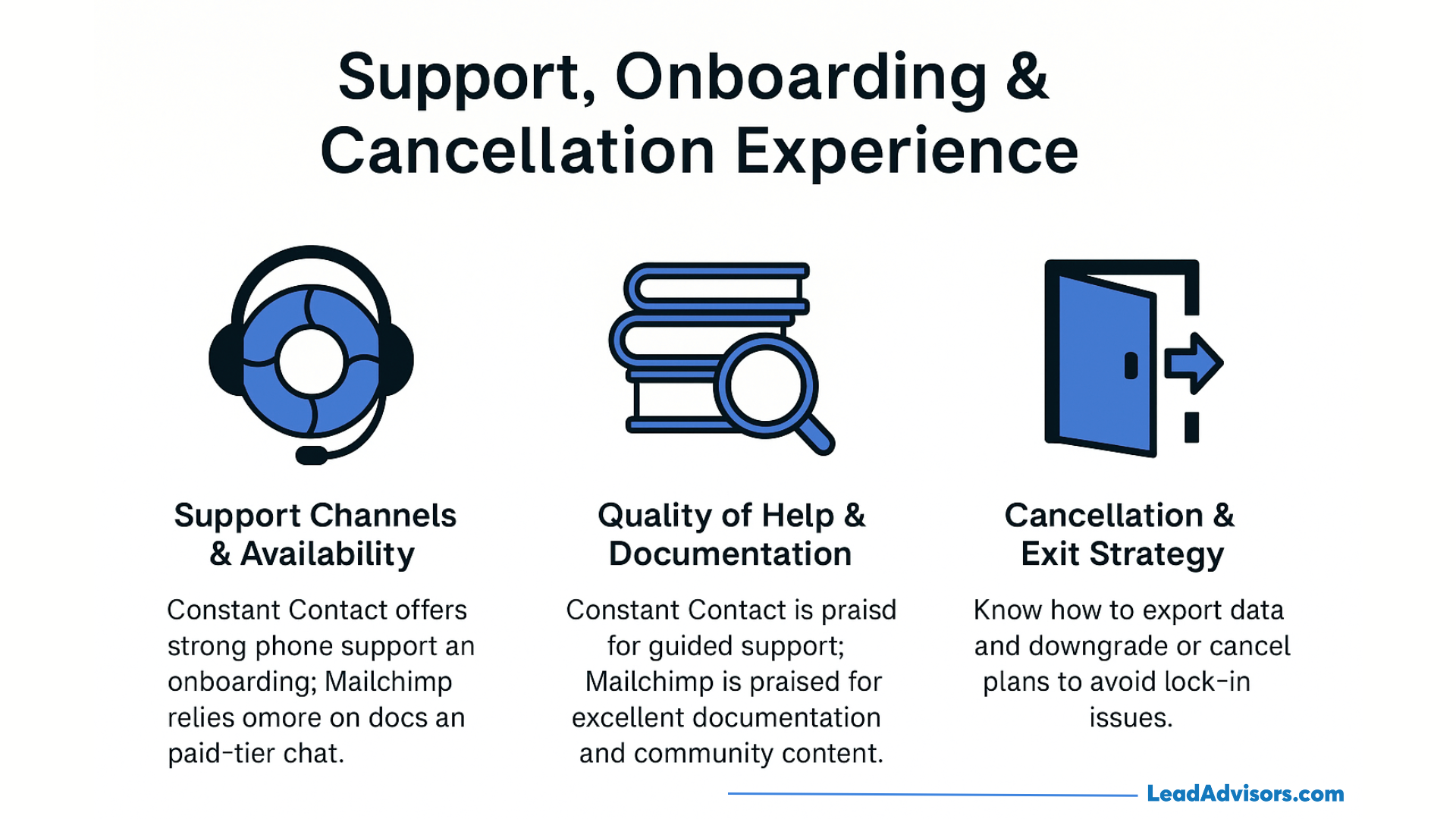
Support Channels & Availability
Constant Contact:
- Has a wide-ranging phone support and chat on several plans,
- Also, runs webinars and onboarding sessions, and
- Offers a hands-on approach to help with setup.
Mailchimp:
- Primarily supports through docs, tutorials, and e-mail,
- Gives the chat service to the paid tiers, and
- For some premium plan holders, phone support can be accessed through regional Mailchimp phone numbers.
Support, mostly sought through human interaction and guidance, can often be a deciding factor for those choosing between Constant Contact and Mailchimp.
Quality of Help & Documentation
Constant Contact customers often say that the support team is:
- Supportive staff,
- Providing guidance in the use of Constant Contact, and
- Resolving issues with DNS, SPF/DKIM, and Constant Contact importing contacts.
Mailchimp users often praise:
- Strong documentation,
- Plenty of examples and templates, and
- Solid community content focused on email marketing best practices.
Cancellation, Account Ownership & Vendor Lock-In
Step one before engaging with any ESP is to know:
- Ways to export contacts, templates, and automations,
- Where do the constant contact fees or legacy entries, such as EIG Constant Contact, show up in the statements, and
- How to downgrade or cancel Mailchimp Standard and Premium plans without access to data crucial for users?
Having an exit strategy in place is just another everyday part of the software selection process.
Compliance, Security & Industry-Specific Requirements
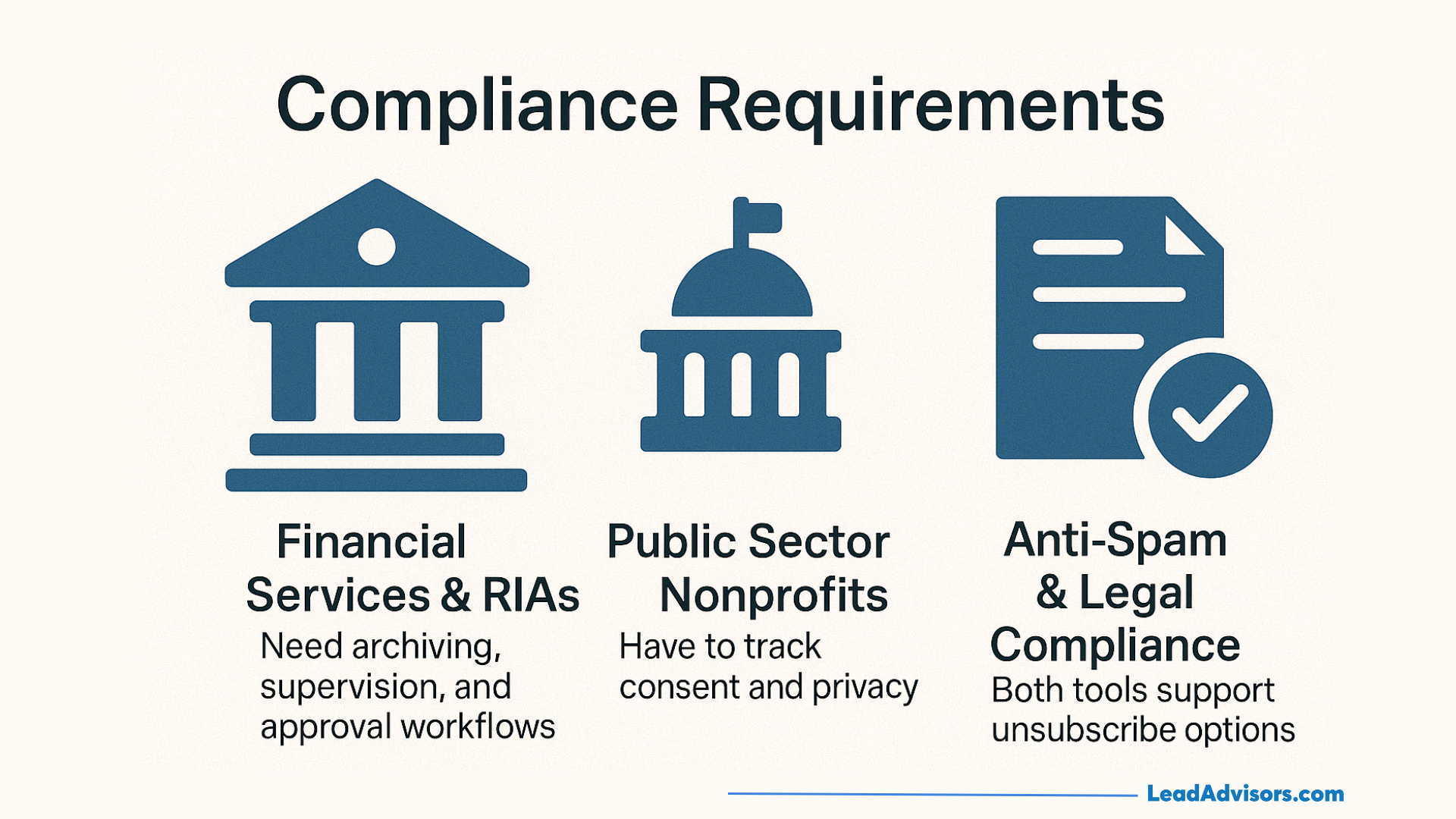
Financial Services & RIAs
Financial services and RIAs:
- Need archiving, supervision, and approval workflows that correspond to industry regulations.
- Usually, they have narrower ESP lists, where Constant Contact software is considered a known, lower-risk option.
Firm-level policy may explain why Constant Contact is preferred over Mailchimp, even if Mailchimp’s advanced features look more attractive from a purely marketing perspective.
Public Sector & Nonprofits
Public sector organizations and nonprofits:
- Have to track consent and privacy,
- Need accessible templates, and
- Often require clear audit trails.
Both platforms can support these requirements, but they need to be properly set up. CRM and case-management system integrations are more important than the logo on the login page.
Anti-Spam & Legal Compliance
Both tools support:
- CAN-SPAM, CASL, and GDPR basics,
- Required unsubscribe and address blocks, and
- Options for double opt-in and compliant sign-up forms.
The extent of legal risk is more dependent on your policies, data retention, and list acquisition methods than on whether you choose Constant Contact or Mailchimp.
What Real Users Say: Reviews, Reddit Threads & G2 Insights
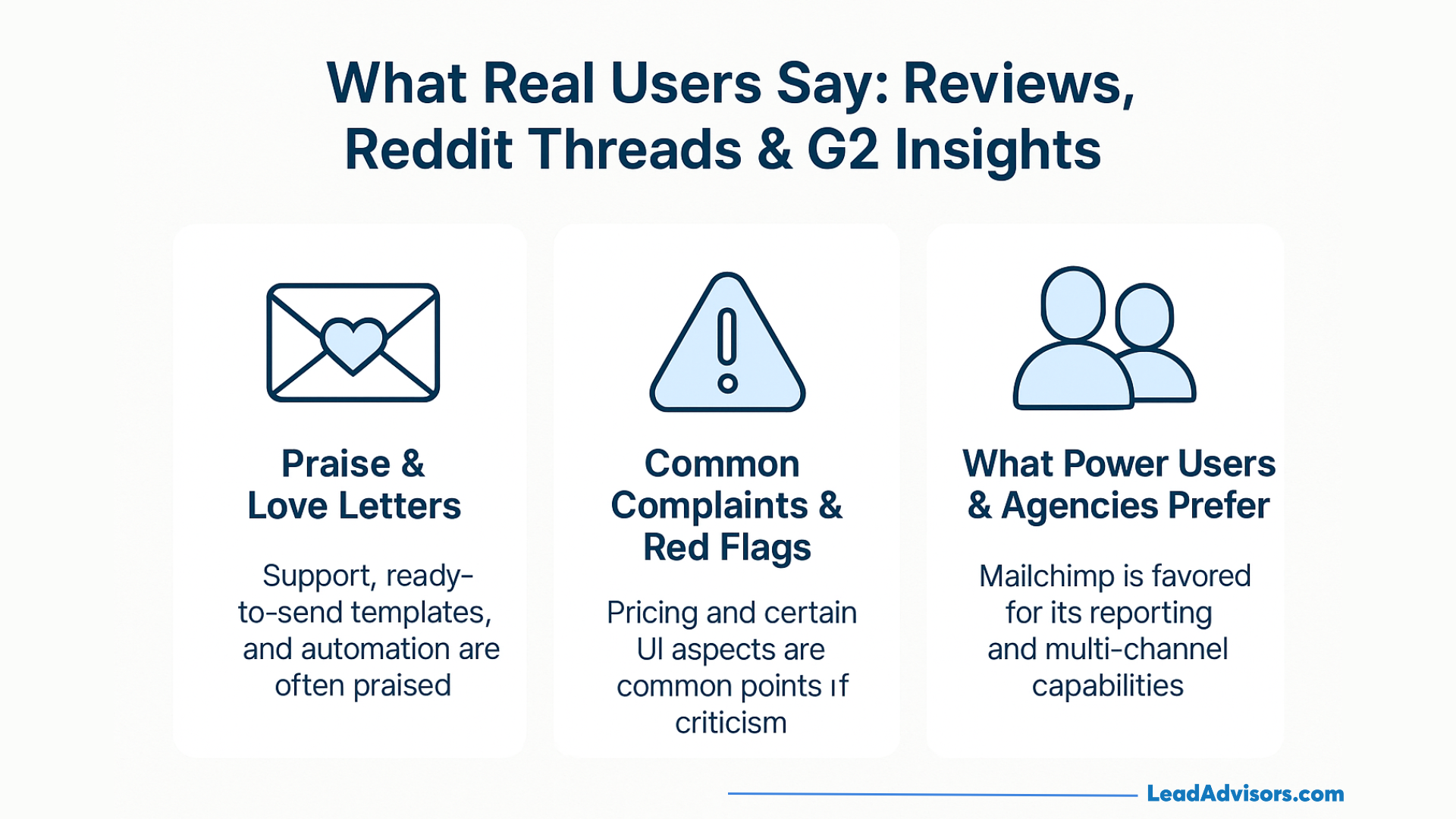
Praise & Love Letters
Between publicly available reviews and discussions:
- One of the reasons that Constant Contact receives so much praise is the support it offers, simple UX, ready-to-send templates, and straightforward email campaign workflows.
- Good things are said about Mailchimp chiefly by agencies and ecommerce managers. They praise it for its UI, advanced automation, and detailed reporting.
These trends are reflected in numerous Constant Contact review records and third-party email marketing roundups.
Common Complaints & Red Flags
Some of the common complaints are:
- Constant Contact: some parts of the legacy UI, fewer advanced features, confusion about which pricing tiers include advanced tools, and questions about competitors with more built-in CRM.
- Mailchimp: the increasing Mailchimp pricing as lists grow, a learning curve around journeys, and a feeling that small teams may be paying for features that they do not use.
When users look for Constant Contact alternatives or a new Mailchimp alternative, these are usually the pain points that drive the decision.
What Power Users & Agencies Prefer
Power users and agencies normally do the following:
- Employ Mailchimp for clients who are data-driven, multi-channel, and require strong reporting and automation workflows.
- Nonprofits, small municipalities, and regulated clients that are security-conscious and prefer familiar tools and strong phone support are the ones for whom they keep Constant Contact accounts.
Some agencies also take the liberty of experimenting with other Constant Contact-style platforms or more integrated suites when their clients outgrow basic ESPs.
When to Skip Both: Top Alternatives to Consider
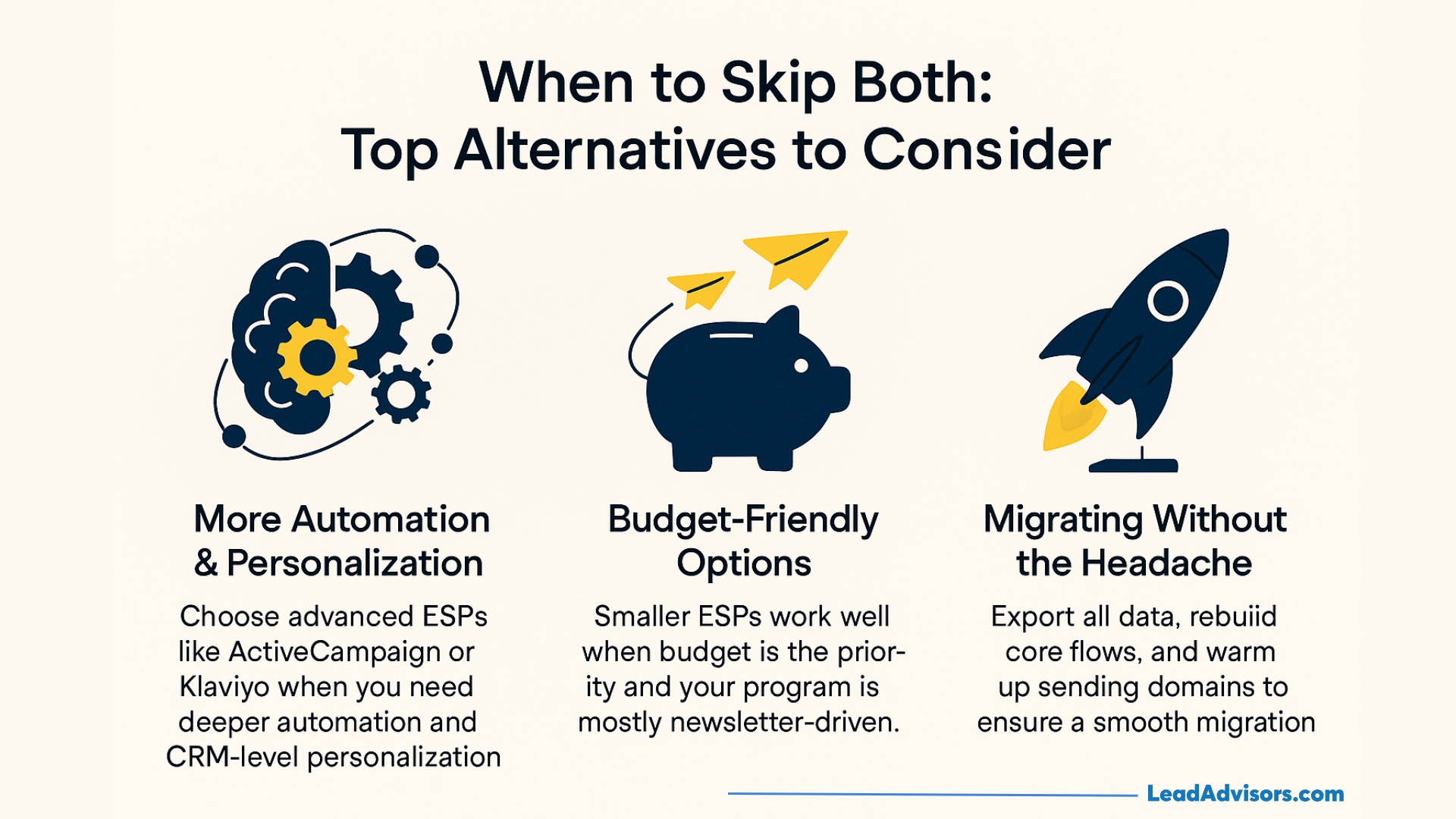
When You Need More Automation & Personalization
When you have outgrown the features of Constant Contact vs Mailchimp and want to step up, you might think of:
- ActiveCampaign,
- Klaviyo, or
- Other CRM-heavy ESPs.
These usually offer more complex customer journeys, integrated CRM, and more detailed reporting, but they can also increase costs and complicate usage.
When Budget Is the Top Priority
When the budget is limited, small ESPs can be a viable alternative to both Mailchimp and Constant Contact. They may take a step back in ecosystem strength or advanced features, but they reduce costs for simple newsletter-driven programs.
Migrating Without Losing Your Mind
If you leave Constant Contact or Mailchimp:
- Make sure you include all custom fields and tags when exporting subscribers.
- Export templates and create the new tool from scratch for core flows.
- Don’t forget to warm up sending domains so that you don’t end up directly in the spam folder.
Don’t look at migration as a weekend spare-time task; rather, treat it as a project.
Decision Framework: Which Platform Should You Choose?
Choose Mailchimp If…
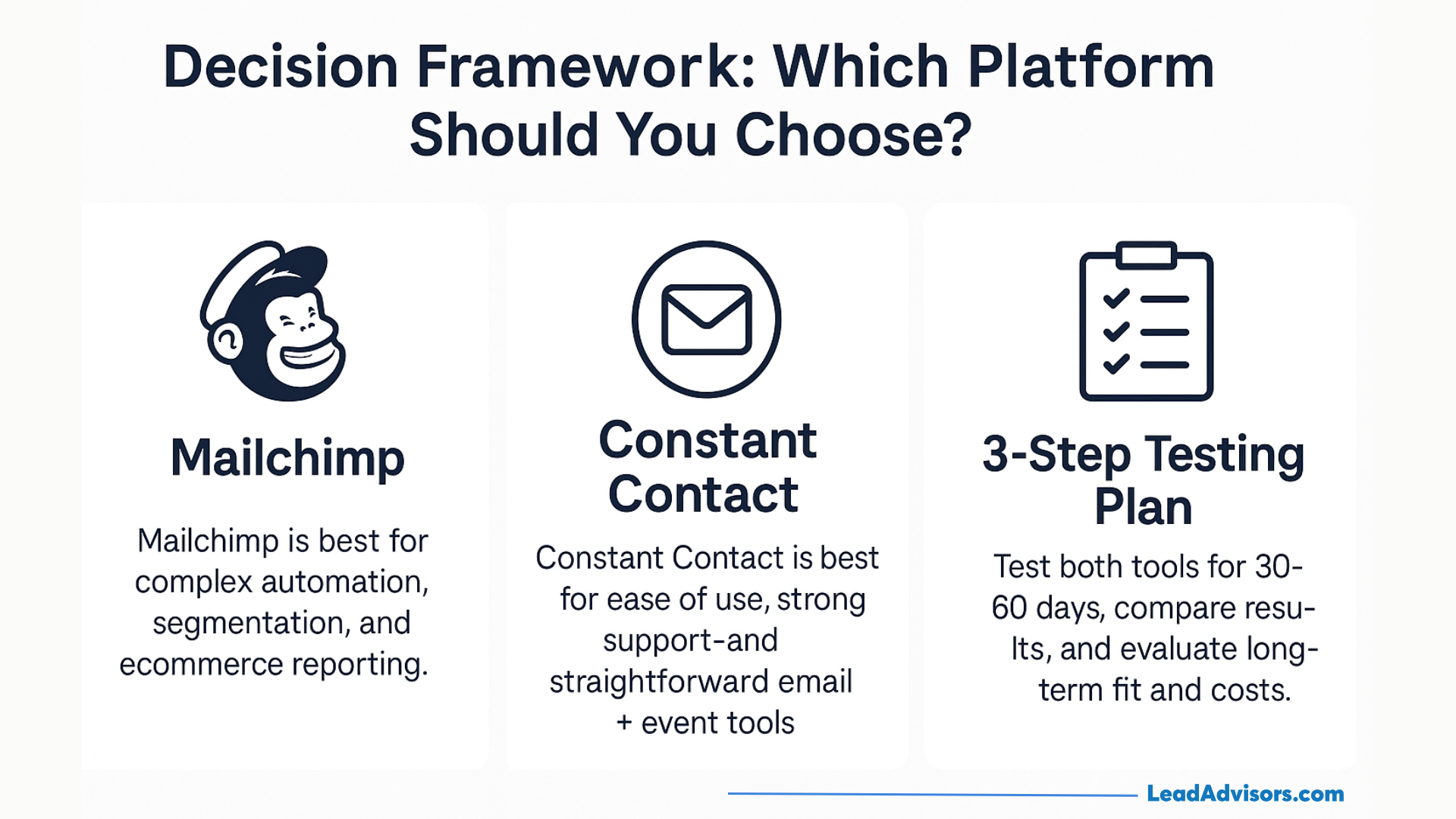
When to choose Mailchimp is most often the case if you:
- Require very complex automation, segmentation, and automated workflows that integrate email, ads, and pages.
- Have an excellent need for ecommerce reporting and are willing to pay for a higher Mailchimp price if you are scaling your work.
- Would like a platform that serves as a simple CRM for small businesses and creators without other systems.
Choose Constant Contact If…
Typically, it makes sense to go with Constant Contact if you:
- Desire utmost ease of use with a large number of ready-made email templates and very clear services for events and newsletters.
- If you put more value on phone support and live help rather than advanced features.
- If you already have a CRM and mainly need to do “just email” plus event management and basic marketing automation.
Still Not Sure? A Simple 3-Step Testing Plan
- Try both tools simultaneously with a 30–60 day trial in each, using the same segment, content, and send calendar.
- Assess the results and evaluate deliverability, opens, click-through rates, staff time, and the extent to which each fits your stack and budget.
- Think ahead 12–24 months, including platform fees, SMS, integration costs, and the value of better automation or support.
From this perspective, Constant Contact vs Mailchimp – and any other Constant Contact Mailchimp alternative you might be considering – is a well-structured, testable decision rather than a guessing game.